PayloopPayloop
CommunityVoicesToolsDiscoverLeaderboardReportsBlog
Save Up to 65% on AI
Powered by Payloop — LLM Cost Intelligence
Tools/Motion/vs Read AI
Motion

Motion

ai-productivity
vs
Read AI

Read AI

ai-productivity

Motion vs Read AI — Comparison

15 integrations10 featuresSeries C
Pain: 2/10015 integrations6 featuresSeries B
The Bottom Line

Motion and Read AI both provide productivity-focused solutions but cater to different aspects of work. Motion excels in task and schedule management with a solid 4.3/5 rating, while Read AI offers AI-powered meeting assistance with a notable growth trajectory in its user base. Motion is generally praised for its reliability, though some find it pricey, whereas Read AI provides a free tier with flexible pricing options.

Best for

Motion is the better choice when optimizing task management and scheduling is crucial for teams of all sizes, particularly those needing robust integration with calendars and task platforms.

Best for

Read AI is the better choice when automating meeting activities such as transcription and summary generation is essential, especially for teams looking for affordability with a freemium model.

Key Differences

  • 1.Motion offers integration with a broader range of calendar and task management tools, whereas Read AI focuses on video meeting platforms.
  • 2.Motion is praised for its task management capabilities with high user ratings of 4.3/5, while Read AI lacks specific user feedback in our dataset.
  • 3.Read AI provides a free starting tier with additional per-seat pricing options, whereas Motion uses a tiered subscription model starting at $250.
  • 4.Motion is supported by Series C funding at $65.1M, while Read AI has Series B funding of $81.0M, indicating different stages of market maturity.
  • 5.Motion is designed for broad productivity applications, including project management, while Read AI specializes in real-time meeting solutions.

Verdict

For organizations focused on task and schedule management with seamless integration across productivity tools, Motion provides a robust solution albeit at a higher cost. On the other hand, Read AI delivers strong capabilities for those needing efficient meeting assistance and may be more budget-friendly with its freemium model. Choose based on your team's primary workload focus and budget considerations.

Overview
What each tool does and who it's for

Motion

Motion is built for individuals and teams of all sizes

Users generally praise Motion for its robust functionality and ease of use, particularly appreciating its performance in managing tasks efficiently. However, there are some complaints centered around its learning curve, which can be steep for new users. The pricing sentiment is mixed, with a few users finding it slightly expensive but acknowledging the value it provides. Overall, Motion maintains a strong reputation for reliability and effective task management, as shown by its predominantly high ratings and positive feedback.

Read AI

Read AI, the fastest growing AI meeting assistant, ever, delivers real-time transcription, smart summaries, and enables AI search and discovery across

Unfortunately, the user reviews and social mentions provided do not contain any feedback specifically about "Read AI." Therefore, there is no information available on its main strengths, key complaints, pricing sentiment, or overall reputation from these sources. Further data or direct references to "Read AI" would be needed to generate a meaningful summary.

Key Metrics
4.3★ (20)
Avg Rating
—
35
Mentions (30d)
39
Mention Velocity
How discussion volume is trending week-over-week

Motion

-29% vs last week

Read AI

Stable week-over-week
Where People Discuss
Mention distribution across platforms

Motion

Reddit
88%
YouTube
7%
Lemmy
5%

Read AI

Reddit
96%
YouTube
4%
Community Sentiment
How developers feel about each tool based on mentions and reviews

Motion

15% positive84% neutral1% negative

Read AI

0% positive100% neutral0% negative
Pricing

Motion

subscription + tiered

Pricing found: $700, $250

Read AI

subscription + freemium + per-seat + tieredFree tier

Pricing found: $0, $15, $19.75, $19.75, $22.50

Use Cases
When to use each tool

Motion (8)

Automating daily scheduling to optimize time managementIntegrating with existing calendars to streamline appointmentsPrioritizing tasks based on deadlines and importanceGenerating daily summaries of tasks and meetingsFacilitating team collaboration through shared task listsProviding reminders for important deadlines and eventsAnalyzing productivity trends over timeCustomizing workflows to fit individual work styles

Read AI (8)

Generate meeting summaries to share with team members.Extract action items from meeting transcripts for follow-up.Create Q&A sections from discussions for easy reference.Highlight key moments in video meetings for quick review.Automate the organization of meeting notes in project management tools.Enhance productivity by reducing time spent on manual note-taking.Facilitate remote collaboration by providing clear meeting insights.Support onboarding by providing new team members with summarized meeting histories.
Features

Only in Motion (10)

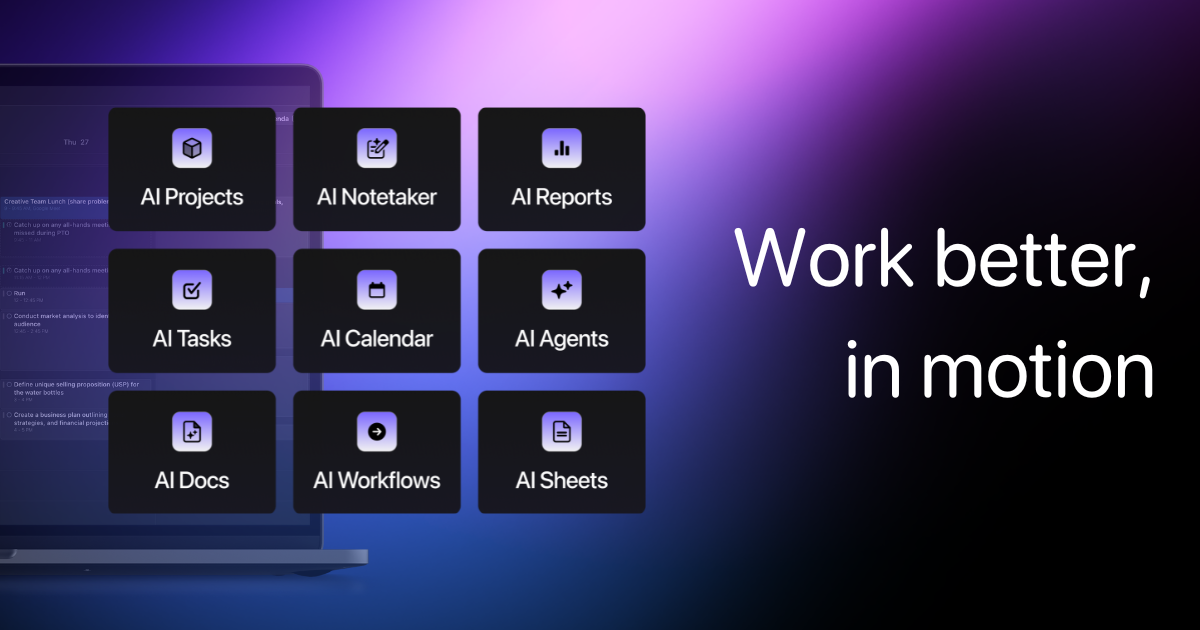
Create, edit, and summarize content with AISearch across all your notes and docs instantlyAsk anything. Motion finds the answer fast.“Motion helped me get promoted 12 months faster than peers”Your existing, average toolsNormal Task ManagerNormal Project ManagerNormal DocsNormal CalendarNormal Meetings

Only in Read AI (6)

Keep ReadingUse Read AI wherever you workAutomate summaries insights across platformsIntegrate AI into your everydayAs Featured OnWork smarter, everywhere.
Integrations

Shared (9)

Google CalendarSlackTrelloAsanaZoomNotionEvernoteDropboxSalesforce

Only in Motion (6)

Microsoft OutlookTodoistBoxZapierGitHubJira

Only in Read AI (6)

GmailOutlookMicrosoft TeamsHubSpotClickUpMonday.com
What Users Say
Top reviews from G2, Capterra, and TrustRadius

Motion

What do you like best about Motion?I love that I can send a link to someone that shows preferred times and available times they can meet with BOTH my business partner and me. I also like the permanent links I can set up that allow someone to use their special meeting link over and over again. Review collected by and hosted on G2.com.What do you dislike about Motion?It really wants to cram my day in with activities if I let it. I would like it if I could say, "I only want to do so much deep work in a day vs light work, and have so many breaks." If I let it set my entire schedule, I'd never get to pee. Review collected by and hosted on G2.com.

5.0\u2605Patti B.g2

What do you like best about Motion?This gives us something that works directly with Final Cut and uses the same codecs. We are able to easily move items back and forth as needed. AS the name suggests Motion is fantastic for adding dramatic motions and graphics to any video. Review collected by and hosted on G2.com.What do you dislike about Motion?The rendering time and process can be cumbersome and time consuming at times depending on the graphics and video being used. Review collected by and hosted on G2.com.

5.0\u2605Kim E.g2

What do you like best about Motion?I like that Motion has a user interface that is easy to use and understand. The interface is built very similar to that of Final Cut which makes it very nice when needing to switch between the two applications to achieve different effects. With Motion you are able to achieve the (as the name states) motions that you aren't able to achieve with Final Cut. Review collected by and hosted on G2.com.What do you dislike about Motion?I think the one downfall to Motion which has gotten better is the time it takes to render and save videos. Especially with the videos that have a lot of movement to them which creates a larger file size. Also it seems that the compression you receive with Motion isn't to the degree of the compression you get with other pieces of software like Final Cut or even the dreaded iMovie. Review collected by and hosted on G2.com.

5.0\u2605Danny G.g2

Read AI

No reviews yet

Pain Points
Top complaints from reviews and social mentions

Motion

token cost (1)

Read AI

token usage (2)anthropic bill (1)spending too much (1)API bill (1)cost per token (1)
Top Discussion Keywords
Most mentioned keywords from community discussions

Motion

token cost (1)

Read AI

token usage (2)anthropic bill (1)spending too much (1)API bill (1)cost per token (1)
Product Screenshots

Motion

Motion screenshot 1Motion screenshot 2

Read AI

Read AI screenshot 1Read AI screenshot 2Read AI screenshot 3Read AI screenshot 4
What People Talk About
Most discussed topics from community mentions

Motion

open source6
performance5
pricing4
support4
accuracy4
model selection4
migration3
cost optimization3

Read AI

Top Community Mentions
Highest-engagement mentions from the community

Motion

Is Flock just a poor US-centric copy of, globally active Genetec?

I've read all of Genetec's [customer stories](https://www.genetec.com/customer-stories/search) (the PDFs), and although I recognize these, as being Genetec marketing material (at least in part), they do contain insightful information, regarding implementation of surveillance systems; that is, from t

Lemmyby PierceTheBubblepositive source

Read AI

Read AI AI

Read AI AI

YouTubeneutral source
Company Intel
information technology & services
Industry
information technology & services
88
Employees
96
$65.1M
Funding
$81.0M
Series C
Stage
Series B
Supported Languages & Categories

Shared (3)

AI/MLSecurityDeveloper Tools

Only in Motion (1)

Analytics

Only in Read AI (1)

CRM
Frequently Asked Questions
Is Motion or Read AI better for task management?▼

Motion is better for task management due to its comprehensive task prioritization and scheduling capabilities.

How does Motion pricing compare to Read AI?▼

Motion's pricing starts at $250, making it more expensive than Read AI, which offers a free tier and additional per-seat pricing options.

Which has better community support, Motion or Read AI?▼

Motion appears to have more widely documented user feedback with a 4.3/5 rating, suggesting a more active community.

Can Motion and Read AI be used together?▼

Yes, both tools can be integrated into organizational workflows together, particularly since they both integrate with platforms like Slack and Google Calendar.

Which is easier to get started with, Motion or Read AI?▼

Read AI may be easier to get started with due to its freemium model and lack of noted learning curve, whereas Motion may have a steeper learning curve.

View Motion Profile View Read AI Profile