
Figma is the leading collaborative design platform for building meaningful products. Design, prototype, and build products faster—while gathering feed
Figma AI is generally well-received, with most user reviews highlighting its efficient design capabilities and intuitive interface, which many users find enhances productivity. However, some users have raised concerns about discrepancies between the designed output and the generated code, implying that visual accuracy might not consistently meet expectations. Pricing sentiment isn't explicitly mentioned, but the tool appears to offer substantial value given its high ratings. Overall, Figma AI has a positive reputation among users, especially for those leveraging its AI features for frontend design endeavors.
Mentions (30d)
9
Avg Rating
4.5
20 reviews
Platforms
2
Sentiment
23%
10 positive
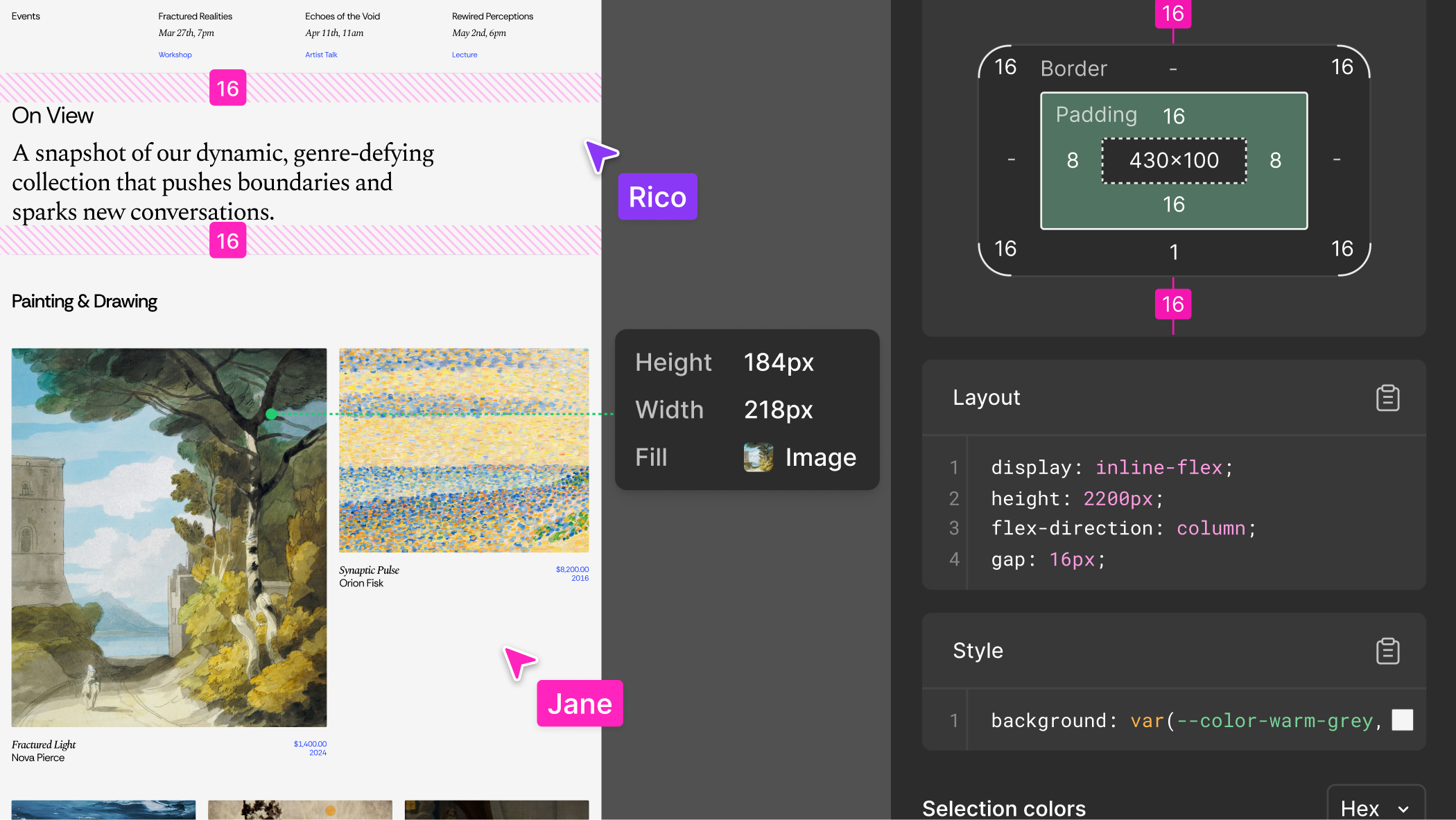
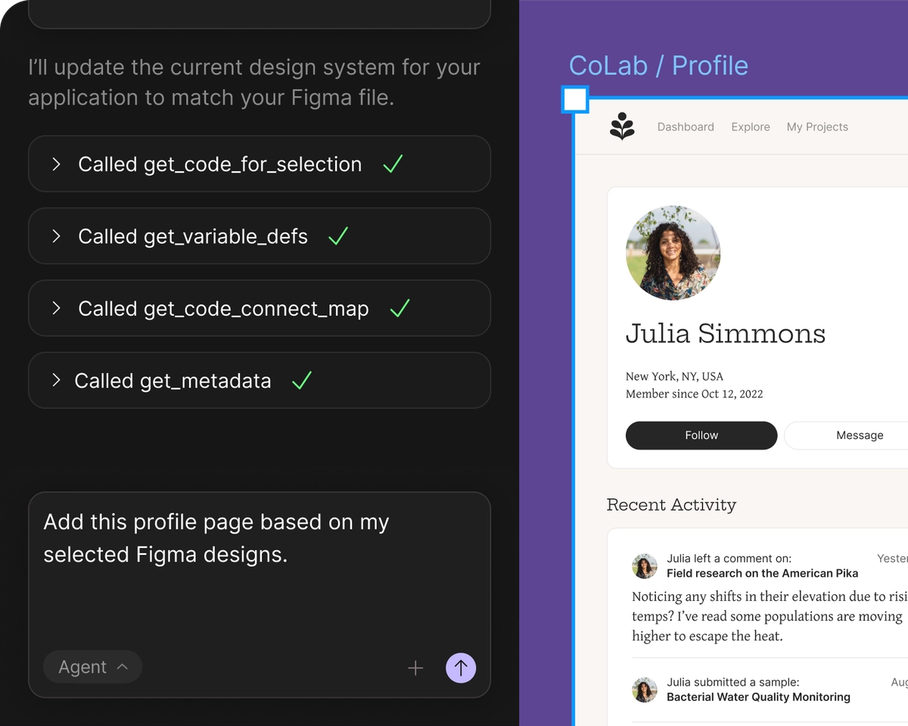
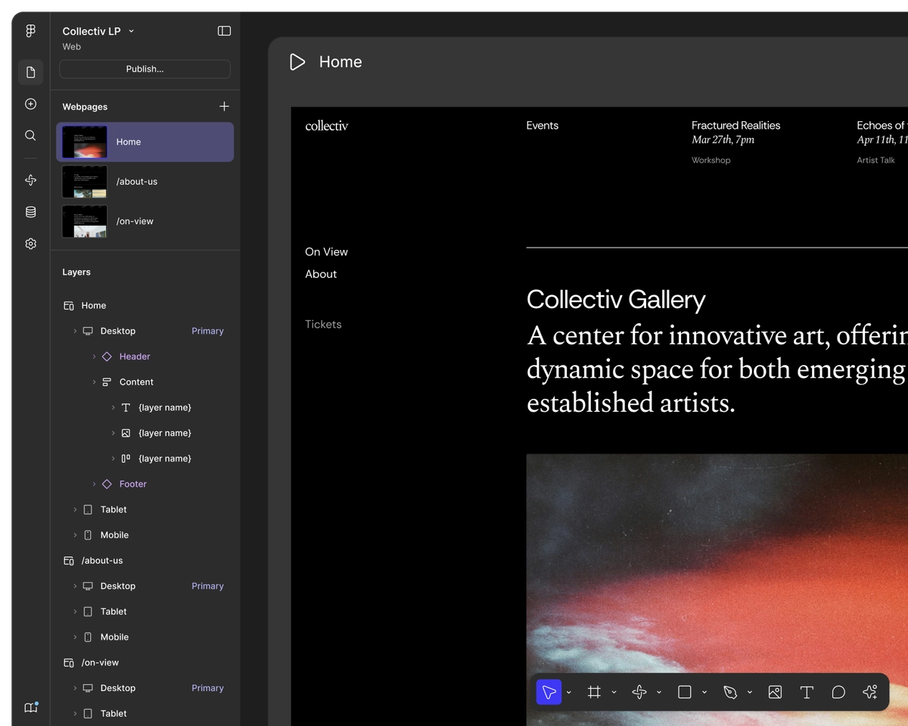

Figma AI is generally well-received, with most user reviews highlighting its efficient design capabilities and intuitive interface, which many users find enhances productivity. However, some users have raised concerns about discrepancies between the designed output and the generated code, implying that visual accuracy might not consistently meet expectations. Pricing sentiment isn't explicitly mentioned, but the tool appears to offer substantial value given its high ratings. Overall, Figma AI has a positive reputation among users, especially for those leveraging its AI features for frontend design endeavors.
Features
Use Cases
Industry
design
Employees
1,700
Thought I’d have to get rich or become a programmer to build my dream tool. 47 days later, I’m launching it thanks to Claude - here’s what I learned
I’m a former non-technical PM that now does startup consulting. Figured out a pretty great workflow as someone who can’t code at all, and wanted to share it in the hopes that it helps someone else on the fence about exploring what’s possible. I’ll share my tips first, and then a little bit about what I built at the end! While I’m not a coder, I’ve worked with engineers and creative teams my entire career, so I’m familiar with the time-honored process of writing strong stories and keeping track of scope. It’s been a while since I shipped something, but I have 11 software launches under my belt. Now it’s time to make it a dozen! I approached the relationship as me as the PM, and Claude as my super fast, over eager engineer who needed some coaching. **Takeaways**: My biggest tips from this process: 1. **Sky is the limit – if you can describe it**. You don’t need to be a coder to build now; you don’t have to understand the ins and outs of every technical decision; but you DO have to have intent, a vision, and a reasonable willingness to understand how the parts relate to the whole. 2. **Claude needs to have as little space as possible in which to bounce around**. What I mean by that is what I started hitting at with #1 – if you have a clear vision of what you want to build down to the ins and outs of specific features, it will be dramatically easier to build. On Day 1 of development, I had a basic list-style PM tool built after 3 hours. That wasn’t me being a wizard at prompting – it was leaning on my 16 years of domain knowledge and knowing exactly how to describe what I wanted. And that brings me to my next tip… 3. **You must learn to reign Claude in, and catch it when it starts to bounce around.** There were several instances, particularly with respect to visual bugs (fades, visual location, tooltips, etc.), where Claude just could not understand what I was asking. I developed a rule: Claude gets two chances to fix it, and then if that doesn’t work, we roll back and change approach, usually doing a diagnostic with logs. This always ended up ultimately solving the problem. Claude needs specifics – and if you can’t provide them, you will eventually hit a wall. 4. **Having another contributor who could give advice was immensely valuable.** A good friend of mine who is an SWE helped me out at a top level. They wanted to learn more about Claude Code and what was possible, and I needed help understanding specific architectural implications of what was being done. It ended up being great – the constraints (limited time on their end) helped us use the tool powerfully to solve key issues, rather than having to do it by hand. My friend was also the first to help me ask better questions of what Claude was doing, and developing that instinct to go from “it just works, good enough” to asking “Explain in detail how this affects feature X” was critical. 5. **Use Claude Desktop App for planning and strategy, and Claude Code to execute.** You hear of this process a lot, but specifically what I did was have a core chat session in “Chat Claude” where I designed features and talked it through, got it to challenge ideas, and iterate. Then, when I was happy with a feature design, I got Chat Claude to write a feature spec with the explicit instruction that it should be a document Claude Code could read and then implement. This process ended up working enormously well; features that were very complex ended up being quick builds once I handed off to Claude Code, and I needed less time for back-and-forth implementation guessing because it had a “source of truth” to operate from. The exact workflow was: 1) I tell Chat Claude what I want to build in a core chat session that’s top-level strategy and planning, 2) we iterate back and forth, and then 3) it summarizes what we did and then builds a “spec” document that I then 4) hand over to Claude Code, and tell it to read the spec, ask questions, and propose a plan before building, and then we’re off to the races! 6. **The velocity can be mind-bending**. I vividly recall my first week building – I was so mentally exhausted! It was hard to wrap my head around going from “This has been in my head for 8 years” to “It’s now being built before my eyes.” I do startup consulting, and this has changed my perspective on how these tools get used – we can accomplish a lot this way, yes, but the other side of that is we may be creating a loop of “hyperproductivity” where instead of freeing up our time from tools like Claude, we’re just filling that additional time with more work instead. Gotta be careful or we’ll just create more work for ourselves instead of gaining time back. 7. **Claude was most vicious about human decisions it couldn’t qualify.** For example, when I was coming up with a name, everything it came up with was taken or bad. It just couldn’t nail the vibe. 30 minutes the old fashioned way (using the Thesaurus, referencing books I’ve read recently) got me a unique name – and Clau
View originalPricing found: $16 /mo, $12 /mo, $3 /mo, $55 /mo, $25 /mo
g2
What do you like best about Figma?For product teams especially, it bridges the gap between design and development pretty well, developers can directly inspect elements, grab assets, and understand layouts without too much back-and-forth. Review collected by and hosted on G2.com.What do you dislike about Figma?One thing that can get frustrating with Figma is performance, especially on larger files. Once a project gets heavy with multiple pages, components, and assets, it can start to lag or feel a bit sluggish. Review collected by and hosted on G2.com.
What do you like best about Figma?From wireframe to high fidelity designs and prototypes it’s very useful when presenting to my stakeholders. I love the new ai MAKE feature as it helped us create a batch of wireframes very quickly which we handed to our research partners for user testing. Review collected by and hosted on G2.com.What do you dislike about Figma?The price is high and the credit system for MAKE ai Review collected by and hosted on G2.com.
What do you like best about Figma?Figma feels like one platform for everything. I used to jump between different tools like Photoshop, Illustrator, and ProtoPie, but honestly, Figma has taken over the canvas for pretty much everything, at least for me. Review collected by and hosted on G2.com.What do you dislike about Figma?The payment scene of Figma is sus somewhere, they charge u for a seat without asking enough confirmation, and it's expensive Review collected by and hosted on G2.com.
What do you like best about Figma?What I like most about Figma is how easy it makes collaboration. I can jump into a file with designers, leave comments directly on specific elements, and see updates in real time instead of going back and forth over Slack or static exports. It saves a ton of time every week and makes feedback way more actionable. The UI is super clean and intuitive, even as a non-designer. I can quickly find what I need, tweak copy in mockups, and navigate files without getting lost. The layer system is simple and not overly nested, which makes a big difference when you’re just trying to move fast and get things done. Review collected by and hosted on G2.com.What do you dislike about Figma?One downside is performance on larger files. When a file gets heavy with lots of components and multiple people working in it, things can start to lag a bit, which slows you down. Version control can also get messy if there’s no clear structure. With so many people jumping in, it’s easy to lose track of what’s final vs. in progress unless the team is really disciplined about naming and organization. Review collected by and hosted on G2.com.
What do you like best about Figma?I like that it’s easy to learn and you can get fast results, even though it may take longer to truly master. Review collected by and hosted on G2.com.What do you dislike about Figma?Some things I want to achieve can be more complex and not as intuitive, which means they require a significant time investment. Review collected by and hosted on G2.com.
What do you like best about Figma?I really like Figma, especially the MCP feature they've launched. In the age of AI, I'm using Figma with codes to make my designs, which is great. I also find Figma to be user friendly, especially compared to Adobe XD. Once I understood it, I realized it's a user-friendly tool that offers a good user experience. I love using it, and I think it's a great product. Review collected by and hosted on G2.com.What do you dislike about Figma?I would like to have the AI chat within Figma so that I can just directly give commands to Figma and Figma just designs my frames and my design inside Figma, just like how Cursor is doing that. Also, initially, when I began working with Figma, it really looked tough as compared with Adobe XD. The initial setup was hard. Review collected by and hosted on G2.com.
What do you like best about Figma?It’s easy to leave comments and share feedback with the design team. Review collected by and hosted on G2.com.What do you dislike about Figma?If you’re not in a creative or design role, you probably don’t know how to get the most out of Figma. As a generalist marketer, I find it difficult to use it to its fullest potential. Review collected by and hosted on G2.com.
What do you like best about Figma?I love Figma because it's free and easy to use. As a solo developer, it really helps me prototype UI and UX for new apps, going from idea to concept seamlessly. I appreciate how it offers tools that facilitate quick design work, like placing cards, selecting colors, and getting UI elements from other open Figma projects, which lets me bootstrap my projects at speed. The initial setup was also a piece of cake, making the experience even smoother. Review collected by and hosted on G2.com.What do you dislike about Figma?The play button or the button that lets me view the screenplay of my screens could be better. Most of the times, the screen's layout is messed up and I can see a bulge on the top. Review collected by and hosted on G2.com.
What do you like best about Figma?It’s great software for designing and wireframing, and it delivers high-quality work. It’s simple to use yet very powerful in its capabilities, and it also makes development handover and access management easy. Review collected by and hosted on G2.com.What do you dislike about Figma?Recently, their pricing has increased. At the same time, newer platforms like Stitch offer better capabilities for beginners who want to start AI-based designing and do quick prototyping. Figma can also perform well in those areas. Review collected by and hosted on G2.com.
What do you like best about Figma?Ease of use and constant updates Review collected by and hosted on G2.com.What do you dislike about Figma?Sometimes some bugs occur and it bothers. Review collected by and hosted on G2.com.
Claude → WordPress workflow: is this actually practical?
Has anyone here been experimenting with using Claude to build websites and then moving them into WordPress? I tried a workflow I saw from Darrel Wilson where you use Claude for the site/design and then use the Novamira plugin to connect it with WordPress. It actually worked better than I expected, but I’m wondering if there are other ways to do the same thing. For anyone doing AI-assisted WordPress builds: Are you using Claude, ChatGPT, Cursor, Figma, Elementor, or something else? And is there a better way to move AI-generated websites into WordPress without rebuilding everything manually? The video is here but curious as to how other users are doing this https://www.youtube.com/watch?v=El484PgSHEk&t submitted by /u/ptikica [link] [comments]
View originalI finally looked at what my Claude Code MCP setup actually contains. It flagged config drift I didn't know was there.
My context bar in Claude Code had been creeping up before I'd typed anything, and I'd been ignoring it for weeks.. This week I opened up my MCP setup and actually looked. Two things stood out once I broke it down by scope. The first was how much was loading globally. Several servers sat in user scope, so every session pulled them in whether the task needed them or not. figma was the standout, parked in user scope still asking for auth I never completed. Registered, loading, doing nothing.. The second one I didn't see coming. The setup view inspects each agent's config on its own. Claude Code read clean, only the gateway entries. Codex came back with "native and Ratel entries both present, 1 native tool not in Ratel". So my Codex config and my gateway had quietly drifted apart, one tool living in the native config that the gateway never knew about. I'd never have caught that by eye, because reading ~/.codex/config.toml on its own tells you nothing about what's missing relative to somewhere else.. There was also a full backup history, every import and edit and removal logged with a timestamp. Sounds boring until you've broken a config late at night and want to know exactly what you changed. Mine had a run of edits and removals going back days, half of which I didn't remember making. None of this is exotic. If you've installed more than a few MCP servers, I'd bet you have at least one stuck on auth and at least one scope or drift mismatch you've never noticed. It stays invisible because nothing makes you look, and a raw config file doesn't show you the gaps between files. I've been using Ratel for this (open source, http://github.com/ratel-ai/ratel) since the per-scope view and the drift flag come built in, but the takeaway holds with or without it: open your setup and look at it once. Mine had been on autopilot for months. If you run Claude Code with a few MCP servers, what does your context bar sit at before you've typed a word? Wondering if mine was just unusually messy or if this is submitted by /u/AbjectBug5885 [link] [comments]
View originalAI agent or plugins to convert figma to web pages with near perfect accuracy.
Been doing Figma-to-frontend work for a while and I'm trying to put together a proper workflow (or agent setup) for it instead of winging it every time. Two things make it annoying. First, the stack is never the same. One project's React, the next is Tailwind, then plain HTML/CSS, sometimes shadcn or Magento or Metronic. And most of the time it's not a fresh project, it has to slot into a client's existing repo and follow whatever conventions are already there. Second, consistency over a long project. If something runs for months, page 40 should match page 1, same colors, same spacing, same components, even when a couple of different people have touched it. What I've got so far: Connect claude with Figma MCP, pull the design into a frozen tokens file (colors, type, spacing, assets) and treat that as the source of truth, spit out a quick style guide to sanity check it, then generate code from that file per stack and reuse existing components where I can. Honestly though the results have been pretty inconsistent. Sometimes a page comes out almost spot on, other times the same setup gives me wrong spacing, made-up colors, or components that don't match what's already in the repo, and I can't always tell why one run is fine and the next isn't. Messy client files (no auto layout, no named variables) make it way worse. So I'm wondering what's actually worked for people doing this regularly. Is freezing tokens the right backbone or is there a better pattern? How do you deal with the garbage Figma files? And what's given you the biggest jump in accuracy, Dev Mode MCP, Code Connect, a custom pipeline, something else? Anything helps. submitted by /u/Alexmercer500 [link] [comments]
View original[WIP] I built an open-source, self-hosted tool to check whether Claude actually recommends my product — it named my project 0 out of 8 times
My side project ships an MCP server for Claude Code, so I figured Claude would mention it when people ask about tools in its space. Nope. Not once.I asked Claude 8 questions a real buyer would ask (like "best tools to extract a design system from a website"). My project came up 0 times. Claude kept recommending the big names instead (Figma, Anima, Builder.io). That got me thinking. If buyers ask AI instead of Google now, whether the model brings you up is its own thing, separate from SEO, and I'd never measured it. So I built Citelens to measure it. Open source, self hosted, your key, your data, no subscription. You give it your brand and topics, it asks the assistant the questions and scores how often you show up vs the alternatives. Repo: https://github.com/Manavarya09/citelens Has anyone else checked whether Claude recommends their product? Curious what you got. submitted by /u/Cheap_Brother1905 [link] [comments]
View originalAdvice on building a Figma → PowerPoint plugin (non-coder using AI)
I'm not a coder, but I've been loving using AI to build scripts and plugins for the programs I use. It's opened up a space my lack of coding knowledge kept me out of before. For the last few months I've been trying to build a Figma plugin that converts Figma frames into PowerPoint master slides at the highest fidelity possible. I've tried many iterations, including exporting to XML. The core problem: Figma and PowerPoint don't share the same measurement units, and I can't seem to get a true one-to-one conversion. No matter how I prompt the AI, it can't reconcile the difference — so font sizes, text spacing, alignment, placeholders, headers, and footers never translate the way I want. A solid Figma → PowerPoint pipeline would be huge for my work. I love designing in Figma and it does things PowerPoint never could, but Figma Slides isn't an industry standard yet — PowerPoint still is. My ideal plugin would recognize and convert, at high fidelity: headers, footers, content boxes, placeholders, layout guides, font colors, spacing, line/stroke widths, and gradients — so I'm not rebuilding everything by hand. I know it's possible — there are paid Figma plugins that do this. I just don't know coding well enough to know what I'm missing in my prompts. Has anyone built something similar or had success here? Any advice on prompting or a different approach would be appreciated. Thanks! 🙏 Extra information - I have a pro subscription. I have tried using Fable to build the plug-in and I got the same outcome as before. I keep ending up with a poor translation that is so off that I would have to do as much work correcting them than I did building them in figma in the first place. submitted by /u/Brief_Intention_7599 [link] [comments]
View originalClaude AI to Figma plug shows this "performing security verification"
Pretty sure I followed the instructions for the "html-to-design" plugin exactly. 2nd Image shows entire Draft Space. The url works when I paste it into regular search bar. submitted by /u/Zeemod155 [link] [comments]
View originalChanging from 2D generation method to a 3D one change the problem
I’ve been thinking that 3D generation and image generation are really quite different. When creating images most of the time we are thinking whether the final image looks good. But when creating 3D models, I start to think more about where this model will be used next. I realized this while testing a small workflow. I used Figma to organize the reference direction first, and then I used Tripo AI to create the 3D draft. Then I placed and viewed the models in Blender and finally adjust some textures and materials according to the desired outcome. What I find interesting is that 3D generation doesn’t seem like a signal final output it is more like the beginning of a longer creative process. submitted by /u/ConversationSuch8893 [link] [comments]
View originalAdvice on using Claude professionally
Hi everyone. I’m somewhat of a power user of AI tools (all of the main ones), and recently I upgraded to the top ultra pro max plan on Claude. I have tried experimenting with Co-work and automating things. I am working on software products (not a coder, just vibes) where I require lots of content creation, SVG creation according to specs, Figma usability, making HTMLs, mini apps, automations on my computers, and so on. I feel I’m leaving a lot on the table in terms of automating content, creating illustrations, and drafting strategies based on strict specifications. The longer the chat goes, the more complex the project, the more it loses thread, makes mistakes, and so on. I guess thats normal, but I hate not having single source of truth for everything I do. I read online of folks vibe-coding the next candy crush or so on, automating stock trading, creating automated social media growth pipelines and so on. I know 99% of its baloney, but yet, I feel I am leaving so much on the table with this tool. Skills, artefacts, claude code, plugins, MCP, connectors. Can someone really help me make sense of this all? What is the 80/20 that I actually need to automate content production, text, images, strategy, personal projects, etc.. submitted by /u/CliveBratton [link] [comments]
View originalMy Cowork has been broken for 48 hours. I dug into the session files and found my Max account is enrolled in a prompt variant "testfoo"?
My Cowork has been unusable for two days. Every prompt fires the wrong skill, connectors won't load, and Granola/Notion/Figma/Slack all show as "Connected" while exposing zero tools in sessions. The same connectors work fine in Chat mode. I went deep on diagnosing this with Claude Code, read Cowork's local session JSON files, the gb-cache feature flags, the 45,000-character system prompt, the works. Here's what I found after going back and forth with Claude Code: The smoking gun: My account is enrolled in two simultaneous A/B prompt variants. One of them is literally named`testfoo` — that's a developer placeholder name, not a production variant. The other one is `0526`, which appears to be a rollout from May 26 (lines up with when everything broke for me). Both variants contain the same directive: "user skills... should be attended to closely and used promiscuously when they seem at all relevant." Applied twice, that directive gets weighted heavily; which is exactly why the skill auto-router has been firing wrong skills on weak keyword matches all day. Paired with this: Cowork's runtime is throwing the error "ToolSearch exists but is not enabled in this context" meaning my account has deferred-tool-loading enabled but ToolSearch (the mechanism to load deferred tools) disabled. Anthropic's own Fin AI Agent confirmed this and said "a human engineer will need to adjust feature flags," but that human escalation hasn't happened yet. What I've tried (all useless): - Fresh Claude Desktop reinstall - Sign out + back in - Disconnect/reconnect every connector - Local cache flag overrides (overwritten on resync) - File edits to project memory (overwritten on resync) Related GitHub bugs that match exactly: - #20377 — Cowork MCP tools not exposed - #23736 — Granola MCP fails silently in Cowork specifically - #45306 — Slack, Notion, Gmail, Calendar all fail (verbatim match) - #61344 — marketplace migration race making user skills unreachable - #58172 — Cowork connectors broken after auto-update Anyone else hit this? Anyone on Anthropic see this and can route it internally? I'm on Max plan, this is core to my daily workflow, and I'd really love to not lose another day of work to an internal-test cohort that leaked into production. (Anthropic team — happy to share the full session JSON privately if it helps.) Thanks!! submitted by /u/notseano [link] [comments]
View originalCreated an on-device ML based photo organizing app - as a non-coder
I have a background in software product management but not coding. Love photography and started wondering if I can start leveraging some of the dedicated AI processing power on modern devices for photo library management. Used Claude Code to do this "use AI to build AI thing". Had it do research + code + optimization on the entire stack. I designed the features, UX and optimization goals. This is the second release of the app and I'm reaching 100+ photos/second on my iPhone 17PM, the previous version was 10+ photos/second. The new techniques turned out to be much more accurate as well. Note on tech: v1 relied on Apple Vision engine for quality + CLIP for subjects. Turned out if I just use CLIP for both it's much much faster. Learned to vibe code from scratch on this journey and I try to keep up with the best practices like skills & subagents. (What I notice is Anthropic tends to Sherlock a lot of stuff that third parties create, which is... convenient? For us users anyway) Used a MCP for Draw Things to have Claude Code generate the subject category photos. The MCP for Figma turned out to be pretty dissapointing, maybe I just wasn't using it right. Design got a lot better with Opus 4.6/4.7 + the frontend design skill. iOS dev seems to randomly eat up huge chunks of hard drive space, and Claude Code is not that great at culling the temp files etc even after I've built a /cleanup skill to explicitly do this. Anyway, enough ranting. Below is how the app works --- Step 1) You select up to three different subjects (8 built-in plus whatever keyword phrase you want, it understands relationship between subjects too such as "man walking dog"), fine-tune up to 7 quality parameters (or use a Technical / Aesthetic slider to move all 7 at once), and balance between subject or quality focused sort. Step 2) The photos that match your criteria well are surfaced to the top, use swiping actions to Pick or Discard them. Then you can save to album / share the picked ones or bulk delete the discarded ones. Different sort profile can be Bookmarked. There's also a bonus "Taste" profile that auto-learns from your picks and discards, which you can use or ignore (I'm continuing to make it work better, but obviously auto-learning user taste is hard). At the picking stage if you don't want to go through each photo one by one just use Autopick and they get divided to different buckets by score tiers. All on-device processing, completely private. --- Feedback would be very welcome on either the app or my process. Feel free to DM me for a lifetime free premium code. Video demo: https://www.tiktok.com/@spectrasort/video/7643116905615609102 App store download: https://apps.apple.com/us/app/spectrasort/id6757512134 --- Text above is 0% AI generated :) submitted by /u/mklx99 [link] [comments]
View originalHard-won notes after a few weeks with Claude Design
Been using Claude Design for a few weeks and figured I'd dump some notes here before I forget. Nothing groundbreaking, just stuff that took me way too long to figure out on my own. First thing nobody tells you, do the design system setup before you build anything. I spent my whole first session prompting "build me a landing page for X" and got the most generic AI-looking garbage you can imagine. Then I actually uploaded some brand stuff, let it extract tokens, approved them, and suddenly everything after that looked like a real product. Same exact prompts, completely different result. This is literally in the docs btw. I just skimmed past it like an idiot. Second thing is it eats tokens. A lot. It runs on a separate weekly budget from regular Claude Chat and Claude Code which sounds great but if you're re-prompting every little change you'll burn through it fast. Turns out the refine controls, inline comments, direct text edits, sliders, use way less than typing "actually can you make the padding a bit bigger" in chat. Once I started using those for small fixes my budget lasted way longer. On Max 20x it's mostly fine, on the $20 plan you'll feel it pretty quickly. Also the animations are live React components running in the browser, not video files. If you want an MP4, download the standalone HTML file and throw it into Claude2Video, it'll generate one from that. Honest take on where it fits since people always ask, it's not killing Figma. Figma is still better for any real design team workflow, Dev Mode, multi-person collab, all that. v0 and Lovable are still better if you want to skip design entirely and just spin up an MVP with auth and a db. Where this thing actually wins is the loop from "I have an idea" to working prototype to Claude Code building the actual app from it. The design system carrying through to the shipped code is the part that feels genuinely different from anything else out there. If you're a solo founder or PM or just someone who keeps getting stuck between mockups and something real you can show people, it's worth learning. If you already have a design team and a proper component library, probably overkill. It's a research preview so half of this might be wrong in two months. submitted by /u/Helpful_Regular_30 [link] [comments]
View originalI think the biggest mistake beginners make with vibe coding is jumping directly into:
I think the biggest mistake beginners make with vibe coding is jumping directly into: “build me this app” That’s exactly what I did at the start. The result? Endless loops of errors, generic designs, broken architecture, AI changing random files, and eventually a project nobody really understands anymore. After months of using Cursor/Copilot/ChatGPT, I realized AI coding works MUCH better when you slow down before coding. What helped me most: First: clarify the idea in your own head. Discuss the idea with ChatGPT/Claude BEFORE touching code. Ask the LLM to ask YOU questions until the idea becomes clear. Create a small PRD before building anything. If possible, design rough UI ideas first (Figma/Dribbble helped me a lot). Big lesson: AI is not a replacement for product thinking. Another huge thing: Create rules for your IDE agent. For example: don’t touch files without asking, comment functions properly, explain WHY changes are made, ask before refactoring, never rename important files automatically. Also: KEEP A CHANGELOG. Seriously. After long sessions, AI starts forgetting context or creating confusing logic. A changelog helps both you and the AI understand what already changed. I also keep small .md files for: project memory, security audits, completed fixes, architecture notes. This becomes super useful when switching chats, IDEs, or models later. And one more thing nobody told me: When the chat starts feeling slow, messy, or confused… it’s usually context overload. Starting a fresh chat with organized context often gives WAY better results than continuing a broken conversation forever. AI coding became much easier once I stopped treating AI like magic and started treating it like a junior teammate that needs structure. submitted by /u/Embarrassed_Leg_6330 [link] [comments]
View originalAm I the only one who feels like AI got us 90% of the way there and then just stopped?
I've been using Claude heavily for the past year now and it's genuinely changed how I work. I'm generating dashboards, reports, interactive tools, documents, mockups, things that would have taken me DAYS in Figma or PowerPoint and I wouldn't have made anything half as good, and all are built in minutes now and they actually look better. But there's this one thing that happens every single time that makes me feel like I'm losing my mind. I generate something. It's beautiful. It works exactly the way I wanted. And then I need to share it with someone. And I just... can't. Not really... If I send the artifact link, it doesn't always render properly, and it's not easy to continue working with it, and then you have the org/non-org restrictions. Half the people I work with don't use Claude. My clients definitely don't. So I download the HTML file, attach it to a message, they download it, open it locally (that's if they know what to do with an HTML file). So I end up taking screenshots, or I screen record it like an animal. I had a moment last week where I generated this genuinely impressive interactive report (charts, filters, the whole thing) and my only real option to share it was to send a file called something like claude-artifact-download.html to a client. I wanted to disappear. It's not just HTML either. I've been using markdown files constantly because they're so much faster and cheaper to generate for things that don't need to be fancy. But try opening a .md file on someone else's machine without a dev environment and good luck. It renders as raw text with asterisks everywhere. Meanwhile I can share a Google Doc with one click and anyone on the planet can open it in two seconds! I feel like we have these incredibly powerful creation tools and then the moment something needs to leave the AI interface it's 2005 again. Does anyone have a workflow that actually solves this? Or am I just missing something obvious? Genuinely curious how other people are handling this because every workaround I've found feels like a hack. submitted by /u/HummusAlltheWay [link] [comments]
View originalHTML artifacts are starting to replace Google Docs on my team (But it's missing comments)
Been using Claude to convert long-form work docs (spike readouts, architecture notes, meeting prep) into self-contained interactive HTML pages: inline SVG diagrams, sticky TOC, collapsible sections, tabbed comparisons. Publish to an artifact host, share a URL. The output is genuinely better than the equivalent Google Doc for dense technical content. But there's a glaring gap: no commenting, no suggesting edits, no inline review. Google Docs has 20 years of polish on highlight-and-comment + suggesting mode. Figma nailed comment pins on a canvas. GitHub has line-level PR review. None of those primitives have ported over to the "AI generates a static HTML artifact you share" workflow yet, partly because the artifact renders inside a sandboxed iframe, so the host platform can't just hook selection events the way Docs does on its own DOM. Feels like a real paradigm shift in how docs get made, with a real gap in how they get reviewed. What are people doing? Falling back to Slack threads on the URL? Has anyone actually shipped good commenting on iframe-isolated AI artifacts? submitted by /u/Comprehensive-Ad1819 [link] [comments]
View originalthe weirdest thing that worked for me building with claude: i drew coordinates directly onto my template images, and claude can see everything
building a zine-making app (90s/y2k aesthetic, hot pink, chunky outlines, all that). the templates are real designed layouts (y2k chat bubbles, riot grrrl flyer collages, myspace-style pages). each one has multiple zones where the user can drop in their own photos and text. the obvious approach was building every template in code, programmatically defining where the photo slots go. which means every template's look is constrained by what i can build by hand. boring, and the designs would all end up looking like the same grid in different colors. just like other generic apps. what i did instead: designed the templates in figma (some generated with image AI, then cleaned up), exported as flat PNGs, then opened them up and literally drew colored rectangles on top in a separate layer. for example: red for photo slots, blue for text. fed both the design and the annotation image to claude. it extracted the coordinates, generated the editable area definitions, wired up the tap targets. an afternoon of work for what would have been weeks of building a custom layout engine by hand. and the kicker: i can add a new template now by designing it and drawing the boxes. no code change. that's the entire design-tool system for the app and it came from a workaround. the broader pattern i've gotten religion on from this project, and everyone asks me how i design my apps, so here it is: i do the design thinking on paper first, before claude sees anything. i sketch screens by hand. i pick the full color palette before writing a single line. i decide the type hierarchy. i screenshot apps i like and annotate the specific things i want to steal from each one. then i hand claude the constraints and ask for implementation. going the other way like "design me an app, make it look 90s" is the path where you spend three days nudging it toward something that still feels generic. claude is incredible at implementing a specific vision faithfully. it's much weaker at having the vision for you in the first place. once i internalized that the design work was my job and the implementation was its job, my output quality jumped. the unglamorous stuff that also mattered: describing visual problems in terms of weight, hierarchy, and rhythm instead of "this looks off, make it better" pasting in hex codes i picked from real reference photos instead of saying "warm pink" so being specific about which app's spacing i was trying to mimic, not just naming the vibe. the app is zinecore if anyone wants to see what came out of it but the paper-first thing is the part that's actually transferable. https://apps.apple.com/tr/app/zinecore/id6763522374 submitted by /u/ezgar6 [link] [comments]
View originalPricing found: $16 /mo, $12 /mo, $3 /mo, $55 /mo, $25 /mo
Figma AI has an average rating of 4.5 out of 5 stars based on 20 reviews from G2, Capterra, and TrustRadius.
Key features include: Alignment made easy, Bring your designs to life—without leaving the canvas, Enable consistency at scale, Express yourself with Figma Draw, Snap to the grid, Adjust layers in layout, Work smarter not harder, Branch off to iterate on design options.
Figma AI is commonly used for: Collaborative brainstorming sessions to generate design ideas, Creating reusable design components for consistent branding, Rapid prototyping of web and mobile applications, Designing social media assets using shared templates, Generating code snippets directly from design specifications, Building responsive websites with Figma Sites.
Figma AI integrates with: React, Vue.js, Angular, Claude AI, Slack, Jira, GitHub, Notion, Zapier, Framer.
Based on 44 social mentions analyzed, 23% of sentiment is positive, 77% neutral, and 0% negative.
