Trigger.dev shines with its focus on background jobs and AI-agent-based automation, boasting over 14,295 GitHub stars and a nimble company structure. Pieces, with its larger team and $14.5M in venture funding, excels as an AI-coding assistant with integrations across various coding environments. Each tool offers unique strengths tailored to distinct developer needs.
Best for
Trigger.dev is the better choice when your team needs to automate complex workflows in TypeScript applications with capabilities in concurrency queues and scheduled tasks.
Best for
Pieces is the better choice when your team requires a tool to enhance productivity through personalized code suggestions and integration into developer IDEs.
Key Differences
Verdict
Choose Trigger.dev if your needs are centered around AI agent-driven automation and background processing, especially within the Node.js ecosystem. Opt for Pieces if your focus is on enhancing developer productivity with AI coding assistance and seamless integration across multiple developer tools. The decision should align with the specific technological needs and team size.
Trigger.dev
Build production-ready AI agents with tool calling, automatic retries, and full observability. Use existing Node.js SDKs and code from your repo.
Based on social mentions, "Trigger.dev" seems to be associated with innovative capabilities like integrating with Claude Code to enhance functionality, such as reducing token waste and enhancing AI session efficiency. While specific complaints are not detailed, the context implies active use and experimentation by developers, suggesting some issues with integration or project continuity might arise. There's no explicit sentiment regarding pricing, but it appears the tool supports open-source efforts and various enhancements. Overall, the reputation leans positively as a tool in active use among developers exploring cutting-edge applications in AI and automation.
Pieces
Pieces is your AI companion that captures live context from browsers to IDEs and collaboration tools, manages snippets and supports multiple llms - al
Pieces is praised for its intuitive design and efficient workflow organization, which many users find significantly boosts productivity. However, some users express concerns about occasional glitches and the lack of extensive customization options. The pricing tends to be viewed positively, seen as reasonable for the features offered. Overall, Pieces holds a solid reputation for its utility in enhancing daily tasks, yet there is room for improvement in stability and personalizability.
Trigger.dev
Stable week-over-weekPieces
-72% vs last weekTrigger.dev
Pieces
Trigger.dev
Pieces
Trigger.dev
Pricing found: $0 /month, $10 /month, $50 /month, $10/month, $20/month
Pieces
Trigger.dev (6)
Pieces (8)
Only in Trigger.dev (10)
Only in Pieces (4)
Shared (2)
Only in Trigger.dev (13)
Only in Pieces (13)
Trigger.dev
Pieces
Trigger.dev
Pieces
Trigger.dev
No YouTube channel
Trigger.dev


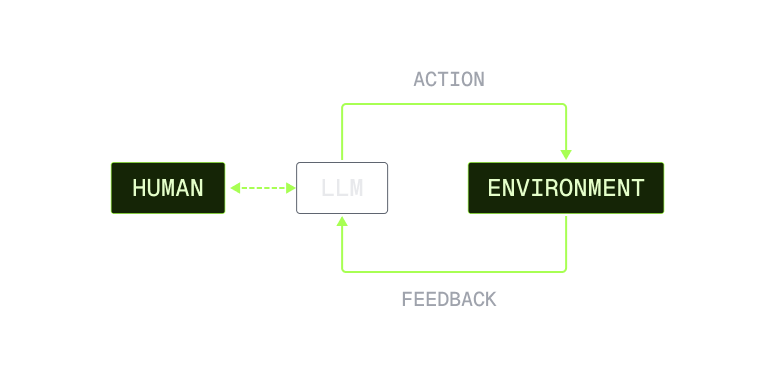
Pieces
Trigger.dev
Pieces
Trigger.dev
Pieces
Show HN: I turned a sketch into a 3D-print pegboard for my kid with an AI agent
We have pegboards and plywood all over our apartment, and I had an idea to make a tiny pegboard for my kid, Oli. So I naturally cut the wood, drilled in the holes, sat down at the computer to open Fusion 360 and spend an hour or two drawing the pieces by hand.<p>Then I looked at the rough sketch Oli
Shared (2)
Only in Trigger.dev (3)
Only in Pieces (2)
Trigger.dev is better for automated background tasks and workflows, while Pieces excels in enhancing coding productivity and context-aware suggestions.
Trigger.dev offers a free tier and starts at $10/month, whereas Pieces uses a tiered model with unspecified entry-level pricing.
Trigger.dev has a notable GitHub presence with 14,295 stars, suggesting strong community support, whereas Pieces does not specify similar metrics.
Yes, using both can leverage Trigger.dev's background processing with Pieces' code enhancement capabilities for a comprehensive toolset.
Trigger.dev may be easier for those familiar with Node.js and background job setups, while Pieces is straightforward for developers working within IDE environments.


