Otter AI Meeting Agent supports real-time transcription, live chat, automated summaries, insights, and action items.
Otter.ai is praised for its effective transcription capabilities and AI-driven features, which many users find beneficial for transcribing meetings and lectures. However, some users express frustration with integration issues, particularly with Microsoft 365 connectors. The sentiment around pricing is generally neutral, with some users feeling that the benefits justify the costs, especially for team and enterprise plans. Overall, Otter.ai maintains a positive reputation as a reliable tool in the transcription space, despite some integration challenges.
Mentions (30d)
0
Reviews
0
Platforms
2
Sentiment
0%
0 positive


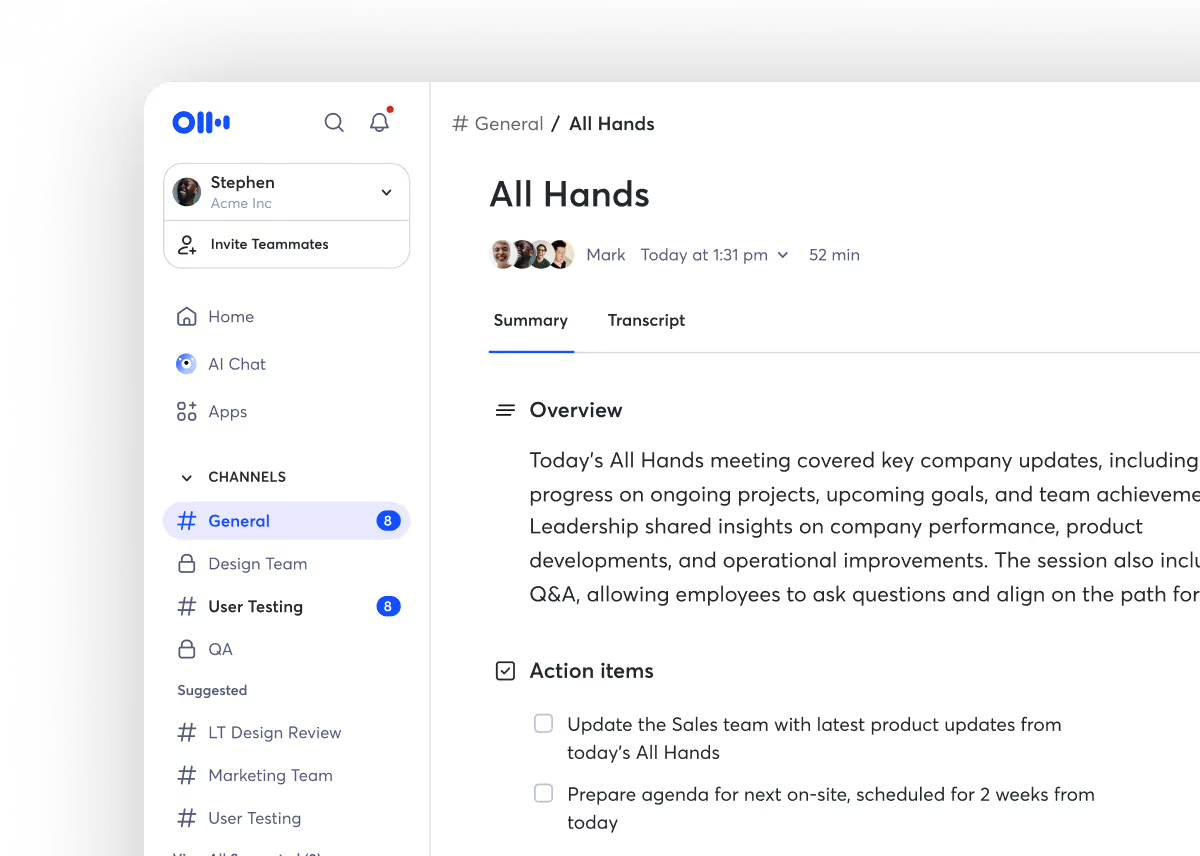
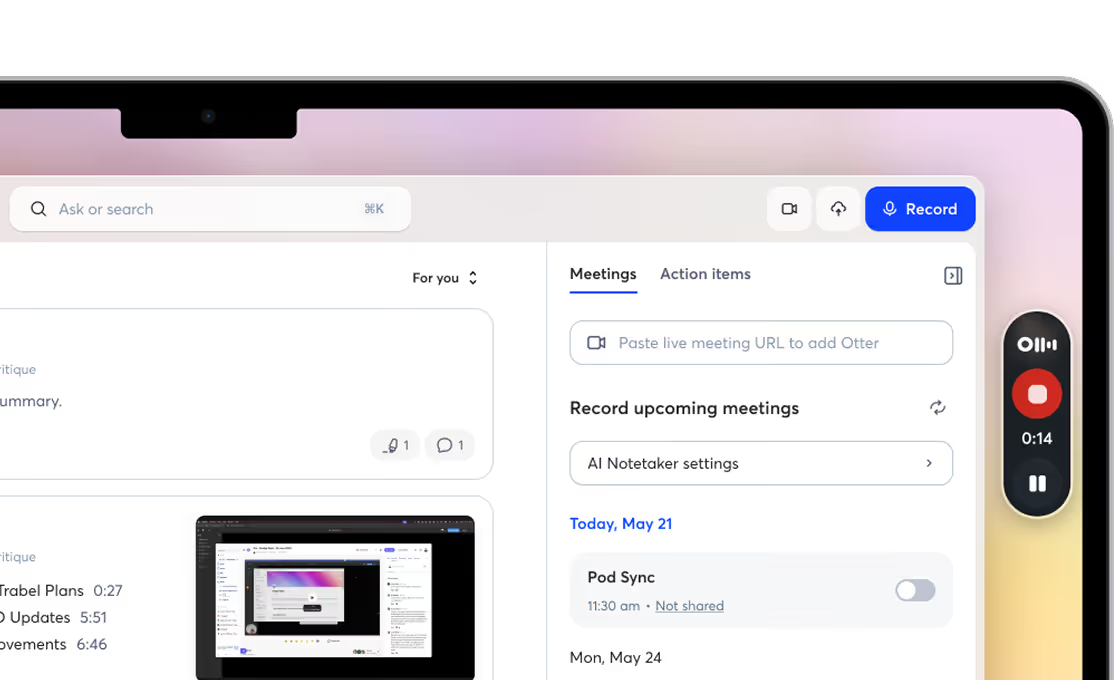
Otter.ai is praised for its effective transcription capabilities and AI-driven features, which many users find beneficial for transcribing meetings and lectures. However, some users express frustration with integration issues, particularly with Microsoft 365 connectors. The sentiment around pricing is generally neutral, with some users feeling that the benefits justify the costs, especially for team and enterprise plans. Overall, Otter.ai maintains a positive reputation as a reliable tool in the transcription space, despite some integration challenges.
Features
Use Cases
Industry
information technology & services
Employees
200
Funding Stage
Series B
Total Funding
$63.0M
Pricing found: $16, $16, $8, $30, $24 /user
AI tools for hearing difficulties — helpful or harmful for language learning?
Hi everyone! I have hearing difficulties, and I also live in an English-speaking environment while having only been learning English for a few years. In one-on-one conversations, I can usually understand maybe 25–35% of what is being said. But in group conversations, it drops to something like 0–2%. It is extremely frustrating and isolating. AI has honestly been helping me survive day-to-day life. For example, I can record a lecture using Otter, copy the transcript, paste it into ChatGPT, and ask it to give me a detailed summary with explanations, key points, and advice on what I should focus on. I have two questions: - Do you have any advice on how AI could make life easier or more accessible for someone with hearing difficulties - Seriously, how harmful could this pipeline be for getting used to English and improving my listening skills? I am afraid that I might stop training my ear and become completely dependent on recordings and transcripts instead of actually listening to the language. I would really appreciate your thoughts, experiences, advice, or even tool recommendations. Thank you for your support. submitted by /u/uarish [link] [comments]
View originalI spent $340 on AI subscriptions last month. Wrote down what I actually used each one for. It was depressing.
Going through the credit card statement, here's what I had active: Claude Pro (40), ChatGPT Plus (20), Cursor (20), Perplexity Pro (20), Notion AI (10), Granola (20), ElevenLabs Starter (5), Midjourney Basic (10), Gamma Pro (10), Beautiful.ai (12), Otter Pro (17), Loom Business (15), Zapier Pro (30), Make Core (10), Tactiq Pro (8), Descript Creator (15), Reclaim.ai Pro (8), Motion (19), Superhuman (30), one i can't remember the name of (10), some ai-something for instagram captions (11) Then I sat down and wrote next to each one the last time I'd actually used it. Not opened it, used it for a real piece of work. Claude (yesterday), ChatGPT (yesterday, voice mode in car), Cursor (yesterday), Perplexity (3 days), Granola (every meeting), Gamma (2 weeks), Zapier (a month, but the automations are still running), ElevenLabs (3 months ago), Midjourney (couldn't remember), Beautiful.ai (couldn't remember), Otter (replaced by Granola, just forgot to cancel), Loom (4 months), Tactiq (replaced by Granola, also forgot), Descript (used twice in 6 months), Reclaim/Motion (both, can't tell them apart, forget which one schedules my meetings), Superhuman (used the AI features twice), the instagram one (literally cannot remember signing up) Cancelled 11 things this morning. Saving $145/month. Nothing in my workflow actually changed. The pattern isn't that AI tools are bad. It's that I treat subscribing like trying. Every "I want to try this" became a recurring charge I forgot about. submitted by /u/OneSeaworthiness2676 [link] [comments]
View originalAI copilot for live calls that answers questions in real time?
Has anyone found an AI tool that can listen to live calls/meetings and instantly answer questions in real time? For example, during a Zoom/Teams/phone call, if someone asks something technical or specific, the AI would either: show me the answer immediately on screen, or suggest a response in real time I use Otter AI on my phone but that is just a transcriber. submitted by /u/muchcart [link] [comments]
View originalBuilt a free MCP for tracking which URLs Claude (and 5 other engines) cite for any query
We were comparing hosted AI citation dashboards (Profound, AthenaHQ, Otterly) and they all start at $295 to $499 a month. The data they collect is mostly the same data you can pull from each vendor's API. So we built an MCP server that does the same job locally. Citation Intelligence is a stdio MCP server with 12 tools that track what Claude, ChatGPT, Perplexity, Gemini, Google AI Overviews, and Bing cite for any query. Install: npx -y u/automatelab/citation-intelligence Add to .mcp.json: { "mcpServers": { "citation-intelligence": { "command": "npx", "args": ["-y", "@automatelab/citation-intelligence"] } } } Three of the tools run on a local cache and cost zero. The rest are bring-your-own-keys (ANTHROPIC_API_KEY, OPENAI_API_KEY, GEMINI_API_KEY, SERPAPI_API_KEY), about $0.01 to $0.03 per query. The one that actually changed our editorial flow is gsc_citation_gap - it joins Google Search Console data with AI citation status and surfaces pages that rank in Google but are not cited by any AI engine. Those pages are the editorial budget. Repo and full tool list: https://github.com/automatelab/citation-intelligence Launch write-up: https://automatelab.tech/launching-the-citation-intelligence-mcp/ Curious if anyone else here is tracking AI citations in their agent loop rather than in a dashboard, and how you handle the predict-vs-measure tradeoff. submitted by /u/exto13 [link] [comments]
View originalI cancelled my AI notetaker subscription and built my own tool using Claude Code. It works well (and it's free)
It does what Fathom, Otter, and Fireflies charge $15–$30/seat/month for. I shipped a fully working AI meeting note-taker last weekend. I use this exact setup to Records calls then transcribes and Summarizes key points, it then pulls action items and then creates shareable notes all whilst running inside my Claude workflow. . The whole setup takes one weekend to build. --- Here’s how it works:(you can copy this exactly) Step 1 → Fork the repo, drop into Cursor Step 2 → Set env vars: transcription key, database URI, admin creds, session secret Step 3 → Record or upload your meeting Step 4 → The audio gets transcribed Step 5 → Claude turns the transcript into structured notes, decisions, follow-ups, and action items Step 6 → Click “Share link” → send anywhere Total build time: ~1 weekend. Cost: $0/month. --- Why the 5-piece stack is the unlock? Most "build your own SaaS" attempts fall flat because they bolt features together without designing the user flow first. This stack works because the data path was decided before any UI got rendered. Every SaaS feature you pay for has a primitive underneath. Loom = browser recorder + S3 + share links. Otter = Whisper API + database + UI. Calendly = a calendar API + booking page. The features stopped being moats the moment Cursor + Claude could write the glue in an afternoon. You're not paying for technology anymore you're paying for distribution and brand. That's why this build pattern works. The assembly is now free. --- Why Claude? Because meeting notes are not just summaries. They need context. Claude can take a raw transcript and turn it into: * decisions * objections * follow-ups * action items * CRM-ready notes * client context * internal operating memory That is where the value is. --- https://github.com/albertshiney/utter_public submitted by /u/Tabani897_YT [link] [comments]
View originalMicrosoft 365 connector not appearing in Claude Connectors directory
I’m trying to connect Microsoft 365 (Outlook, calendar) to Claude using the built-in MCP connector. I’m on a personal Max plan (not Team or Enterprise). I’ve done the following: • Confirmed my org has Microsoft 365 Business with Entra ID Premium P1 • I’m the Global Administrator on the tenant • Clicked “Get it now” on the M365 Connector for Claude in the Microsoft Marketplace and completed the authorization • Verified the enterprise apps were provisioned in Entra The problem: Microsoft 365 does not appear anywhere in the Claude Connectors directory at claude.ai/customize/connectors. I’ve searched “365,” “Microsoft,” “Outlook” — nothing. Other connectors like Slack and Otter work fine. Anthropic’s docs say the M365 connector is available on all plans including Free, Pro, and Max. Has anyone on an individual (non-Team) plan actually gotten this working? Is there a direct URL or manual setup step I’m missing? submitted by /u/Vivid_Sea_1001 [link] [comments]
View originalI built AmicoScript with Claude Code: A local-first transcription tool with Speaker ID and Ollama support
Hey everyone, I wanted to share a project I’ve been working on called AmicoScript. It’s a local-first web UI for audio transcription that handles the privacy-sensitive task of turning recordings into text without sending data to the cloud. I relied heavily on LLMs to architect the backend and handle the "plumbing" between the different ML models. It’s been a great exercise in seeing how far AI-assisted coding can go for a functional, multi-container project. What it does: • Transcription: Uses Whisper (tiny to large-v3) running locally. • Speaker ID: It identifies different speakers so the transcript actually makes sense (Speaker 0, Speaker 1, etc.). • Ollama Integration: This is my favorite part—once transcribed, you can send the text to your local Ollama instance to generate summaries or action items. • Docker Ready: It’s fully containerized. A simple docker compose up --build gets you a private "Otter.ai" alternative on your own hardware. I’m looking for feedback on the UI and any ideas on how to improve performance on old hardware. GitHub: https://github.com/sim186/AmicoScript submitted by /u/seamoce [link] [comments]
View originalFireflies and Otter just launched MCP connectors for meeting data — here's the open-source one you can self-host
Fireflies just became the first meeting tool in Anthropic's official Claude MCP Directory. Otter.ai launched an enterprise MCP server too. tl;dv has one as well. The "meeting data + MCP" space is heating up fast. But all three are closed-source, cloud-only. Your meeting data — strategy discussions, financials, personnel decisions — goes through their servers. I've been building Vexa, an open-source meeting bot API, and we've had a native MCP server since before any of them. The difference: it's Apache 2.0, and you can run the entire stack on your own infrastructure. Setup (takes ~2 minutes): { "mcpServers": { "vexa": { "url": "https://api.cloud.vexa.ai/mcp", "headers": {"X-API-Key": "your-key"} } } } Drop that in your Claude Desktop config, and you can ask: "What did we decide about pricing in last Tuesday's meeting?" "Summarize action items from all meetings this week" "Find every time [person] mentioned the deadline" Or self-host the whole thing: git clone https://github.com/Vexa-ai/vexa cd vexa docker compose up MCP server included. Your meeting data never leaves your network. GitHub: https://github.com/Vexa-ai/vexa (1,700+ stars, Apache 2.0) Happy to answer questions about MCP, the architecture, or how this compares to Fireflies/Otter's approach. submitted by /u/Aggravating-Gap7783 [link] [comments]
View originalYes, Otter.ai offers a free tier. Pricing found: $16, $16, $8, $30, $24 /user
Key features include: Where conversations live, Trusted by teams, loved by people, Connect to your favorite apps, Flexible plans for teams, individuals, and enterprises.
Otter.ai is commonly used for: Transcribing meetings for accurate record-keeping, Generating meeting summaries for quick reviews, Facilitating remote collaboration through shared transcripts, Enhancing accessibility for hearing-impaired team members, Creating searchable archives of conversations for future reference, Integrating with project management tools to streamline workflows.
Otter.ai integrates with: Zoom, Google Meet, Microsoft Teams, Slack, Dropbox, Evernote, Trello, Asana, Notion, Salesforce.
Based on 13 social mentions analyzed, 0% of sentiment is positive, 100% neutral, and 0% negative.

The M&A Integration Blind Spot: Autonomy vs. Synergy
Jan 5, 2026