Turn B2B buying signals into pipeline with 200M AI + Human-verified contacts and AI-agents powering GTM workflows for sales, marketing, and RevOps tea
SalesIntel generally receives mixed reviews, with users praising its user-friendly interface and comprehensive data offerings, often resulting in satisfaction scores around 3.5 to 4.5 out of 5. However, some reviews highlight concerns about data accuracy and customer support, affecting overall impressions for some users. Pricing sentiment appears neutral, as it's not a prominent focus in the feedback. Overall, SalesIntel is recognized positively for its capabilities, although there are areas for improvement in data reliability and service.
Mentions (30d)
0
Avg Rating
3.6
20 reviews
Platforms
2
Sentiment
21%
3 positive
SalesIntel generally receives mixed reviews, with users praising its user-friendly interface and comprehensive data offerings, often resulting in satisfaction scores around 3.5 to 4.5 out of 5. However, some reviews highlight concerns about data accuracy and customer support, affecting overall impressions for some users. Pricing sentiment appears neutral, as it's not a prominent focus in the feedback. Overall, SalesIntel is recognized positively for its capabilities, although there are areas for improvement in data reliability and service.
Features
Use Cases
Industry
information technology & services
Employees
140
Funding Stage
Seed
Total Funding
$0.0M
g2
What do you like best about SalesIntel?I dont love salesintel to be totally honest, formally used zoominfo as a human search engine tool and now were are thinking about moving over to Appollo as a sales organization because salesintel doesnt have the correct information on people. Review collected by and hosted on G2.com.What do you dislike about SalesIntel?The phone numbers and emails are not verified, not legit, or outdated. Review collected by and hosted on G2.com.
What do you like best about SalesIntel?The best in class about this tool is data is extremely accurate and human verified contact and the biggest strength is quality and reliability of B2B contact data Easy to use with clean UI and implement the process The accuracy of data is 95% with 90 day re-verification cycle Review collected by and hosted on G2.com.What do you dislike about SalesIntel?Some data is missing and incomplete data for the certain markets for example South America and Europe data need to be optimized Review collected by and hosted on G2.com.
What do you like best about SalesIntel?SalesIntel is helpful in data verification, more so on companies that gets multiple contact details Navigating SalesIntel is so straightforward and there is no heavy training required SalesIntel is consistent in offering research and customer support, and this amplifies the outreach levels SalesIntel is cautious in data access, where only the verified stakeholders get access permission SalesIntel is intentional in supporting integration with other sales app Review collected by and hosted on G2.com.What do you dislike about SalesIntel?The price quote for SaleIntel is less transparent and this makes it hard to compare it with others Some database gets incorrect or misleading information due to the mode of data collection used Review collected by and hosted on G2.com.
What do you like best about SalesIntel?I really value the ability to upload lists of contacts and then flesh out their information using SalesIntel. This feature significantly saves time and effort by allowing me to easily make use of enriched contact information for our marketing efforts. Furthermore, I appreciate how seamlessly I can integrate this enriched data into my Salesforce organization to automatically add prospects to campaigns. This integration with Salesforce enhances our targeting efficiency and ensures that our marketing strategies are grounded with up-to-date information about potential prospects. As a marketer, having direct contact information is vital for effectively executing marketing campaigns, and SalesIntel makes this process much more efficient and straightforward. The overall setup for SalesIntel has been easy from the marketing perspective, which is reassuring as I continue to learn new tools and best practices. Review collected by and hosted on G2.com.What do you dislike about SalesIntel?I sometimes encounter outdated contact information in SalesIntel, which then requires additional effort to research the correct and current details on demand. This can be quite cumbersome when some of the contact data is over a year old, impacting the accuracy and timeliness of our marketing efforts. Additionally, certain intent data provided by SalesIntel might be up to a week old, which can limit its effectiveness for prompt response and targeting strategies. Review collected by and hosted on G2.com.
What do you like best about SalesIntel?I find SalesIntel extremely valuable in helping me find new prospects and effectively exporting their information to my CRM. The platform significantly assists me by providing the correct contact in the right position, complete with their necessary contact information. I particularly appreciate the intent signals feature, which allows me to zero in on companies that are actively seeking services offered by our company. This functionality serves as a crucial sales enabler, enhancing my focus and efficiency in targeting the right businesses. Additionally, setting up SalesIntel was not challenging, and the seamless transition from our previous product, ZoomInfo, indicates a user-friendly experience. The satisfaction with this setup and the ease of using its powerful attributes encourage me to recommend SalesIntel highly, as reflected in my willingness to score it a perfect 10 for recommendation. Review collected by and hosted on G2.com.What do you dislike about SalesIntel?Cannot think of anything Review collected by and hosted on G2.com.
What do you like best about SalesIntel?I love that SalesIntel allows me to save searches, making it quick and easy to find contacts that align with our Ideal Customer Profile (ICP) across various accounts. The email notifications are another feature I truly appreciate as they keep me informed effortlessly. Additionally, the capability to import and export lists quickly has been invaluable for streamlining my workflow and managing large amounts of data efficiently. Review collected by and hosted on G2.com.What do you dislike about SalesIntel?I find it difficult to search for specific sites companies are visiting due to having three domains with the proxy link embedded. I also wish there was a feature to see which contact or persona type visited our website or is spiking in intent. Additionally, the initial setup of SalesIntel presented a learning curve for most of the team, which was challenging. Review collected by and hosted on G2.com.
What do you like best about SalesIntel?I appreciate that the platform provides me with direct access to verified contact data and intent signals without being overwhelming. The interface is straightforward and clean, and the filters are intuitive, allowing me to quickly reach the right person instead of having to search through several different tools. Additionally, their support team has been genuinely helpful—whenever I’ve needed assistance with building lists or troubleshooting filters, they have been responsive and patient. Review collected by and hosted on G2.com.What do you dislike about SalesIntel?The GTM Workflows and automations are somewhat limited at the moment, but I can see that they are already improving. Review collected by and hosted on G2.com.
What do you like best about SalesIntel?The request confirmation process is INCREDIBLY responsive and fast. Their team is very quick. Fantastic customer support. Review collected by and hosted on G2.com.What do you dislike about SalesIntel?We're a new customer to the platform, so still in the process of getting integrated. I wish the search feature was a little easier to use and refine off the bat - the filters will reset sometimes. Review collected by and hosted on G2.com.
What do you like best about SalesIntel?I really appreciate SalesIntel for its thorough search capabilities and the robust filters it offers. These features make it significantly easier for us to drill down within a company and directly identify the decision maker for our services. This targeted approach not only streamlines our process but also saves us a considerable amount of time compared to traditional methods. Additionally, I find the intent feature incredibly valuable as it connects us with more qualified buyers who are actively in the process of exploring products like ours. This enhances our ability to reach potential clients who are more likely to convert, contributing greatly to our sales efficiency. Review collected by and hosted on G2.com.What do you dislike about SalesIntel?I would like SalesIntel to include features similar to ZoomInfo Engage, which offers automated email capabilities to reach high-potential prospects. This addition would enhance SalesIntel's functionality by enabling more efficient and automated communication with potential clients. Review collected by and hosted on G2.com.
What do you like best about SalesIntel?SalesIntel has an easy to use interface. Review collected by and hosted on G2.com.What do you dislike about SalesIntel?The level of accuracy for our target demographic is exceptionally below acceptable. I have presented this to the team, and they have argued with me. I have to waste weeks collecting sample data to prove my point. It has been exceptionally frustrating. The research on demand team has not been able to acquire my information multiple times, but still charged me credits. This also has been far below advertised expectations. Additionally, the integration from Hubspot needs work. I have presented my issues and errors also to the team and they have been unable to assist in a resolution. My contact phone numbers do not push over, so I have to manually add them, even after working with the team on the mapping and them insisting this issue has been resolved. Review collected by and hosted on G2.com.
Anthropic files confidential IPO paperwork with SEC this week
Anthropic filed a confidential S-1 with the SEC this week, moving toward a public listing that will put disclosure obligations and investor return expectations directly in tension with its safety-first positioning. The IPO filing lands as GitHub Copilot ends flat-rate billing and switches to metered consumption, meaning teams with heavy usage face immediate cost spikes with no grace period to audit seat activity. OpenAI's frontier models and Codex are now available directly on AWS, which changes vendor-lock assumptions for inference pipelines and removes the proxy layers some teams were routing around. These two moves together suggest the "get developers hooked, then price for real" phase is now active across the stack. The security picture is worse. A researcher documented a Meta AI social-engineering exploit that handed attackers access to high-profile Instagram accounts by manipulating the agent through its account-management tool calls. No sophisticated jailbreak required. Any agent with write permissions to external accounts is now a confirmed social-engineering surface, and the Meta incident is the clearest public proof of that so far. Separately, malicious npm packages reached Red Hat Cloud Services repositories and were downloaded at scale, which means JS dependency audits for cloud-native stacks need an immediate re-run against known-bad versions, not a scheduled one. On the hardware side, Intel's Crescent Island GPU ships with up to 480GB VRAM, which revises local inference capacity planning for large MoE models in ways that weren't on most teams' roadmaps six months ago. Alphabet announced an $80 billion equity raise for AI infrastructure, which will tighten GPU allocation queues and data center procurement timelines across all cloud providers regardless of whether you're an Alphabet customer. The pattern across all of this: monetization is accelerating faster than the trust infrastructure required to support the attack surface already in production. Anthropic's S-1 will force public disclosure of how it prices safety work against revenue targets, and that transparency will either validate or undercut the lab's positioning within the next two quarters of filings. If Anthropic's public disclosures show safety research as a shrinking share of operating expenditure relative to inference and sales costs, expect the other frontier labs to use that as cover to deprioritize their own. submitted by /u/petburiraja [link] [comments]
View original20 Claude Skills for Marketing, Launch and Sales built for technical people
Curated this list of 20 Claude Skills for devs to get help with marketing, sales, launch: Content human-tone: scans your copy against 18 GTM slop patterns and rewrites it. basically a linter for marketing language cook-the-blog: researches a company, extracts SEO keywords, writes a case study in MDX, generates a cover image, pushes to GitHub. one command noise-to-linkedin-carousel: paste rough notes or a voice transcript, get a carousel with hook and CTA. good for people who think faster than they write tweet-thread-from-blog: turns any blog post into a 7-10 tweet thread. optionally posts to X via Composio linkedin-post-generator: reads a GitHub PR or article, produces a post with the right hook and story arc Sales discovery: run a proper needs assessment before you pitch anything. most DevRels skip this and go straight to the demo. biggest mistake. objection-handling: "we already have something for this" and "our engineers will build it" are the two you'll hear constantly in developer sales. this is the one to internalize. storytelling: case studies and narratives move technical buyers more than feature lists. if you can make someone see themselves in a story, the sale is mostly done. qualifying-leads: not every inbound is worth chasing. knowing who to drop early saves more time than any outreach optimization. closing: DevRels are usually great at building trust and terrible at asking for the next step. this one bridges that gap. Intelligence gh-issue-to-demand-signal: give it a competitor's public GitHub repo. clusters open issues into demand categories, scores by engagement, outputs a GTM messaging brief. surprisingly useful for competitive research where-your-customer-lives: give it your ICP, it searches Reddit/HN/DuckDuckGo to find the actual communities your customers are in. per-channel entry tactics hackernews-intel: monitors HN for your keywords, Slack alert on match, no duplicates. runs on cron or GitHub Actions map-your-market: searches Reddit, HN, GitHub Issues, G2 for pain signals. outputs ICP definition and messaging angles competitor-pr-finder: finds where your competitors got covered, which journalist wrote it, and the angle that got them in. gives you a ready-to-send cold pitch Launch + Outreach show-hn-writer: drafts a Show HN post based on patterns from 250+ real HN submissions. generates 3 title variants, runs a review pass to catch anti-patterns before you post producthunt-launch-kit: taglines, listing copy, maker comment, tweet thread, LinkedIn post, 4-email sequence. all from one product description outreach-sequence-builder: buying signal in, 4-6 touchpoint sequence out across email, LinkedIn, phone cold-email-verifier: guesses, enriches, and verifies emails from a CSV autonomously npm-downloads-to-leads: give it npm package names, it pulls 12 weeks of download data, maps maintainers to GitHub/Twitter, outputs who to reach out to and what to say Link in comments 👇 submitted by /u/Sam_Tech1 [link] [comments]
View originalI haven't decided "who do I follow up with today" in 3 months - Claude did
I left corporate to start my own company and consultancy solo. With ADHD. The first month nearly broke me. I'd start three threads and lose two by lunch. Monday's decisions gone by Wednesday. My calendar said "follow up with X" and I had no memory of why. I stopped trying to fix my brain and built a second one. What it actually does in a normal week: By 8am: 4-hour action plan on my desk. Energy-tagged. Time-estimated. Already-drafted follow-ups for everyone I owe one. I review and send. Debriefs: I paste a call transcript. It extracts what was promised, who said what, what to act on, what goes in the CRM. Files itself. Writing: I haven't drafted an email or post from scratch in 4 months. It writes in my voice, trained on 4 years of my own posts and DMs. Recipients don't notice. Legal work: same system, different role. Generates separation packages, redlines vendor contracts, drafts compliance memos with citations. Investigations: another role. Tracks active OSINT cases, manages evidence, drafts intel reports. Six roles total. Same brain underneath. Each role reads from the same memory, so insights from a sales call can inform a legal review without me wiring it. The ADHD-aware design choices: - No shame language. Ever. - Effort tracked (you sent 4 messages) not outcomes (nobody replied) - If I can't copy-paste, click, or check it off, it doesn't belong on my plate Open source. Fork it. Teach it your work. (happy to send it over) submitted by /u/ColdPlankton9273 [link] [comments]
View originalI Built a Star Trek LCARS Terminal to Manage My Claude Code Setup
I’ve been using Claude Code heavily for months now. Skills, agents, hooks, MCP servers, plugins, memory files, environment variables, the whole stack. And at some point I realized I had no idea what I’d actually built. Everything lives in ~/.claude/ spread across dozens of files and JSON configs and I was just... hoping it all worked together. So I built a dashboard. And because I’m the kind of person who watched every episode of TNG twice and still thinks the LCARS interface is the best UI ever designed for a computer, I made it look like a Starfleet terminal. One Command and You’re on the Bridge You run npx claude-hud-lcars and it scans your entire ~/.claude/ directory, reads every skill definition, every agent prompt, every MCP server config, every hook, every memory file, and generates a single self-contained HTML dashboard that renders the whole thing in an authentic LCARS interface. It uses the real TNG color palette with the signature rounded elbows, Antonio typeface standing in for Swiss 911, pill-shaped navigation buttons against the black void background. If you grew up watching Picard walk onto the bridge and glance at a wall panel, you know exactly what this looks like. The aesthetics are doing actual work tho. Every single item is clickable. You hit a skill and the detail panel slides open showing the full SKILL.md with syntax-highlighted code blocks, proper markdown rendering, headers, tables, all of it. Click an MCP server and you see the complete JSON config with your API keys automatically redacted. Click a hook and you get the full event definition. It genuinely looks like pulling up a classified Starfleet briefing on a PADD. The Computer Actually Talks Back You type “status report” into the input bar at the bottom of the screen and Claude responds as the ship’s computer. Calm, structured, addressing you like a bridge officer. It calls your skills installed modules, your MCP servers the fleet, your projects active missions. The system prompt turns Claude into LCARS, the Library Computer Access and Retrieval System, and the whole interaction streams in real time through a response overlay that slides up from the bottom. I kept going. You can connect ElevenLabs for premium voice output, and the config panel lets you browse all your available voices with live audio previews before selecting one so you’re not guessing. Voice input works too, you talk to the computer and it talks back. Getting that to work as an actual conversation loop meant solving echo detection so it doesn’t hear itself, interrupt handling, mic cooldown after speech, the whole thing. It took more effort than I expected but it actually works, which honestly surprised me more than anything else in this project. Sound effects are all synthesized via the Web Audio API, sine wave oscillators tuned to frequencies that sound right for navigation clicks, panel opens, message sends. Toggleable obviously. The Tactical Display The TACTICAL tab is the one that makes people stop scrolling. It renders your entire Claude Code setup as an interactive force-directed graph that looks like a Star Trek sensor display. Your LCARS core sits at the center with category hubs orbiting around it, skills in periwinkle, MCP servers in orange, hooks in tan, agents in peach, all connected by pulsing edges. A rotating scanner line sweeps around like a tactical readout and you can click any node to navigate straight to that item’s detail view. There’s also an ENTERPRISE tab that loads a real 3D model of the USS Enterprise NCC-1701-D via Sketchfab. Full interactive, you can rotate it, zoom in, see the hull detail. Because if you’re going to build a Star Trek dashboard you don’t do it halfway. Boot Sequence and Red Alert When you load the dashboard you get a 3 second boot animation. The Starfleet Command logo fades in, your ship name appears (you can name your workstation in the config, mine is USS Defiant), then seven subsystems come online one by one with ascending beeps until the progress bar fills and “ALL SYSTEMS NOMINAL” pulses across the screen before the overlay fades to reveal the dashboard. I spent an unreasonable amount of time tuning those boot frequencies and I would absolutely do it again. Five seconds after boot the system runs a health check. MCP servers offline? RED ALERT, flashing red border, klaxon alarm. Missing configs? YELLOW ALERT. Everything clean shows CONDITION GREEN briefly then dismisses. If you’re a Trek fan you already understand why this matters more than it should. Four ship themes too, switchable from CONFIG. Enterprise-D is the classic TNG orange and blue, Defiant is darker and more aggressive in red and grey, Voyager is blue-shifted and distant, Discovery is silver and blue for the modern Starfleet aesthetic. CSS variable swap, instant application, persisted in localStorage. Q Shows Up Whether You Want Him To or Not There’s a Q tab where you can talk to Q, the omnipotent being from the Continuum. He’s in
View originalHow I recruit using Claude as a founder
I'm a founder running a 25-person startup. We have 4 open roles right now. We used to pay recruiters and also use some sourcing tools like Juicebox. But I wanted to try using Claude and built a sourcing workflow in using MCPs. Been running it for a few weeks now and it's been working better than I expected. My process: Share the job description with Claude Ask it to find candidates who show ""proof of work"" in the domain required Ask it to rank them based on relevance and how likely they are to be open to a move Draft a personalized email and LinkedIn message for each send outreach and track everything in a sheet Tech stack (all connected as MCPs): Crustdata - people search + company/people intel. This is where Claude finds candidates. Filters by role, company, skills, location, headcount, etc. It also pulls LinkedIn activity so Claude can see what candidates have actually been posting and working on. GitHub MCP - for engineering roles specifically. Claude checks candidates' repos, contribution history, and what they've been building. Way better signal than a resume bullet point. Gmail MCP - for sending outreach directly from Claude. I draft the message, review it, and send without switching tabs. Google Sheets MCP - tracking everything. Claude logs each candidate, their status, and outreach history into a sheet so I can stay organized across all 4 roles. The ""proof of work"" part is what makes this actually work. I can tell Claude exactly what proof of work looks like for each role. For an engineering hire it's open source contributions and what they've shipped. For a sales hire it might be LinkedIn posts about deals they've closed or frameworks they use. For a product role it could be blog posts showing how they think about prioritization. No recruiting SaaS has filters for this but Claude can evaluate it when you give it the right data. The ranking is also better than I expected. Instead of hardcoded algorithms sorting candidates by keyword match, Claude actually reasons about context like who's most likely open to a move based on tenure and recent activity, whose experience maps closest to what we need. As a founder I know exactly what I'm looking for in each role. That context turns out to matter a lot when you give it to an AI that can actually use it. I don't think this replaces a recruiter at scale, but for an early stage company where the founder is doing the hiring, this has been a genuine upgrade over the SaaS tools I was evaluating. Would be interesting to see if anyone else has done the same here submitted by /u/autobahn66 [link] [comments]
View originalHow I use Claude for targeted outbound
I do outbound for a B2B company. Been doing cold email for about 2 years. For most of that time I ran the full workflow on Clay. It was useful. But with the pricing change, I wanted to try doing this in Claude instead. I use a lot of external APIs anyway, so why pay Clay for that. I connected the APIs I use as MCPs in Claude and wrote some skills to make sure they're used correctly. Specifically a skill on which endpoint to call from which MCP server for what purpose. For example: call the people search endpoint from Crustdata and read the filter list to make sure Claude writes good filters when searching. Tech stack I use (all connected as MCPs): Crustdata - lead discovery + company/people intel. This is where I build my lead lists. Filters for headcount, funding, job postings, tech stack, growth rate, etc. I also pull LinkedIn posts from decision makers here which is huge for writing personalized first lines. FullEnrich - waterfall email enrichment. Once I have leads from Crustdata, I run them through FullEnrich to find verified emails. They check across 15+ data providers so find rates are solid. ZeroBounce - email verification. Extra layer before sending. I run every list through ZeroBounce to catch invalid/risky emails and keep bounce rates under 2%. Instantly - campaign creation and sending. Leads are enriched, emails are verified, everything gets pushed into Instantly to build sequences and launch. Warmup, sending, replies all handled here. Example prompt I run: "Find companies from SF building AI agents for different verticals with 50-200 employees, that raised Series A or B in the last 6 months and are actively hiring sales roles. Find the VP Sales or Head of Revenue at each. Get their verified emails. Pull their recent LinkedIn posts. Also research their website to understand their product well. Draft angles for similar companies and tell me why these angles of messaging make sense." Claude builds the list, enriches contacts, verifies emails, researches each company's product, and drafts personalized angles. Once I approve the angles, it writes the emails and pushes everything into Instantly. Takes maybe 15 minutes for a campaign that used to take days. I review the messages too, just to make sure everything's relevant and the tone is right. Instead of one big campaign to 2000 people, I now run 10-15 micro-campaigns of 100-200 people with specific messaging for each segment. MCPs make this possible because building each campaign is so fast and the research is automated. Happy to answer questions if anyone wants to try a similar setup. submitted by /u/ottttd [link] [comments]
View originalMade some MCP tools for e-commerce research, figured this crowd might find them useful
I've been using Claude heavily for e-commerce research and kept running into the same problem, getting it to pull real competitive data meant either copy-pasting manually or writing custom code every time. I probably wasted 10 hours before realizing I was an idiot and could just make something to skip that step lol. So I built three MCP servers and put them on Apify so Claude can just call them directly. Shopify one lets Claude analyze any public store without needing an API key. You can ask it things like "what apps is Gymshark running" or "show me Allbirds' full product catalog with pricing" and it just works. Amazon one does product research with a scoring system I built that weights demand signals, competition level, price health, and BSR rank. So instead of getting a raw list of results you get each product scored on how good of an opportunity it actually is. Google Maps one finds local businesses by industry and location and scores them as sales leads. It also generates an outreach hint for each one based on what data signals drove the score — like "no website, offer web design" or "low rating, offer reputation management." All three are live now: • https://apify.com/rothy/shopify-intel-mcp • https://apify.com/rothy/amazon-intel-mcp • https://apify.com/rothy/gmaps-intel-mcp Would be curious if anyone has ideas for other data sources that would be useful to add. submitted by /u/Rothy12 [link] [comments]
View originalRide the /last30days 2.9 wave
i've been building on /last30days for months. Just shipped a Mac app that wraps it into a proper research + sales intel product. two modes: type any topic → get an analyst brief with dominant narrative, patterns, and strategic implications. Type a person/company → get a sales dossier with buying signals and outreach drafts. The research engine is /last30days. T the product layer is what makes it useful for non-developers. Would love feedback from this community — you're the reason the skill exists honestly. DM if you want to use it 100% free. submitted by /u/gregb_parkingaccess [link] [comments]
View originalI modernized the build pipeline for the 1989 Apple II open source Prince of Persia codebase (and added a fireball to the game) in about 2 hours
About 13 years ago, an active 32-bit repo was maintained for this by github user adamgreen, forked from Jordan Mechner's original open-sourcing of the code, but it went stale and got archived. I used Claude Code to modernize the build tools with 64bit versions and also for fun I added a fireball to the game. This was all done this morning in about 2 hours with Claude Code, images built on MacOS Sequoia (intel MacBook). Just to re-iterate, this is a learning exercise for fun, and it's all open source and all of the original licensing from the forked repos remains in effect. There are no compiled games in this repo. This is not a game download. There is nothing for sale. Sorry to be so explicit, just trying to get past the subreddit bot that hates when people share projects. https://github.com/ngschroeder/Prince-of-Persia-Apple-II/ Why did I do this? In an online discussion about whether or not agentic dev produced good results, I saw someone who was not a fan somewhat smugly offer up that it would be useless against a 25-year-old undocumented code base. I thought it would be fun to try. Fireball in video. (Apologies to Jordan Mechner.) submitted by /u/TheNickSchroeder [link] [comments]
View originalSalesIntel uses a subscription + tiered pricing model. Visit their website for current pricing details.
SalesIntel has an average rating of 3.6 out of 5 stars based on 20 reviews from G2, Capterra, and TrustRadius.
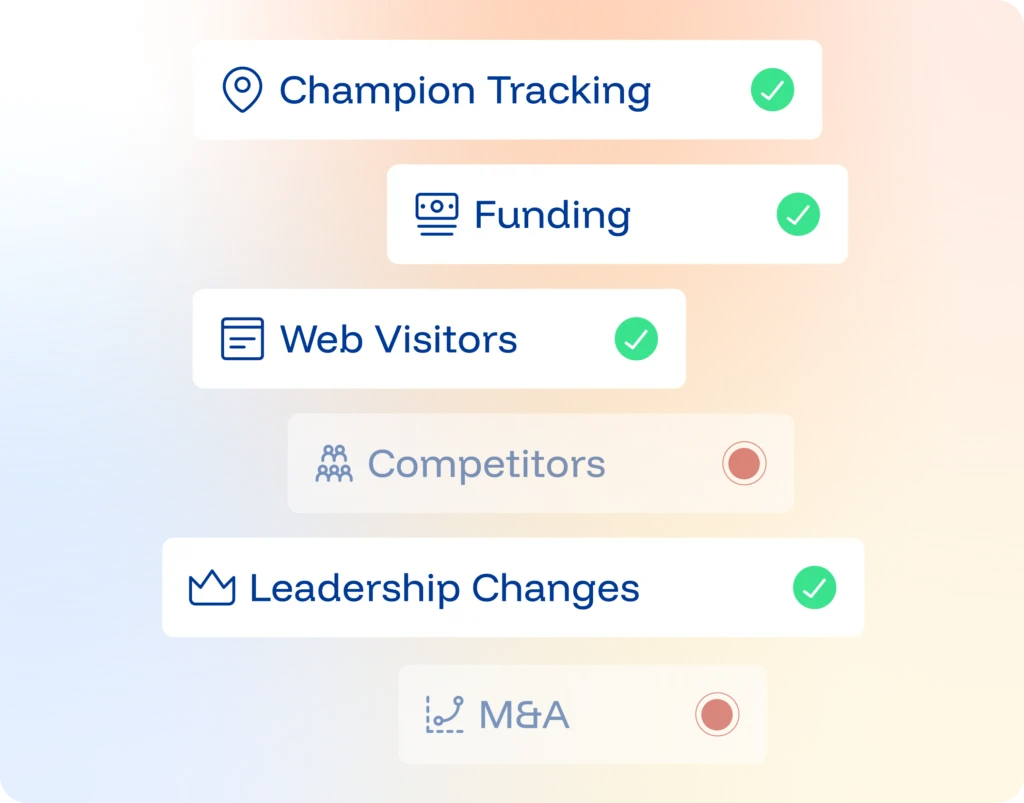
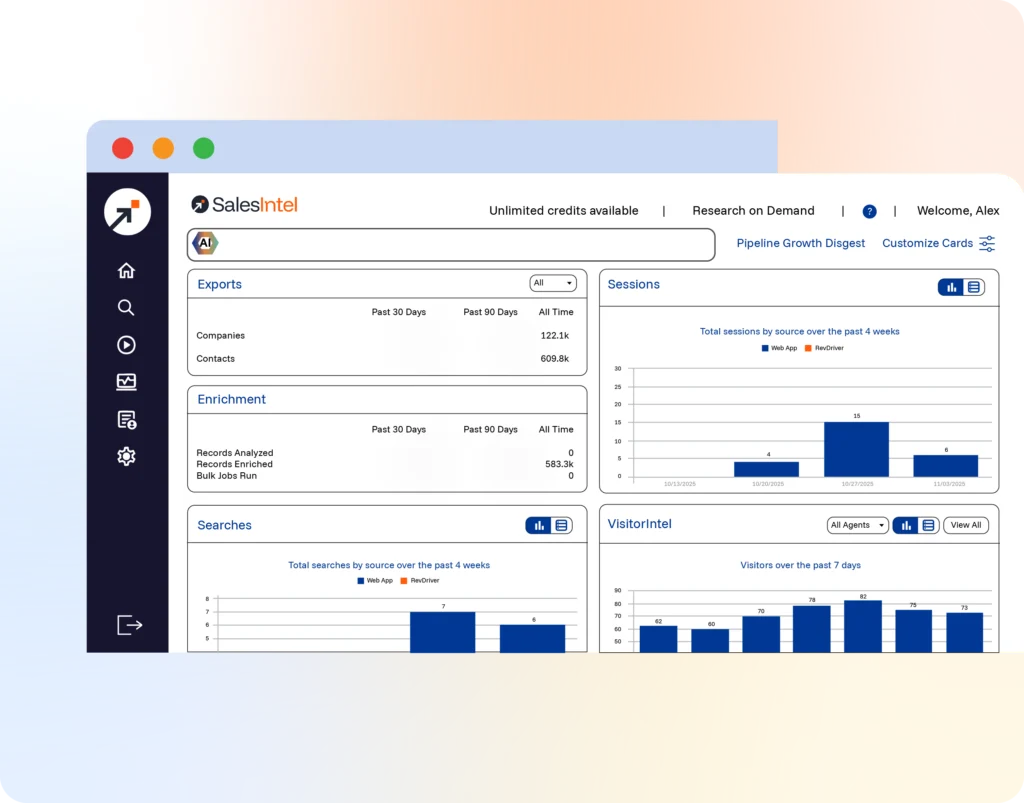
Key features include: Easy and immediate segmentation with SalesIntel data, Data Enrichment, Account Based Marketing, Research on Demand, Real-time Prospecting, Integrations, Ready to choose better data?.
SalesIntel is commonly used for: One platform. Your workflow., Maximized Marketing and Sales ROI:.
SalesIntel integrates with: Salesforce, HubSpot, Marketo, LinkedIn Sales Navigator, Zapier, Pipedrive, Outreach, Mailchimp.
Jan 6, 2026
Based on 14 social mentions analyzed, 21% of sentiment is positive, 64% neutral, and 14% negative.