
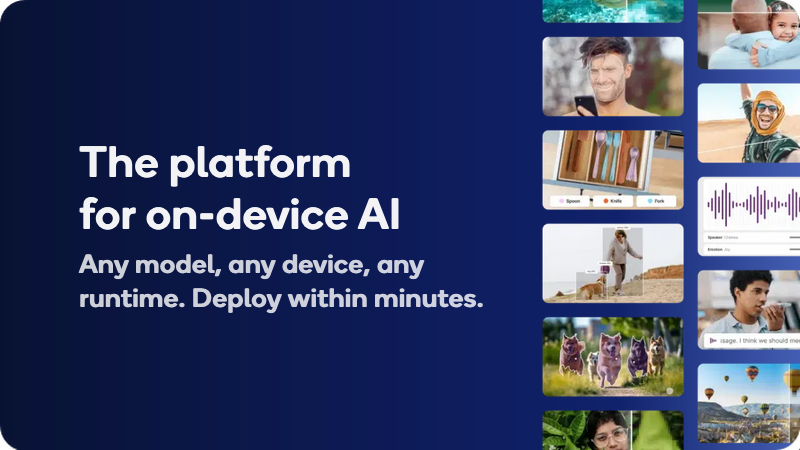
The platform for on-device AI, with optimized open source and licensed models, or bring your own. Validate performance on real Qualcomm devices.
Qualcomm AI Hub is praised for its robust platform, enabling the development and deployment of AI agents across diverse hardware like Arduino and Snapdragon PCs, showcasing flexibility and performance. While many users appreciate its innovation and accessibility features, specific user complaints are not directly available in the social mentions. The overall sentiment toward Qualcomm's offerings indicates strong market leadership and a pioneering role in AI applications, as seen in its inclusion on TIME's 100 Most Influential Companies list. Pricing sentiment is not discussed in the available mentions, leaving cost-effectiveness perceptions unclear.
Mentions (30d)
128
39 this week
Reviews
0
Platforms
3
GitHub Stars
968
166 forks
Qualcomm AI Hub is praised for its robust platform, enabling the development and deployment of AI agents across diverse hardware like Arduino and Snapdragon PCs, showcasing flexibility and performance. While many users appreciate its innovation and accessibility features, specific user complaints are not directly available in the social mentions. The overall sentiment toward Qualcomm's offerings indicates strong market leadership and a pioneering role in AI applications, as seen in its inclusion on TIME's 100 Most Influential Companies list. Pricing sentiment is not discussed in the available mentions, leaving cost-effectiveness perceptions unclear.
Features
Use Cases
Industry
semiconductors
Employees
49,000
1,113
GitHub followers
85
GitHub repos
968
GitHub stars
20
npm packages
40
HuggingFace models
🚀 Skills for small businesses, officially released by Anthropic
Anthropic’s 31 small-business skills reportedly hit around 382,000 downloads on day one. And now someone has mapped the whole thing into a setup workflow that can apparently be deployed in \~10 minutes. This is actually a pretty interesting shift. Small businesses used to stitch together automations manually across: Zapier Notion CRM tools email workflows internal docs custom scripts Now AI companies are starting to package the whole thing into reusable skill packs: 🧠 workflow 📚 memory ⚙️ behavior 🔗 connectors 🤖 orchestration 📋 operating rules Basically: business operations as AI-readable skill files. The best part? You don’t necessarily need Claude to use them. At the core, these are still .md skill files describing workflows for AI agents. So even if you’re using Codex, Cursor, Gemini, or another coding agent, you can still study the structure, adapt the workflows, and plug the ideas into your own agent setup. This feels like the beginning of a new category: “AI business operating templates.” GitHub: https://github.com/anthropics/knowledge-work-plugins
View originalI Spent three weeks building things nobody asked for. Today I went from idea to live AI feature in ten minutes.
Three weeks ago I had a domain and nothing else. Most of the time since then I have spent messing around building fun features. The infrastructure got built almost as a side effect of wanting them to work. Ghost Pro for the frontend. Content, pages, theme. Vercel serverless functions for everything that thinks. Feed refreshes, summarisation, chat, image generation. Upstash KV for state. Every feed, every cache, every session lives there. Gemini 2.5 Flash doing the model work. GitHub Actions on cron, hitting refresh endpoints on a schedule. A request logger and threat detection layer in front of every endpoint. Deploy is push to GitHub, Vercel picks it up. No containers, no orchestration. A lot of it went on endpoint conventions, environment variables, CORS, origin checks, KV key naming, and a stretch where my own IP kept getting blocked by my own security layer. A lot of which I was only just learning about. Today I had an idle thought about a daily meme generator. I described what I wanted to Claude Code. It was live on the site in under ten minutes, two of them spent waiting while I got a coffee. I didn't realise while I was building it that I'd end up able to put almost anything on top for no extra work. The endpoint patterns, the KV naming, and the deploy path were already fixed. There was nothing new that needed to be added. It seems once the plumbing is in, the cost of trying something drops to almost nothing. Four tech news feed pages, a chat widget, a comic strip, a card generator, a prompt injection hacking game, and a meme forge now run on the same six pieces. It's the most fun I've had in years. https://forge.quantumrx.eu/ai-labs.html submitted by /u/No_Ninja_5063 [link] [comments]
View originalI built a Claude Code plugin (44 subagents) and an MCP server that let Claude run HubSpot with human approval on every write. Here's what I learned about agent write-safety.
First time sharing a project here. I wanted Claude doing real HubSpot admin, but I wasn't willing to give an agent write access unless every destructive action had to pass a human approval gate, with an undo and a log of everything it did. Nothing I found worked that way, so I built it, partly as a learning exercise in how far agents can be trusted with a system of record. Why I built this HubSpot has been my lane for 10+ years, so it was the natural place to test this. Real portal, real records, not a demo. The bet behind the gate: an agent with CRM write access will eventually do something dumb at scale, and I'd rather it be stopped by design than by luck. Sharing the lessons because they apply to any MCP server or plugin that writes to a system of record, not just CRMs. What I built hubspot-claude, a Claude Code plugin. /hubspot find duplicate contacts and merges them, routes to one of 44 specialist subagents (contacts, deals, workflows, hygiene...). No custom orchestration framework: Claude Code's native Agent tool spawns them, and the subagents are stateless and call a bundled CLI over Bash. Long jobs run as durable loops (triage, execute, verify, checkpoint) that resume across sessions. hubspot-mcp, a standalone MCP server. Built second, because the plugin can't run in Claude Cowork: Cowork runs in a cloud sandbox and currently ignores SessionStart hooks, and the plugin depends on local venv provisioning and a warm daemon. The server exposes 76 domain tools plus 5 safety tools (approve, reject, list pending, audit, undo). Lesson 1: One approval style doesn't fit every operation My first version gated everything the same way, and I noticed I stopped reading the previews and just clicked yes. If every action asks for approval identically, the gate trains you to ignore it. So the friction now scales with the risk: reads need no approval, a small update shows a preview and takes a yes, destructive ops make you type the number of records that will be affected (re-checked at execute time, so a merge that should touch 3 records can't touch 300), and bulk jobs run 5 records first, you verify those, then it scales to the rest. Lesson 2: Use the agent where you can't write the decision tree A fair challenge I got: why guardrail a probabilistic agent instead of having AI write deterministic code that does the job the same way every time? My answer after building this: for anything with a known decision tree, deterministic code wins, and that's most of my automation work. But try writing dedupe logic deterministically. Name variations, misspellings, vague parent-child company relationships, and every portal breaks the rules differently. If/then and regex can't cover it. The fuzzy judgment is the job. So the model makes the probabilistic call, and a human approves anything destructive. And there's a bridge between the two: every approval and rejection lands in an audit log, so once the judgment patterns stabilize, you can hand the log to a coding agent as a spec and compile the job into boring scheduled code. Lesson 3: No dry-run API means you build previews from reads HubSpot has no dry-run endpoint, so every write does a read-based preview of the affected records and returns an action_id. Nothing mutates until approval. If you're wrapping an API without dry-run support, this pattern is cheap and works. The projects Both MIT, both beta, rough in places: https://github.com/promptmetrics/hubspot-claude https://github.com/promptmetrics/hubspot-mcp If you try them, use a free HubSpot developer test portal, never a live account. Ask the agent to seed the portal with sample records and let it loose. Two design questions for anyone building write-capable MCP servers or plugins: For destructive operations, my plugin makes you type the expected record count, and it re-checks that count at execute time. People who've built similar gates: is that the right friction, or does it just get annoying? In my MCP server, approve and reject are themselves tools, and no write executes without one. I chose that over relying on the client's tool-approval settings, since a user can flip those to "always allow." Where do you put your gate, and why? submitted by /u/Cell_Psychological [link] [comments]
View originalWhy aren't we collaborating on the prompts we give to our AI agents?
Now that code is so cheap, I feel like the real work is the spec, the context, the plan (aka the prompt) you hand over to the AI agent. That's where you decide what's actually getting built and how. That step still seems to be completely individual. You write it alone, the plan you formulate is local and private, and your coworkers only see the result when the PR is opened. On a team, that's the exact moment alignment should happen, and it's the one place we don't work together nowadays. GitHub Next recently showed a prototype that gets close to this collaborative experience: https://maggieappleton.com/zero-alignment I also wonder how other knowledge workers work and how they review each others' work. I believe they would also benefit from a "collaborative prompting" environment, where everyone sees what the others are working on and can step in at any point. Why isn't this normal yet? Missing tooling, cultural habit, or does collaborating on a prompt not help at all? submitted by /u/ilbert_luca [link] [comments]
View originalYou are burning $1000s on web research in claude code if you're still using WebFetch for everything.
You might have experienced that when you asked a simple web lookup query, it spawned 100s of agents to do DEEP RESEARCH, and every time your AI agent opens a documentation page, there's a good chance it's stuffing 5,000–50,000 tokens into context just to answer a simple question. Most of that context is never used, and your context is bloated That's why web research gets expensive so quickly. So I built Webify. Instead of dumping entire web pages into the context window, Webify converts pages into semantic graphs and retrieves only the nodes relevant to your query. That means your coding agent receives 250–750 tokens (more if needed) of focused information instead of tens of thousands of irrelevant ones. The result: ~$0.003 per query instead of ~$0.05+ (18x cost reduction) 30–90 seconds instead of 2–4 minutes Nearly the same accuracy as Deep Research, with the biggest difference only being completeness on very broad topics It works with any MCP-compatible coding tool. Under the hood: Search: semantic graph construction Multi-aspect retrieval using BM25 + graph traversal Small-model synthesis into a concise answer Instead of reading everything, it reads what actually matters. If you're running hundreds or thousands of web lookups every week, this can save a surprising amount of money and keep your context window clean. Open source (MIT Licensed) and pull requests are welcome GitHub: github.com/kunal12203/webify-mcp submitted by /u/intellinker [link] [comments]
View originalKarpathy LLM Wiki for your Codebase
Hello good people of r/ClaudeAI, I want to show CodeAlmanac. It is a self updating wiki for your codebase. How it works is: You install a CLI Choose your agent It goes through your codebase, and makes an initial wiki then, based on your chats with Claude/Codex, every 5 hours, it takes a look at your chats and updates the wiki based on the important things you discussed Since it is completely local, and markdown, your agents can refer it. A lot of important context about your project actually lives in your conversations, and now its easily queryable for the agents. This wiki is structured, organized into topics, and put into a sqlite db. So, we can do queries like: codealmanac search --topic auth and Ta-Da, the agent gets all the pages relevant to auth. Open source, uses your own subscriptions. The data never leaves your computer. GitHub: https://github.com/AlmanacCode/codealmanac submitted by /u/ElectronicUnit6303 [link] [comments]
View originalWhat's new in CC 2.1.200 (+6,194 tokens) and CC 2.1.202 system prompts (+3,217 tokens)
NEW: Data: Claude Tag (Claude in Slack) reference — Adds an offline reference for Claude Tag, Claude Code's org-managed shared Slack surface, covering what it is, availability, org-owner setup and configuration, the thread-equals-session and configuration-snapshot model, and how it replaces the earlier per-user "Claude in Slack" app. NEW: Tool Description: ListAgents — Adds a tool for listing agents you can message — in-process subagents, other local and cloud Claude sessions, and reply-only remote bridge sessions — instructing agents to address a row by its exact name and append its [ref] only when the bare name is ambiguous. NEW: Tool Parameter: setcwd needstrust directory — Documents the canonical target directory returned by a setcwd needstrust response, which the host shows in a trust dialog and echoes back verbatim with trustaccepted: true, noting that paths containing control, format, default-ignorable, separator, or non-ASCII-space code points are rejected as unsafepath before this arm can carry them. Agent Prompt: Security monitor for autonomous agent actions (second part) — Reworks the exfiltration rules to fail open on unknown repository visibility and judge content on its own terms; defines three protected-content classes (secrets, personal sensitive data, and confidential internal work); treats staging/pushing an untracked file or dotfile as the exposure event and a same-session git remote set-url/add repoint as severing trust; and adds soft-block rules for security-test removal, general irreversible deletion, traffic redirection, remote repointing, out-of-place publication to public repos, and cross-repo/fork/upstream PR publishing. Skill: Claude Code configuration guide — Adds Claude Tag (Claude in Slack) coverage, routing any question about Claude Tag, @Claude, or /install-slack-app to references/claude-tag.md first and never answering from memory before fetching the docs. Data: Claude Code live documentation sources — Adds a Claude in Slack (Claude Tag) section with documentation URLs and extraction prompts, pointing to references/claude-tag.md as the offline floor. Data: Claude Code recent changes reference — Adds a row noting Claude Tag replaces the earlier "Claude in Slack" app and is backed by remote Claude Code sessions. Skill: Verify skill — Now bootstraps a project verify skill: after getting through a cold-start verification, persist the working build/launch/drive recipe to .claude/skills/verify/SKILL.md at the right scope (repo root, or the touched package/app directory in a monorepo), or fold new learnings into an existing verify skill instead of duplicating. System Prompt: Project skill upkeep for feedback memory — Clarifies to only edit existing project skills and never create one (a new skill shadows a same-named built-in), with verify as the sole exception, and to place a verify correction in the closest-scoped .claude/skills/verify/SKILL.md, never duplicated at broader scopes. System Prompt: Executing actions with care and System Reminder: Auto mode clarification bias — Add guidance that when staging or committing, review what a broad git add included (via git status) and double-check suspicious files' contents for secrets before pushing, even when the filename looks innocuous. Skill: Auto mode setup — Updates trusted-repo environment guidance so a repo's known public/private visibility scopes what is OK to commit or push there, with the worked example now marking a repo private and OK for the team's own work. Tool Description: claude.ai Project — Documents a presenttouser: true option on projectwrite, to be set only when the doc is the deliverable the user needs to see and left unset (default false) for routine, note, and bulk saves. Details: https://github.com/Piebald-AI/claude-code-system-prompts/releases/tag/v2.1.200 NEW: Agent Prompt: /code-review part 2 low effort minimum findings mode — Adds a low-effort /code-review mode that reads the diff once, skips test and fixture hunks, avoids subagents and full-file reads, and targets hunk-visible runtime-correctness findings with one extra pass before returning (none). NEW: Data: Governed GitHub CLI shim header and routing — Adds the per-session governed gh shim text that routes github.com requests without customer credentials through the agent proxy while letting customer-token and GitHub Enterprise invocations use the real gh, including host/repo/origin detection, proxy/CA setup, and proxy-injected tokens. Agent Prompt: /review slash command — Replaces the medium-effort JSON-findings review flow with a concise, sectioned PR review covering overview, code quality/style, improvement suggestions, risks, correctness, project conventions, performance, tests, and security. Agent Prompt: Security monitor for autonomous agent actions (second part) — Clarifies that unknown repository visibility is not itself a blocking reason for data exfiltration or out-of-place publication checks, while keeping content sensitivi
View originalThe sex requesting app that I built for my wife and I, is now available for self hosting
Sex-request app guy is back. The "put it in a request, maybe a Google Form" one? I'm back, and now you can run your own copy. The privacy bits (E2EE Vault, encrypted-at-rest, repeated security audits) I built with Claude Opus and our newest beloved-whos-going-away, Fable, really helped improve it. Sexualsync is self-hostable. Open source, Docker or Node, your server, your data. I'm not running a service you sign up for, too much risk for everyone. Your instance is yours and nothing you two get up to ever touches my machine (thank god). New since last time: End-to-end encryption — encrypted in your browser with a passphrase the server never gets. On your box, the keys are yours. Sext — a private encrypted thread with reveal-to-open GIFs. Send one, they tap to uncover it and react. Peekaboo but horny. "Maybe" replies — for when you're not a yes or a no yet. Parks the Ask, brings it back later. Commitment issues: supported. Couple games — The Pile (you both drop acts, any overlap is happening), Blind Reveal (both answer before either can peek), Greenlight (flag what you're up for, matches light up green), and the Sex Quiz (double-blind questions, answers unlock once you've both answered). Discreet notifications, a Sexboard dashboard, and the Shelf for saving clips and stories to reveal later. Code + setup: GitHub. Screenshots and full tour: presentation. While still in beta, I have been using it for weeks (niiiice) so a good chunk of bugs have been squashed but please let me know in github if there are issues and/or features you want. submitted by /u/Aiml3ss [link] [comments]
View originalHow are teams using Claude Code / Codex in real product workflows?
I’m curious how teams are actually using tools like Claude Code, Codex, and similar coding agents beyond solo developer workflows. A lot of the examples I see are very developer-centric: Markdown specs, CLAUDE.md, planning files, task files, architecture docs, and agent instructions living inside the repo. That seems powerful for engineers, but I’m trying to understand how this works in a real team setup with product managers, QA, designers, tech leads, and stakeholders involved. For teams using these tools seriously: What does your workflow look like? Do you use Markdown-based specs/plans inside the repo, or do you still rely on Jira, Linear, GitHub Issues, Notion, Confluence, etc. as the source of truth? How do product people participate? Are PMs or non-engineering stakeholders comfortable reviewing and updating repo-based Markdown files, or does the workflow still need to be translated back into product tools? Do Markdown-first or spec-driven workflows create friction? For example: duplicated planning, unclear ownership, poor visibility, difficulty tracking status, hard-to-review specs, or context getting scattered across many files. Are you using MCPs or integrations with Jira, Linear, GitHub Issues, etc.? If yes, what works well? What feels fragile or not worth the effort? How do you track agent work and token usage? Can you connect token usage, model cost, or agent runs to a feature, epic, customer request, OKR, or business goal? Or is it mostly tracked as a generic engineering cost? What are the biggest team-level problems you’ve seen? I’m especially interested in workflow-level issues: reviews, approvals, handoffs, visibility, cost control, compliance, duplicated context, and keeping humans aligned. I’m trying to learn how people are using these tools in team setups and understand the real frictions teams are running into as AI coding agents become part of the delivery process. Would love to hear what your team is doing, what has worked, and what still feels broken. And I know we are all building something, guys. Please, I am really looking for experience on enterprise or team setup usages. Please stop posting links to your solutions. I know we all want to advertise on Reddit, but let's please have a genuine conversation here. submitted by /u/hancengiz [link] [comments]
View originalI made a Skill that turns a SaaS idea into a full-stack app in one prompt
The screen recording show above is done in one prompt / one turn without any modification. So it can definitively be improved. It is definitely not perfect, and it can still be improved. I wanted to show what the Skill can already generate from a single iteration. It can take a SaaS idea and make a full-stack app with: - authentication - multi-tenancy and team support - roles and permissions - landing page - user dashboard - database schema with Drizzle ORM - i18n - tests and build checks - Next.js App Router, TypeScript, Tailwind, Shadcn UI You can try it with: npx skills add ixartz/saas-boilerplate Then, in Claude Code: /saas-builder Be as detailed as possible when describing your SaaS idea. The more context you provide about the product, users, features, and requirements, the better the AI agent can build the right application. GitHub repo: SaaS Boilerplate submitted by /u/ixartz [link] [comments]
View originalI built Human-in-the-Loop approval system for Claude Code (2-minute setup)
Hi everyone! 👋 Over the past few weeks, I've been building Aegmis, Human-in-the-Loop (HITL) approval system for AI coding agents like Claude Code. As AI agents become more capable, I found myself asking the same question: So I built Aegmis. What it does Instead of blocking your AI agent, Aegmis only intercepts commands you define as risky. When a risky command is about to run: 🛑 Execution pauses 💬 You receive a Slack approval request ✅ Approve or reject with one click 🚀 Safe commands continue without interruption No code changes are required, and it takes about 2 minutes to set up. Quick setup curl -fsSL https://raw.githubusercontent.com/Aegmis/claude-intrupt-hook/main/install.sh | bash Then: Create an API key in Aegmis Connect Slack Start using Claude Code as usual Why I built it Most AI agents today are either: fully autonomous, or completely manual. I wanted something in between—where the AI can work independently most of the time but asks for human approval before executing commands that could modify production systems, delete files, or perform other sensitive operations. My goal is to make AI agents safer without slowing developers down. I'd love feedback from the community: What commands would you require approval for? What integrations would you like to see next? Would you use something like this in your workflow? GitHub: https://github.com/Aegmis/claude-intrupt-hook Website: https://aegmis.com Feedback and feature requests are all welcome! submitted by /u/ParticularBasket6187 [link] [comments]
View originalSkills - best place to store them
I use Claude Chat projects, Claude code and cowork. I use them across a few devices etc Struggling to work out a unified place to store them so that any of the Claude surfaces can use them. I also want other AI tools to access them (but Claude is the main one) Am I looking at saving them to Claude cloud every time I create one, or is there a more sensible / efficient way of doing it? Don’t like the idea of them just living on my main machine for the access reasons above, and I’m not sure Claude would easily grab them from GitHub on demand? Any idea appreciated! submitted by /u/ohsomacho [link] [comments]
View originalA system instruction set focused on output token reduction and cutting sycophancy
Hitting output limits or paying for wasted API tokens is frustrating, especially when you realize how much of that waste comes from LLMs padding their answers with conversational filler. To fix this, I've been refining an open-source set of system instructions called the Shannon AI Optimizer. It’s a dense set of rules you can drop into your Project instructions, API system prompt, or frontend wrapper to fundamentally change how the model formats its replies. What it does Maximizes Token Efficiency (The main goal) It forces the model to get straight to the point. It completely strips out the "Here is your code" intros, repetitive summaries, and "I hope this helps!" outros. If you are doing long coding sessions or heavy data processing, this noticeably speeds up generation and saves a lot of context window space. Reduces Sycophancy and Fluff As a byproduct of being heavily optimized for token reduction, it kills the overly agreeable, apologetic, or preachy behavior. You won't get the "Certainly! I'd be absolutely thrilled to help you with..." wrappers around every single prompt. Realistic Example If you ask for a quick script modification: Standard Claude (50+ tokens): "I understand you want to modify this script. I'd be happy to help you with that! I noticed you are using [X], which is great. Here is the updated code:" "Let me know if you need any further explanation about how these changes work!" With the Shannon instructions (15 tokens): Modified to use [X]. The Repo I put the text file of instructions on GitHub here: https://github.com/tdeletto/shannon-ai-optimizer It’s completely free and open source. It doesn't magically fix every single refusal, but in my testing, it keeps outputs incredibly lean. I'm hoping to get some feedback from people who push Claude's context limits. If you drop it into your Projects, let me know where it succeeds and where it needs tweaking. PRs to make the prompt even more efficient are highly welcome! submitted by /u/tdelet [link] [comments]
View originalBuilt an AI script because adulting killed my free time. Helpz test and improve please
Life got busy. I don't have the hours to run long AI sessions anymore, so I built something to handle the repetitive parts for me. Looping, prompt queues, personas, crash recovery, planning. Works across ChatGPT, Claude, Gemini, Perplexity, Grok, Copilot, DeepSeek and a few others. It's called Ghost in the Loop. Free, no account, installs like any userscript. New prototype at the repo: https://raw.githubusercontent.com/MShneur/ghost-in-the-loop/main/dev/ghost-in-the-loop.user.js GitHub: https://github.com/MShneur/ghost-in-the-loop What I actually want is simple: show me if it fails in your browsers, dev tool errors, html errors, or your personal read on it. I built this around my own workflows, which means I've probably baked in my own blind spots without realizing it. If you work differently, use different platforms, chain tasks in weird ways, or have a prompting style I haven't thought of, I want to see where it fits and where it falls apart. Less "please find my bugs" and more "what slot is missing from this thing." I'll take anything. Friction points, feature gaps, workflow ideas. Weirder the better.. submitted by /u/Mstep85 [link] [comments]
View originalI built a local-first safety layer for AI agents (Runewall)
Hey all. I just shipped my first real project to PyPI and I'd genuinely value some honest feedback before I keep building. What it is: Runewall is a local CLI + Python SDK + MCP server that sits between an AI agent and a real-world action (file write, API call, deploy, etc). It previews what the agent is about to do, runs a dry-run by default, logs everything to a local SQLite file, and blocks execution unless you explicitly enable it. The pitch: agents are moving from answering to acting, and most agent frameworks treat safety as "a system prompt and a prayer." I wanted something local, inspectable, and CLI-first that doesn't require signing up for anything or sending data anywhere. What works today: Dry-run for 5 services with real test coverage: GitHub, Vercel, Netlify, Supabase, Cloudflare 3 more partially covered and under review: Slack, Discord, Linear Additional experimental map ideas in the repo (Stripe, Notion, Jira, AWS, etc.) — not yet claimed as supported until they have realistic dry-run coverage Local MCP stdio server (drops into Claude Desktop / Cursor / anything MCP-compatible) Policy explain / test / audit commands SQLite action log + snapshots 650+ tests, including a security suite that proves dry-run makes zero network calls and tokens never hit the log Adding a new integration is intentionally cheap (a map file + tests), but I'd rather have 5 I trust than 20 I don't. What doesn't (yet): Signature verification for community map packages Anything cloud / team-mode (and honestly I want to resist that as long as possible) Install: pip install runewall Repo: https://github.com/harims95/runewall What I'd love feedback on: Does the "local-first agent safety runtime" framing actually map to a problem you have, or does it sound like a solution looking for one? If you're using MCP, is the way I expose dry_run / policy_test as MCP tools the right shape? What would make you actually try this on a real agent project. submitted by /u/Hariharanms [link] [comments]
View originalI open-sourced my multi-agent dev pipeline — it turns GitHub/Gitea issues into merged PRs using leading coding agents.
For the last year I have found myself up most nights with a FOMO on my AI projects and then the headaches of using the various coding agents (harnesses) at the same time and baby siting my quota to deliver new apps and features while jumping between the new flashy thing of the week. I've been building "AgentForge" for the past few months as a local tool to automate my own dev workflow, and I just made it public. What it does: Two ways to use it: New App — describe what you want to build, and AgentForge runs a guided discovery session, generates specs, creates issues, and builds the entire app end-to-end. Issues — create an issue on an existing repo, and AgentForge picks it up, triages by complexity, then dispatches coding agents through the pipeline: clarify → spec → code → test → QA → security → merge. Both paths use the same agent pipeline and stream everything to a live dashboard. Key design decisions: Runs on your machine — no hosted service, no data leaving your box. Agents are CLI subprocesses. Per-stage model routing — cheap/free models for planning stages, frontier models only where they write production code. You control what spends money. Multi-provider — mix Claude, Codex, Kiro, local llama.cpp models, or any OpenAI-compatible endpoint in the same pipeline including local. (I use Qwen 3.6 35B A3B) Human-in-the-loop gates — spec approval and PR approval can require a human sign-off before proceeding. Tiered pipelines — trivial changes go fast (VIBE mode: triage → develop → merge), complex features get the full treatment with requirements, design, and security scanning. Stack: Python/FastAPI backend, React/TypeScript dashboard, SQLite, git worktrees for agent isolation. What it's not: This isn't a hosted SaaS or a "vibe coding" toy. It's designed for real repos with real CI expectations — test gates, security scans, and budget guards that pause work when spend crosses thresholds. GitHub: [https://github.com/iYoungblood/agentforge]() Happy to answer questions. GitHub support is new (Gitea was the original backend), so if anyone tries it with GitHub repos I'd appreciate feedback. (Or a PR / issue) I'm sure I'm missing a lot but hope it can help some others. https://preview.redd.it/a6c8pni74h9h1.png?width=1665&format=png&auto=webp&s=8c7df3847cdea9274b4d569a40c0725bf46ac855 submitted by /u/ayoungblood84 [link] [comments]
View originalRepository Audit Available
Deep analysis of quic/ai-hub-models — architecture, costs, security, dependencies & more
Qualcomm AI Hub uses a tiered pricing model. Visit their website for current pricing details.
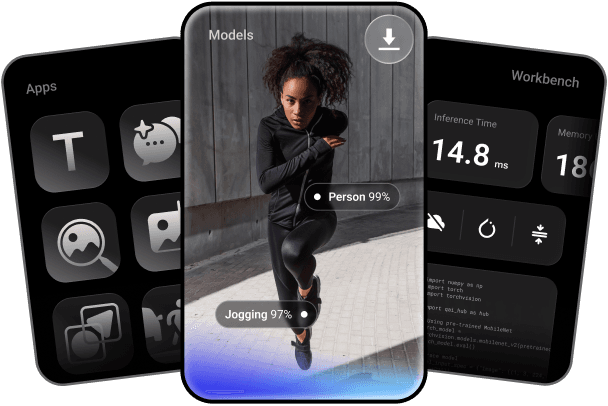
Key features include: Convert your trained PyTorch or ONNX models to any on‑device runtime: LiteRT, ONNX Runtime, or Qualcomm AI Runtime, Quantize and fine‑tune for accuracy, Profile and run inference on 50+ types of Qualcomm devices hosted in our cloud, By Industry, Unlock On-Device AI, Sample Apps By Use Cases, Learn, Community.
Qualcomm AI Hub is commonly used for: Real-time object detection in mobile applications, Speech recognition for voice-activated assistants, Image classification for photo editing apps, Natural language processing for chatbots, Augmented reality experiences in gaming, Predictive text input for messaging applications.
Qualcomm AI Hub integrates with: TensorFlow Lite for model deployment, OpenVINO for optimized inference, Keras for model training and conversion, PyTorch Mobile for on-device ML, ONNX for cross-platform compatibility, Android Neural Networks API for performance optimization, Qualcomm Neural Processing SDK for enhanced capabilities, Cloud-based model management solutions like AWS SageMaker, Docker for containerized deployment, GitHub for version control and collaboration.
Qualcomm AI Hub has a public GitHub repository with 968 stars.
Based on user reviews and social mentions, the most common pain points are: token usage, token cost, API bill, API costs.
Based on 330 social mentions analyzed, 5% of sentiment is positive, 94% neutral, and 1% negative.
