PayloopPayloop
CommunityVoicesToolsDiscoverLeaderboardReportsBlog
Save Up to 65% on AI
Powered by Payloop — LLM Cost Intelligence
Tools/Playground AI/vs Canva AI
Playground AI

Playground AI

ai-design
vs
Canva AI

Canva AI

ai-design

Playground AI vs Canva AI — Comparison

10 integrations8 featuresVenture (Round not Specified)
Pain: 1/10015 integrations8 featuresOther
The Bottom Line

Playground AI, with a limited user base and sparse feedback, offers specialized image generation and design capabilities whereas Canva AI excels with strong community engagement, innovative features, and extensive integration options. Canva, with its 5500 employees and $992.9 million in funding, dwarfs Playground AI's 10 employees and $60.9 million funding.

Best for

Playground AI is the better choice when teams require specific image generation capabilities for prototyping visual concepts and are focused on highly specialized or niche creative projects.

Best for

Canva AI is the better choice when organizations need a versatile, user-friendly design tool with extensive collaboration features for seamless social media graphics and marketing materials.

Key Differences

  • 1.Canva AI offers a comprehensive suite of features including AI-powered design suggestions and Magic Resize for various formats, whereas Playground AI focuses on creating up to 75 images every 3 hours with limited editing capabilities.
  • 2.Playground AI integrates with Figma for design collaboration, while Canva integrates with a broader range of platforms such as Mailchimp and HubSpot, enhancing marketing workflows.
  • 3.Playground AI suffers from slower generation during peak hours, whereas Canva AI is praised for its smooth functionality and continuous feature upgrades.
  • 4.Canva AI's community is significantly more engaged with the product due to its strong reputation for innovation, unlike Playground AI which experiences minimal social discussion.
  • 5.Playground AI's pricing is subscription-based and tiered, but Canva AI does not list pricing directly, indicating different monetization strategies.

Verdict

Teams needing specialized image prototyping or who are part of a smaller setup may gravitate towards Playground AI due to its specific focus and integration options. For those seeking a broader set of design tools with robust collaboration and frequent updates, Canva AI stands out as the effective choice, particularly for larger teams and expansive marketing efforts.

Overview
What each tool does and who it's for

Playground AI

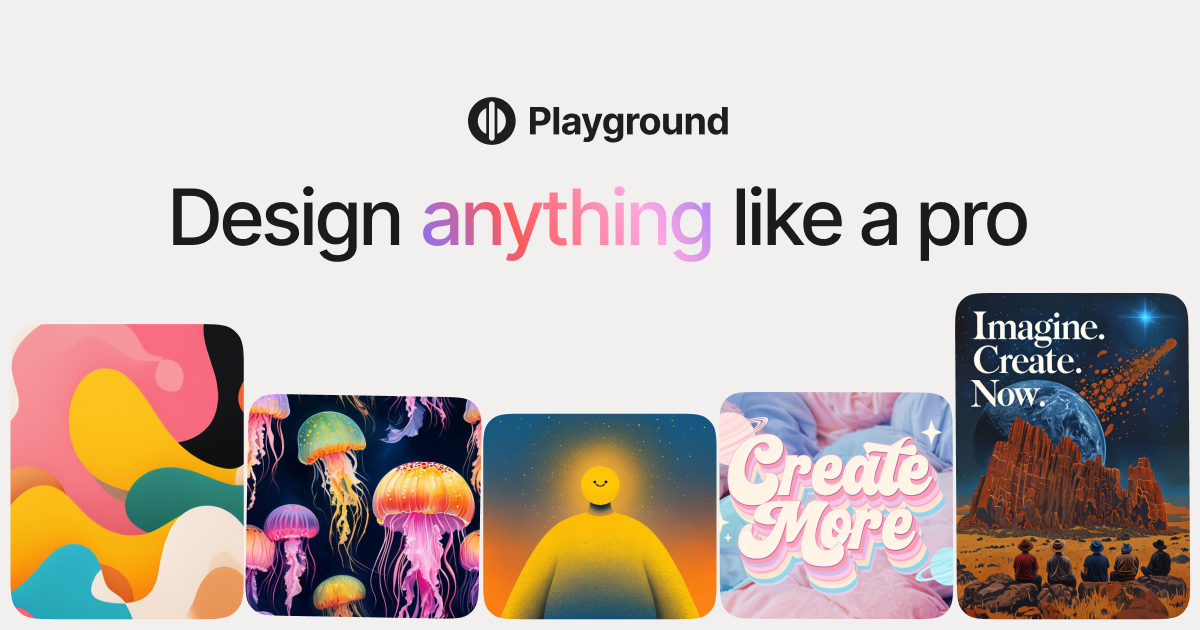
Create custom designs and graphics with Playground

The reviews and social mentions of "Playground AI" appear sparse with little direct feedback, making it challenging to ascertain its strengths and weaknesses comprehensively. There seems to be minimal dedicated discussion, implying a limited user base or low engagement from current users on social platforms. Pricing sentiment and specific complaints are not clearly outlined in the available mentions, indicating either satisfaction or indifference with the associated costs. Overall, "Playground AI" may not have a broad reputation or significant user feedback within the social circles discussed.

Canva AI

Canva AI is praised for its seamless integration with other platforms like Claude Design, allowing for frictionless idea generation and editing, and its comprehensive updates that enhance design workflows. Users are excited about new features like gpt-image-2 and enhancements in animation and editing. However, specific user complaints are not prominently mentioned in the social sentiment. Pricing sentiment is not directly addressed, indicating it might not be a significant factor in discussions. Overall, Canva AI enjoys a strong reputation for innovation and versatility as a design tool.

Key Metrics
6
Mentions (30d)
37
Mention Velocity
How discussion volume is trending week-over-week

Playground AI

-33% vs last week

Canva AI

-90% vs last week
Where People Discuss
Mention distribution across platforms

Playground AI

Reddit
79%
YouTube
21%

Canva AI

Twitter/X
73%
Reddit
24%
YouTube
3%
Community Sentiment
How developers feel about each tool based on mentions and reviews

Playground AI

13% positive83% neutral4% negative

Canva AI

4% positive96% neutral0% negative
Pricing

Playground AI

subscription + tiered

Canva AI

Use Cases
When to use each tool

Playground AI (6)

Casual image generation for personal projectsCreating art for social media postsDesigning graphics for marketing materialsPrototyping visual concepts for presentationsGenerating unique images for blogs and websitesExperimenting with AI-generated art styles

Canva AI (6)

Creating social media graphicsDesigning marketing materialsDeveloping presentations and slidesMaking infographics and data visualizationsCrafting event invitations and flyersProducing business cards and stationery
Features

Only in Playground AI (8)

Create up to 10 images every 3 hoursCreate up to 75 images every 3 hours3 monthly edits across GPT-4o, Nano Banana, and SeedreamSlower generation during peak hoursWaiting period after limits are reachedUser-friendly interface for easy navigationSupport for various image formatsCommunity sharing options for creators

Only in Canva AI (8)

AI-powered design suggestionsMagic Resize for different formatsBackground remover toolText suggestions and auto-formattingImage enhancement and filtersCollaboration tools for team projectsTemplate customization with AIBrand kit for consistent branding
Integrations

Only in Playground AI (10)

Adobe Creative CloudSlack for team collaborationDiscord for community engagementZapier for automation with other toolsFigma for design collaborationTrello for project managementGoogle Drive for file storageNotion for documentation and organizationWordPress for easy content publishingCanva for enhanced design capabilities

Only in Canva AI (15)

Google DriveDropboxSlackMailchimpHubSpotWordPressInstagramFacebookYouTubePinterestZapierTrelloAsanaShopifyZoom
Social Reach
20,300
Twitter Followers
—
Pain Points
Top complaints from reviews and social mentions

Playground AI

token usage (1)

Canva AI

token usage (1)
Top Discussion Keywords
Most mentioned keywords from community discussions

Playground AI

token usage (1)

Canva AI

token usage (1)
Product Screenshots

Playground AI

Playground AI screenshot 1

Canva AI

No screenshots

What People Talk About
Most discussed topics from community mentions

Playground AI

model selection4
documentation3
support3
open source3
accuracy3
deployment3
api2
scalability2

Canva AI

support10
pricing7
migration4
documentation3
cost optimization2
scalability2
model selection1
ease of use1
Top Community Mentions
Highest-engagement mentions from the community

Playground AI

Playground AI AI

Playground AI AI

YouTubeneutral source

Canva AI

Introducing our new collaboration with Anthropic: Canva is now in Claude Design! Generate ideas in Claude. Edit in Canva. No friction. No starting from scratch. https://t.co/f220BR4AZk https://t.co/t

Introducing our new collaboration with Anthropic: Canva is now in Claude Design! Generate ideas in Claude. Edit in Canva. No friction. No starting from scratch. https://t.co/f220BR4AZk https://t.co/tLHHLd1rO3

Twitter/Xby @canva source
Company Intel
information technology & services
Industry
information technology & services
10
Employees
5,500
$60.9M
Funding
$992.9M
Venture (Round not Specified)
Stage
Other
Supported Languages & Categories

Only in Playground AI (5)

image generatorstable diffusionDALL-Egraphic design softwarefree online image editing software
Frequently Asked Questions
Is Playground AI or Canva AI better for graphic design?▼

Canva AI is generally better for graphic design due to its rich set of features and broad integration options.

How does Playground AI pricing compare to Canva AI?▼

Playground AI uses a subscription model with tiered pricing, whereas Canva AI's specific pricing details are not widely discussed.

Which has better community support, Playground AI or Canva AI?▼

Canva AI has better community support with more active discussions and engagement noted across platforms.

Can Playground AI and Canva AI be used together?▼

Yes, they can be used together especially on platforms like WordPress, facilitating a cooperative workflow.

Which is easier to get started with, Playground AI or Canva AI?▼

Canva AI is typically easier to get started with due to its user-friendly interface and extensive documentation.

View Playground AI Profile View Canva AI Profile