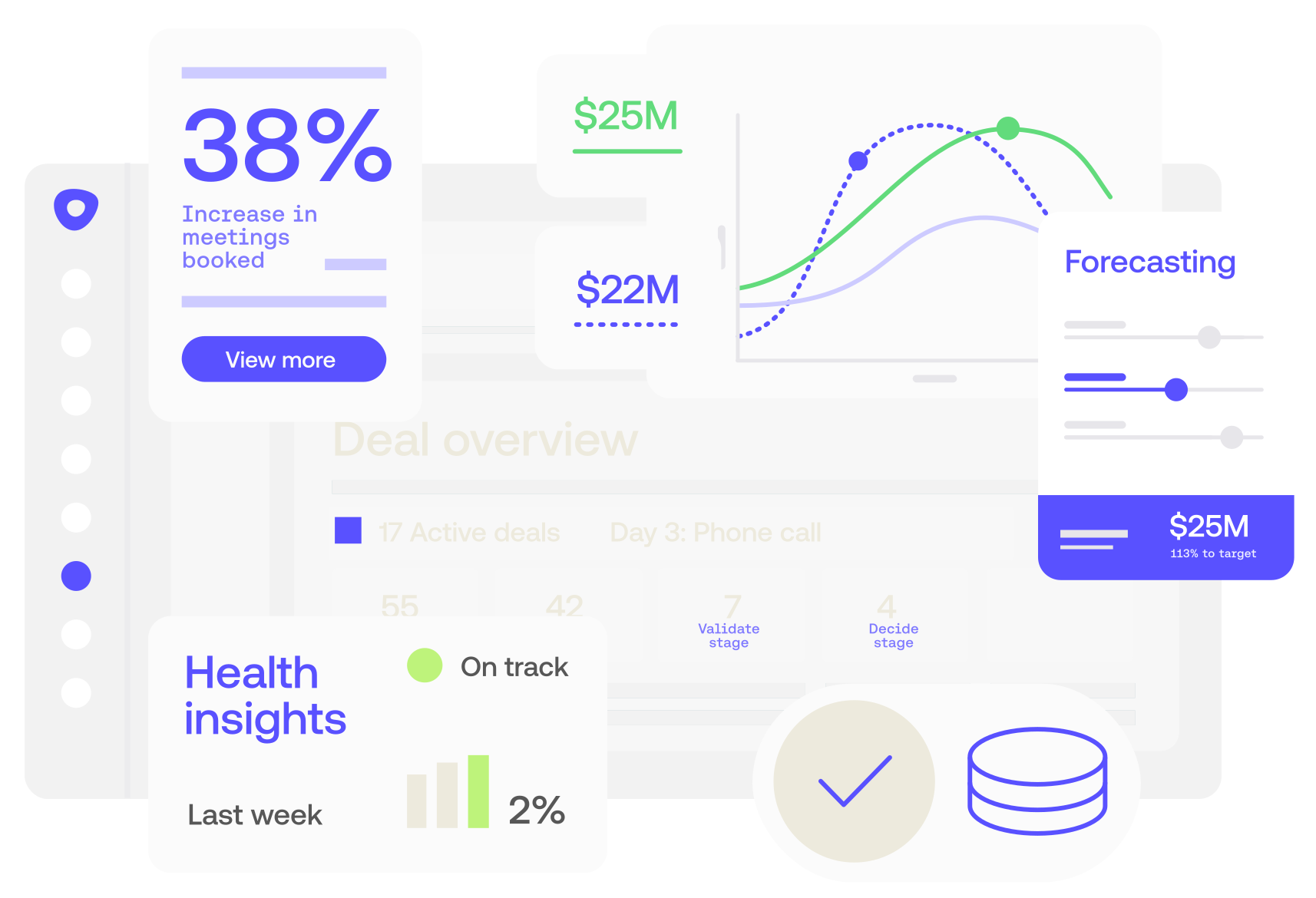
Outreach is the Agentic AI platform for revenue teams — forecast, coach, close deals, and expand accounts. See it in action. Request a demo.
Users generally praise Outreach for its robust features, particularly its AI capabilities, which are frequently highlighted in video content. However, there are complaints about its learning curve and occasional technical issues. While the pricing is considered high by some, it's seen as justified due to the value provided. Overall, Outreach maintains a strong reputation with users for enhancing productivity and sales engagement, evident from predominantly positive reviews on platforms like G2.
Mentions (30d)
20
2 this week
Avg Rating
3.8
20 reviews
Platforms
2
Sentiment
0%
0 positive

Users generally praise Outreach for its robust features, particularly its AI capabilities, which are frequently highlighted in video content. However, there are complaints about its learning curve and occasional technical issues. While the pricing is considered high by some, it's seen as justified due to the value provided. Overall, Outreach maintains a strong reputation with users for enhancing productivity and sales engagement, evident from predominantly positive reviews on platforms like G2.
Features
Use Cases
Industry
information technology & services
Employees
1,100
Funding Stage
Series G
Total Funding
$527.3M
Pricing found: $600
g2
What do you like best about Outreach?Easy to use, with a wide range of profiles to create cold calls and emails from. There are also different filters available depending on the industry Review collected by and hosted on G2.com.What do you dislike about Outreach?Comparatively expensive compared to other products like Apollo. It also has a slightly bigger learning curve than Apollo. Overall, it seems mainly suited for Sales. Review collected by and hosted on G2.com.
What do you like best about Outreach?We can link our LinkedIn account and use it in the sequence. The interface is clear and defined, and I never take the support team's help. Boost performance by email with an outreach tool and reduce manual work. Pricing is worth it. Review collected by and hosted on G2.com.What do you dislike about Outreach?Sometimes it lacks. I have different steps in my sequence, and the first two steps were manual. So, when I completed my manual sequence, it is still showing the task. Review collected by and hosted on G2.com.
What do you like best about Outreach?I use Outreach for trigger sequencing, which helps with integration for lead generation tools like Invoca and Influ2. I appreciate that sequences are automated, making automation easier. I also like the automated emailing feature for sales reps and its integration with our CRM platform, Salesforce. Review collected by and hosted on G2.com.What do you dislike about Outreach?Sometimes it does not sync well with Salesforce. The calls don't get synced to Salesforce, which is the issue we're still working on even with Outreach support's help. Review collected by and hosted on G2.com.
What do you like best about Outreach?Easy to use and super user friendly plus it seamlessly connects to CRM Review collected by and hosted on G2.com.What do you dislike about Outreach?no auto dialer available plus the limit to use/ generate new numbers limits outreach to be more efficient. Review collected by and hosted on G2.com.
What do you like best about Outreach?I use Outreach for sequences in customer outreach and it helps me save time and keeps me structured. I like the ability to create new sequences and connect it with Nooks, as it allows me to work seamlessly because both systems are connected. It was pretty easy to set up Outreach. Review collected by and hosted on G2.com.What do you dislike about Outreach?I think the exporting from Salesforce could be a little better, in terms of updating company names when individuals move to a new company. Review collected by and hosted on G2.com.
What do you like best about Outreach?I like that Outreach keeps everything organized in one place and saves time with automation. It makes follow-ups easier and helps me stay on top of communication and pipeline activity. Review collected by and hosted on G2.com.What do you dislike about Outreach?A common dislike about Outreach is that it can feel a bit complex to learn at first, especially if you only need the basics. Some users also find the interface a little overwhelming because there are so many features and settings. Review collected by and hosted on G2.com.
What do you like best about Outreach?I like that Outreach integrates with our CRM, allowing me to easily put most prospects into a sequence. It's easy to send follow-up emails automatically once the prospect is in the sequence. I find it convenient that when someone replies, the sequence stops, so I can manually reach out to the prospect. Sending follow-up and generic emails makes my life easier. Review collected by and hosted on G2.com.What do you dislike about Outreach?I would say for the pre-established name on the accounts, once you already have that in your CRM record through a specific partner, Outreach doesn't recognize that and includes the partner name on the email, and that is a bit annoying. An AI integration with the CRM to pull the correct account name would be nice, as of now I need to go to ChatGPT or other AI tools to help me and then paste on the Outreach. Review collected by and hosted on G2.com.
What do you like best about Outreach?What I like most about Outreach is how it brings the entire sales workflow into one place. It makes it easier to manage outreach, follow-ups, and the pipeline efficiently, without having to rely on multiple tools. Review collected by and hosted on G2.com.What do you dislike about Outreach?What I dislike about Outreach is that its dialing capabilities are limited compared to dedicated dialers. It doesn’t offer true parallel dialing, which reduces calling efficiency at scale. There’s also no strong auto disposition feature, so a lot of call logging and updates still require manual effort. Additionally, needing to purchase and manage multiple numbers separately can be inconvenient. Overall, while Outreach is great for sequencing and workflow management, it lacks some of the advanced dialing features needed for high-volume outbound calling. Review collected by and hosted on G2.com.
What do you like best about Outreach?I really like Outreach's campaign creation feature because it helps me maintain and keep records of every activity while reducing manual work like dialing contacts one by one. I appreciate the reporting part, with its user-friendly dashboard that allows me to track every activity easily. The feature that lets me trace all the activity made on a contact is also quite helpful. Its AI agents are superb and save time upfront during campaign creation while the reporting and dashboards ensure that time is spent effectively by guiding better outreach decisions. Review collected by and hosted on G2.com.What do you dislike about Outreach?The autodialer part could be improved, as we have to manually enter dispositions for each call that we make. If it could be automated, it would be great. Review collected by and hosted on G2.com.
What do you like best about Outreach?The UI/UX is really good—it's easy to navigate, and taking notes feels simple and straightforward. Review collected by and hosted on G2.com.What do you dislike about Outreach?We can’t dial multiple people at once like a dialer, and we need to pay for a dialer separately. Review collected by and hosted on G2.com.
Selling New Websites To Local Businesses With Outdated Websites
I've spoken to a lot of people who want to get into web design, and the one thing I keep hearing is that selling websites to local businesses just isn't worth it. Everyone says they've called business after business, sent hundreds of emails, and nobody is interested in buying a new website. I think the problem is that most people are trying to sell websites to businesses that don't even have one. Selling website redesigns to businesses with outdated websites might be one of the smartest businesses to start in 2026. First of all, if a business already has a website, they've already proven one thing. They already see the value in having one. The second thing is that selling becomes much easier. They're already familiar with the process, and you're not asking them to buy something completely new. You're offering them a better version of what they already have. Better design, better SEO, faster loading speeds, a cleaner layout, better mobile optimization, and a website that actually reflects their business today. I mean, who wouldn't at least be interested in seeing what that could look like? The difficult part is getting those businesses interested in the first place. I found a way to automate almost my entire client acquisition process. I've been using a tool called Swokei where I either upload a list of local businesses with websites or find the leads directly inside the platform. It automatically runs a full website analysis and finds problems with the design, layout, loading speed, SEO, and mobile optimization. Then it turns those findings into personalized, human written outreach emails based on the issues it finds on each website. Instead of sending another generic email asking if they need a website or attaching one of those boring audit reports full of numbers, every email feels natural, pointing out real problems with their current site. Now my entire process is just finding businesses with outdated websites, letting the tool analyze them, run outreach campaigns, and waiting for replies. No cold calling. No paid ads. Just reaching out to businesses that already understand the value of having a website and showing them why it's time for a better one. Has anyone else tried focusing on website redesigns instead of selling completely new websites? submitted by /u/Murky_Explanation_73 [link] [comments]
View originalA Client Just Paid Me $4,700 For A Website I Built In 2 Hours
A client paid my $4,700 invoice yesterday for a website that took me around 2 hours to build. The web development space is moving insanely fast right now, especially with AI. Everywhere I look people are saying web design is saturated, AI is replacing developers, nobody wants websites anymore, and it's impossible to get clients. I honestly disagree. The client was a 62 year old entrepreneur who owns several cabins in the mountains that he rents out to people who want to spend weekends skiing during winter or enjoying nature during summer. His previous website was old, slow, and honestly looked like it hadn't been updated in years. Finding him was actually pretty simple. I use a tool called Swokei where I upload lists of businesses that already have websites. It analyzes their websites and finds issues related to design, layout, SEO, mobile optimization, and other areas that could be improved. Those findings are then turned into personalized outreach emails. And when I say personalized, I don't mean those generic reports that say "Your SEO score is 42." I mean actual emails explaining what could be improved and why it matters. The funny thing is that every business owner thinks I manually looked through their website and wrote the email myself. In reality, the whole process is automated. This particular business owner replied and was interested in seeing an updated version of his website. His website wasn't anything crazy. It had information about the cabins, booking information, contact details, and a few pages about the area. During our conversation he sent me a website that he liked and wanted to use as inspiration. I took his logo, brand colors, content, and the reference website and gave everything to Claude. My instructions were simple: take inspiration from the reference site, keep his branding, improve the user experience, modernize the design, and make the website significantly better than what he currently has. I genuinely couldn't believe how good the result was. About 2 hours later I had a website that looked dramatically better than his previous one. Not only that, it looked better than the reference website he originally sent me. The website was faster, cleaner, more modern, much easier to navigate, and the technical SEO score was over 90. When I showed it to him, he loved it. A few conversations later he paid the invoice. $4,700 upfront and $149 per month for hosting, maintenance, and future changes whenever he needs them. The biggest thing I've learned over the last year is that building websites is no longer the hard part. Finding clients is. AI has made building websites faster than ever. What most people struggle with today is getting conversations started with business owners in the first place. There are still plenty of opportunities in this industry. I personally wouldn't call an industry dead when I just got paid nearly $5,000 for a website that took me around 2 hours to build. submitted by /u/Murky_Explanation_73 [link] [comments]
View originalAutoFlow Research Initiative — Looking for Deep Technical Thinkers
AutoFlow Research Initiative — Looking for Deep Technical Thinkers Over the last several months, I've been exploring a question that sits at the intersection of AI, verification, trust, and decision systems: Can we build systems that independently verify claims produced by AI rather than simply generating answers? The original idea began with financial analysis. Consider a statement such as: "Company revenue grew 25% year-over-year." Today, most AI systems generate this claim, but they do not formally verify it. Our approach is different: Extract claims from documents, reports, or AI outputs. Gather supporting evidence. Apply mathematical and logical verification where possible. Identify inconsistencies and contradictions. Produce transparent reasoning rather than black-box conclusions. The first prototype is focused on finance because financial claims are structured, measurable, and often objectively verifiable. Examples include: Revenue growth calculations Financial ratio validation Cross-document consistency checks Balance sheet reconciliation Earnings statement verification As research progressed, we encountered deeper questions involving computability, trust, governance, formal verification, and adjudication. One realization is that not every claim can be mathematically proven. This raises a larger challenge: Where is the boundary between: Proven facts Verifiable claims Evidence-supported conclusions Human-style adjudication That question is becoming the foundation of our long-term research vision. Recent Milestones Accepted into NVIDIA Inception Access to NVIDIA startup resources and technical programs Building the architecture for our first verification-focused prototype Engaging with researchers and experienced engineers on verification and governance concepts Initial outreach to pre-seed investors and startup ecosystems Who I'm Looking For I'm interested in meeting people who enjoy difficult problems and are willing to challenge assumptions. Particularly: AI/ML researchers and engineers Formal verification and theorem-proving enthusiasts Distributed systems and orchestration experts C++ systems engineers Applied mathematicians Trust, governance, and decision-system researchers What You'll Receive For the right long-term collaborators: Significant technical ownership Direct influence on architecture and research direction Equity participation based on contribution and commitment Access to NVIDIA Inception resources available to the team Opportunity to help define a new category around AI trust and verification I'm not looking for people who simply agree with the vision. I'm looking for people who can find the flaws in it. If concepts such as verification, computability, trust, formal reasoning, governance, theorem proving, symbolic systems, or AI reliability interest you, I'd love to connect and exchange ideas. Feel free to comment or send a message. submitted by /u/MuhammadMujtaba21 [link] [comments]
View originalThe Outreach System My Friend Used to Generate $235K for His Web Agency
A friend of mine, Robert, has been obsessed with email outreach for years for his web design agency. He used to tell me all the time that the secret wasn't some magical email template, it was volume and consistency. His whole philosophy was that if you keep sending emails, keep following up, and keep adding new leads into the pipeline, eventually you'll land in front of the exact business owner who needs your service right now. The second thing he loved was that the process was automated. Instead of spending his days chasing leads, he could focus on running his agency while new clients kept coming in every week. He had a few different outreach campaigns running. One targeted businesses without websites. That was straightforward. He'd send emails offering website design services, add a few follow ups, and let the campaign run. The bigger challenge was standing out because those businesses were getting similar emails from dozens of other agencies. His other campaign targeted businesses that already had websites. Honestly, it was pretty funny because most of the time he was just assuming they needed a redesign or an upgrade. He'd send emails anyway, and eventually someone would bite. It worked, but it wasn't exactly a precise strategy. Then he completely changed how he approached outreach. He started using a tool called Swokei. What caught his attention was that it handled both types of campaigns. He could still do normal outreach to businesses without websites, but for businesses that already had websites, it would actually analyze the site first. He uploads a batch of leads, runs the analysis, and every website gets scored. The tool then generates a personalized outreach message based on things like design issues, mobile experience, SEO problems, layout weaknesses, and other improvement opportunities. What I liked when he showed it to me was that it wasn't generating those giant reports full of numbers that nobody reads. It creates messages that sound like an actual person explaining what could be improved and why it matters. The result was that he stopped guessing which companies might need a new website. He already knew before reaching out. According to him, his interested reply rate went from around 4% to as high as 9% on some campaigns because the outreach was actually relevant to the business instead of being a generic pitch. I ended up copying his process for my own agency recently, and honestly it's changed the way I do outreach. I spend way less time manually checking websites and a lot more time talking to businesses that are actually a good fit. Curious if anyone else here is doing website analysis based outreach? submitted by /u/Murky_Explanation_73 [link] [comments]
View originalLooking feedback on my start up
I was wondering what platforms or strategies everyone is using to gather genuine beta tester feedback. I am happy to offer AI credits to anyone willing to test it out and provide feedback, treating this incentive as part of my marketing spend. Any thoughts on where I should post or how best to get started? The product is GetOutr. Right now, outbound sales tends to be either painfully slow when done manually, or highly ineffective when blasting generic templates. I built Outr to fix that. The tool analyzes your website, identifies relevant target companies, pulls real-time contextual signals (like job postings or blogs), and writes deeply personalized emails for each prospect. You retain full control. You simply review and approve the drafts, as nothing sends automatically. The ultimate goal is to let you spend just 10 minutes sending a handful of outreach. submitted by /u/AppointmentJust7518 [link] [comments]
View originalThe Reason Most Web Designers Never Make Real Money
I've seen a lot of successful and struggling web design companies, and the biggest differentiator between the two is strategy. It's all about positioning and your offer. First of all, you've got to give businesses an offer they can't refuse. Selling a website is a multiple step process. It's not just convincing someone to pay you and then starting the work. It's crazy how many people still try to sell websites that way, but unfortunately you won't find much luck with that today. What I do to make selling websites much faster and smoother is target businesses that already have a website. There are a few reasons for that. First, so many businesses have outdated websites that need updating. Second, they've already invested in a website before, so they understand the value of having one. Paying for a website isn't something unfamiliar to them. Third, I already have information to work with instead of starting from scratch. What I usually do is get them interested to the point where saying no feels stupid. Here's how I do it. I run personalized email automation. What I mean by that is I use a tool called Swokei that lets me upload batches of business websites. Then I run website analysis on all of them. Each website gets scored and checked for things like design flaws, SEO issues, layout problems, mobile optimization, and more. The cool part is that it generates a human email around the issues it finds. It explains what needs to be improved and what's potentially hurting the business, whether that's poor SEO making it harder for customers to find them, an outdated website, bad mobile experience, or other issues. And it's not just some boring report that nobody reads. It's an actual email pointing out what needs to be fixed. Then I run all my outreach campaigns through it. It's honestly overpowered because I can analyze thousands of business websites and send thousands of personalized emails without manually checking every website and writing every email myself. Another thing I like is that before running the analysis, I can choose the offer and call to action. I can try to book a meeting. I can start a conversation. Or I can offer a free upgraded version of their website. I almost always choose the free website upgrade. This is where things get interesting. Usually the response is something like, "Sure, if you can make me an upgraded website for free, I have no problem taking a look." Now I've got their attention. I build the website with AI in about two minutes and invite them to a Google Meet. One thing I've learned is to never send the preview link through email. Your conversion rate will drop. Instead, I walk them through it live and explain the value. I show them how the website is more modern, how the SEO is better, how it can help bring in more traffic, and all the improvements we've made. Once they see it, they usually start asking about pricing. I charge anywhere from $500 to $5,000 upfront depending on the business. I've had cleaning companies that could barely afford $500 upfront and $50 a month for hosting. I've also had real estate companies pay $5,000 upfront and $179 a month. So I close them on the meeting and that's basically it. Automate email outreach. Offer a free upgraded version of their website. Sell it on a meeting. A strategy like this has allowed me to scale more than ever before. Curious how other agency owners are getting clients these days. submitted by /u/Murky_Explanation_73 [link] [comments]
View originalThe Difference Between a $500 Client and a $5,000 Client
For the longest time, I thought landing higher paying web design clients required some secret sales strategy or better closing skills. After looking through my client reports every month, I realized something interesting. The difference between landing a client paying $500 and one paying $5,000 usually comes down to positioning and who you're targeting. With bigger companies, it takes more effort to find the right person involved in website decisions. Smaller businesses are easier because you can usually reach the owner directly. But the outreach process I'm using now works for both. I don't cold call anymore. Instead, I run automated email campaigns with an offer that's extremely hard to ignore. The first step is getting a list of businesses that already have websites. This is important. I don't target businesses without websites because the whole strategy depends on offering them a better version of their current website. Once I have the list, I put the businesses into a campaign and choose my campaign settings and offer. The options usually include starting a conversation, booking a meeting, or offering a free website draft. I always choose the offer as free website draft. Then I set a quality threshold. Mine is 7/10. Any website scoring above that gets skipped because there's no point trying to sell a redesign to a business that already has a great website. After that, I launch the analysis. Every website gets scored and reviewed for design, speed, SEO, layout, and mobile optimization. Then a personalized email is generated explaining what could be improved. Not one of those generic reports full of random scores and numbers, but an actual explanation written in plain language. The response rate is surprisingly good because most business owners appreciate someone taking the time to look at their site and give useful feedback. A lot of the replies are basically: "Sure, as long as it's free." Or: "Who says no to a free website redesign?" That's when I call them. I tell them I've already created the redesign and would like to walk them through it on Google Meet. The funny thing is I can build these drafts incredibly fast with AI, so by the time we talk, I already have something to show. During the presentation, even though I position it as a free redesign, most prospects end up asking: "How much would this cost to me?" That's where the sale happens. Depending on the business, I charge anywhere from $500 to $5,000 upfront, plus a monthly fee between $50 and $150 for hosting, maintenance, updates, support, and small changes. This approach has worked really well because the offer feels low risk for the client. They get value before they ever have to make a buying decision. For anyone curious about the stack I use: Swokei for lead generation, website analysis, and personalized outreach. Claude Code for building websites. Hetzner for hosting (moved from Cloudflare). Google Workspace for email. Google Meet for sales calls. Nothing revolutionary. Just a simple offer that's easy for businesses to say yes to. Curious what outreach methods are working for other agency owners right now. submitted by /u/Murky_Explanation_73 [link] [comments]
View originalWEBSITE ANALYSIS AND PERSONALIZED OUTREACH
I think web designers have been trying to stand out in business owners inboxes for years with different outreach angles. I've been running a web design agency for the last four years, and one thing I've noticed is that almost every client I sign tells me their inbox is flooded with agencies offering websites. Whenever I ask why they chose me instead of the dozens of other people contacting them, the answer is usually the same. They say I actually took the time to look at their website and point out specific things that could be improved instead of just sending another generic pitch for a brand new website. That was a big realization for me. Businesses aren't lacking offers. They're lacking relevance. They want to feel like someone understands their current situation before trying to sell them something. The funny thing is that people assume I'm personally reviewing every website, checking SEO, looking at design issues, analyzing page speed, mobile responsiveness, missing CTAs, contact forms, and everything else. The reality is that I don't have time to manually audit hundreds or thousands of websites. So I automated the process. I use a tool called Swokei that analyzes business websites in bulk and generates personalized outreach based on actual issues it finds, whether that's design flaws, SEO problems, poor layout, slow loading speeds, weak mobile optimization, or conversion bottlenecks. Then I use those insights in my outreach campaigns. What makes this work so well is that most web designers who try this approach are still doing everything manually. They're spending hours reviewing websites one by one, which limits how many businesses they can reach. Meanwhile I'm able to send highly personalized outreach at scale without sacrificing relevance. At the end of the day, this isn't about working harder than everyone else. It's about finding a way to provide more value while working smarter. submitted by /u/Murky_Explanation_73 [link] [comments]
View originalThe $20K/Month Website Redesign Blueprint Nobody Talks About
So I’m writing this for anyone running a web agency who’s struggling to get consistent clients or build scalable systems. I understand how stressful it can be because I was in the exact same position. I’ve been running my web agency for 4 years, but only in the last year did I start using AI seriously, and honestly it changed everything for me. I used to build websites on WordPress and do all my outreach manually. It worked, but it was inconsistent and exhausting. Once I started implementing AI into my business, I went from constantly chasing clients to doing around $20k/month recurring. This is basically what changed for me. At first I was targeting businesses with no websites, but switching to businesses that already had websites worked way better. There are SO many businesses with outdated websites that clearly need upgrading. Plus, these business owners already understand the value of having a website because they’ve already paid for one before. It’s way easier convincing someone to improve something they already believe in than trying to convince someone from zero. The second big shift was moving from manual outreach to automated email outreach that actually feels personalized. Instead of sending generic emails, I now use a tool called swokei that mass analyzes a business’s website and generates personalized outreach based on things like design issues, SEO problems, site speed, mobile optimization, and overall user experience. I run all of my outreach campaigns through it. The third thing that changed everything was offering a free redesigned draft version of their current website. Realistically, who says no to free? I can build these drafts really quickly using Claude Code, and most of the time they already look way more modern than the client’s existing site. Once business owners see a better version of their own company in front of them, selling becomes way easier. Another huge mistake I used to make was just sending preview links through email. They open it later when they’re busy, nobody’s there to explain the improvements properly, and eventually the lead goes cold. Now I always present the website live on Google Meet and try to close them on the spot. That alone massively increased my close rate. Also, always charge upfront for the website build, but don’t ignore monthly recurring revenue. Hosting, maintenance, edits, SEO, ongoing changes, etc. That’s where stability comes from if you actually want predictable income every month instead of constantly hunting for new clients. For anyone curious about the tools I use, it’s honestly pretty simple. Apollo for finding leads because you basically never run out of businesses to contact. Swokei for outreach. I upload my lead list there and it analyzes each business website, scores it, and turns flaws in design, SEO, speed, and mobile optimization into personalized outreach emails automatically. Pointing out actual issues on their website increased my reply rates massively. Claude Code for building websites. And honestly, people saying AI built websites don’t perform well are just wrong. If you know what you’re doing, you can build pretty much anything now. And Cloudflare for hosting client websites. That’s pretty much the system I run now. submitted by /u/Murky_Explanation_73 [link] [comments]
View originalhow i use Claude for B2B partnership outreach without my emails sounding like AI wrote them
partnerships lead at a series A SaaS. ~1 cold partner outreach per week, ~3 follow-ups per week. three months ago every email i wrote with claude got 0 replies. switched my workflow. now im running ~16% reply rate which is healthy for cold partner outreach. the change: i stopped asking claude to "write a cold email" and started asking it to "edit my draft." specifically: i write the first draft myself. 4 sentences, ugly, fast. paste it in claude. ask: "what's the one thing this email is doing that makes it sound like a cold email." claude usually flags ONE thing. always something different. opener too generic, ask too soft, name-drop felt forced, calendar link too early. i fix that one thing myself. send. the framing matters: "what makes this sound like a cold email" anchors claude to identify the AI/template tells. asking it to "write a cold email" produces exactly the AI/template prose i'm trying to avoid. also: never ever ever let claude rewrite the whole email. the rewrite ALWAYS sounds like claude even when the diagnosis was good. other people doing outbound: what's your "anti-AI" workflow when using AI? submitted by /u/TrueParty3054 [link] [comments]
View originalHow To Get Web Design Clients
Running a web agency is honestly a lot harder than most people think. I've talked to a lot of web designers and agency owners over the years, and everyone seems to have a completely different way of getting clients. Some swear by paid ads, others rely on referrals, SEO, cold calling, LinkedIn outreach, email marketing, and so on. What surprises me is that I rarely hear anyone talking about the strategy that has worked best for me. The biggest challenge with running a web agency as a solo founder is that you're wearing every hat. You're building websites, maintaining websites, handling support requests, fixing bugs, making client changes, managing hosting, answering messages, and dealing with everything else that comes with running a business. The question is, when are you supposed to do outreach? That's why I prefer email outreach. The reason is simple. It works for me in the background while I'm doing everything else. I don't have to spend hours every day cold calling businesses or manually searching for leads. The system keeps working while I focus on servicing existing clients. But I don't do email outreach in the traditional way. Most people are blasting generic emails through tools like Instantly or Klaviyo. The problem is that business owners get those emails every day and can spot them immediately. What I do instead is use a tool called Swokei. I simply upload a batch of business websites, and the tool analyzes each one individually. It looks at things like design issues, SEO problems, mobile optimization, layout weaknesses, and other things that could be hurting conversions. It then generates a personalized outreach message based on the specific problems it finds on that business's website. The result is that I can run highly personalized outreach campaigns without spending hours manually reviewing websites and writing custom emails one by one. Another thing I like is that before running the analysis, you can choose the offer you want to lead with. You can start conversations, try to book meetings, or offer a free draft. I always choose the free draft option. When a business owner replies and says they're interested in seeing what their website could look like, I never build the site and send it over email. Instead, I reply with something like: "Sounds great. When are you free for a quick 10 to 15 minute Google Meet so I can show you what I have in mind?" Then I book the call. Before the meeting, I use AI tools to create a redesigned version of their website. It usually takes a very short amount of time. Most of the businesses I'm reaching out to have outdated websites, so even a solid AI assisted redesign looks significantly better than what they're currently using. Then I present it live during the meeting. This is where the real selling happens. They're seeing a better version of their business online, customized specifically for them, and you're there to answer questions and handle objections in real time. If they're interested, I close them on the call with a one time website fee plus a monthly hosting, maintenance, and support package. For hosting, I mainly use Hetzner and Cloudflare. They're reliable, affordable, and make it easy to scale when you start getting more clients. One thing I've learned is that you should never send the redesign over email. The meeting is where you have the highest chance of closing the deal because you can walk them through the improvements, explain the reasoning behind the changes, and answer any concerns on the spot. So my stack is pretty simple. Hetzner and Cloudflare for hosting. Swokei for website analysis and personalized outreach. Claude for building website drafts and speeding up development. That's basically it. No paid ads. No cold calling. No spending hours writing personalized emails manually. Just finding businesses with weak websites, showing them a better version, and having a conversation. submitted by /u/Murky_Explanation_73 [link] [comments]
View originalOutreach email using Claude end-to-end
Have a lot of friends building stuff like crazy now with Claude but they are all struggling with GTM and finding customers. There's an entire cottage industry for outbound emails, and was thinking what it would be where the entire thing can be done with your Claude instance with minimal dependencies on other vendors that help with domain, emails, warmup, etc. Build a simple CLI that does the following: Domain lookup & purchase: precheck spam blocklisted domains before you purchase DNS setup for outbound (e.g. MX, TXT and other records) Google workspace email setup, SPF/DMARC/DKIM all automatic via API Automatic warmup on emails Outbound scheduling and send out on your Google Workspace's IP - The best part is no more logging into outbound SaaS tools to configure stuff, and look up dashboards. All of it is done and automated via the CLI by Claude, for as many outbound campaigns you want to do, once the initial setup is done on Cloudflare and Google Workspace. - An important thing is all of this is done through only two vendors: Cloudflare (domain & DNS setup) and Google (for inbox). You own these accounts, and there's no other dependency. All this CLI is doing is the plumbing and orchestrating of the infra so any time you want to spin up a new domain or create inboxes for outreach, Claude can use our CLI to help to the setup instantly. If anyone is interested in testing and providing feedback would love to share the details! submitted by /u/earlydayrunnershigh [link] [comments]
View originalhow i use Claude for B2B partnership outreach without my emails sounding like AI wrote them
partnerships lead at a series A SaaS. ~1 cold partner outreach per week, ~3 follow-ups per week. three months ago every email i wrote with claude got 0 replies. switched my workflow. now im running ~16% reply rate which is healthy for cold partner outreach. the change: i stopped asking claude to "write a cold email" and started asking it to "edit my draft." specifically: i write the first draft myself. 4 sentences, ugly, fast. paste it in claude. ask: "what's the one thing this email is doing that makes it sound like a cold email." claude usually flags ONE thing. always something different. opener too generic, ask too soft, name-drop felt forced, calendar link too early. i fix that one thing myself. send. the framing matters: "what makes this sound like a cold email" anchors claude to identify the AI/template tells. asking it to "write a cold email" produces exactly the AI/template prose i'm trying to avoid. also: never ever ever let claude rewrite the whole email. the rewrite ALWAYS sounds like claude even when the diagnosis was good. other people doing outbound: what's your "anti-AI" workflow when using AI? submitted by /u/TrueParty3054 [link] [comments]
View originalHow I shipped 68 epics in under 3 months to build atrium - AMA
A few months ago, my computer crashed while I had 12 Claude Code sessions running in iTerm. When it didn't restore, I was pissed. So, I decided to build a tool that would let me organize my sessions by project, persist their session IDs, and automatically resume everything when I restarted. Being a long-time user of BMad I spun up the analyst agent and started planning out the project. It came out to 12 epics. Epic 1 — Working Terminal Epic 2 — Multi-Pane Layout Epic 3 — Workspace Management Epic 4 — Workspace Persistence & Crash Recovery Epic 5 — AI Session Auto-Resume Epic 6 — Launcher Menu Epic 7 — Theming & Customization Epic 8 — First-Run & Onboarding Epic 9 — Release Pipeline & Auto-Updates Epic 10 — Script Adapter SDK & Migration Epic 11 — Adapter Discovery, Installation & Onboarding Epic 12 — Adapter Authoring & Developer Tools For months now, I've been using a skill I created called autonomous-build (DM me if you want it!). It automates the entire BMad dev pipeline. One orchestrating agent spins up subagents in full automation to do each of the following steps in sequence: Create story Dev story Code review Review fix loop Commit Post-epic retro It's rarely perfect, but it can plow through epics overnight and while I'm at work. In the evening, I get to see what it's built and spend a few hours refining/fixing and then I ship! Once I had the initial build of atrium in place, my goal was to never need to open iTerm or Cursor again, so I started adding feature after feature. Each one produced through the BMad process, turned into epics, and completed with autonomous-build. Same post-production refinement process. Of course, there was tons of BMad quick dev mixed in and a lot of me just prompting Claude Code directly or using /goal or Ultracode (more recently), but every major feature was, at minimum, architecture + epics + autonomous-build. At this point I was using atrium to build atrium. I haven't touched another IDE in a long time. The unique advantage atrium has given me in this process is a product of all of the features it has. I won't enumerate all of em here. Check out getatrium.dev or ask me in the comments if you're interested. Just to name a few of the high-level unlocks: I can now have and hold planning sessions across 10, 15, or more features at a time without issue. Sometimes brainstorming sessions that span days or weeks. I can work across several other projects simultaneously without slowing down on any of em and without losing visibility into any of them. Agent to agent messaging is first-class in atrium and I get Claude to interact with Codex on a regular basis to solve complex problems or get a different perspective. The in app browser, task tracking, and painless worktree management make it effortless to execute multiple features at a time. Yeh, I'm totally shilling atrium here (sue me... I built it), but I do want to emphasize how important BMad was to the process. Vibe-coding just can't do this. There are features that took crazy feats, like embedding CEF (Chromium) into a Tauri app or managing a pool of alacritty PTY sessions to drive our terminals. None of that happens without thorough planning & design. Don't be fooled by Fable's crazy one-shots you're seeing all over X. That stuff works because it's patterned off stuff already in the wild. The spec is already there. If you want to build something genuinely new, spec-driven development is the way to go and there's nothing better than BMad. submitted by /u/jonnygravity [link] [comments]
View originalA2A, how it looks in an enterprise build
The team has been deep in agentic AI for enterprise lately and wanted to share some architecture notes from a recent build, specifically around how MCP and A2A play together in practice. The workflow was a fully autonomous churn risk pipeline. Six agents, one human touchpoint: ML model scores customers by churn risk Recommendation agent proposes relevant products based on buying history Availability check filters out-of-stock items Pricing/promo agent surfaces applicable promotions Transaction agent creates an inquiry in the backend system Email agent drafts outreach to the sales rep, who just clicks send On the architecture: MCP handled the tool layer, a generic pluggable server that any front end can call, regardless of what LLM or agent framework is driving it. Clean separation between the tool interface and whatever is consuming it. A2A sits on top as the smart router. Instead of hardcoded API calls, you have an LLM-powered middleware that interprets intent, selects tools, handles failures, and decides when the task is actually done. The jump from MCP to A2A is essentially the jump from "here are your endpoints" to "here is a system that figures out what you need." On governance: The hardest design problem wasn't the agents, it was access control. As A2A opens up system-to-system communication, the attack surface grows fast. The team ended up pre-certifying every backend connection rather than leaving it open. Some found it restrictive. In hindsight it was the right call, especially when agents are autonomously creating transactions without human review. Curious how others are handling governance in agentic workflows. Are you locking down backend access or keeping it open and monitoring after the fact? submitted by /u/AureaAvis71 [link] [comments]
View originalPricing found: $600
Outreach has an average rating of 3.8 out of 5 stars based on 20 reviews from G2, Capterra, and TrustRadius.
Key features include: Key capabilities of Outreach, Platform Benefits, Your trust is our priority, Sales, Marketing, Rev Ops and Customer Success teams trust Outreach, Outreach Omni, Agent Studio, Knowledge, Security.
Outreach is commonly used for: Key capabilities of Outreach.
Outreach integrates with: Salesforce, HubSpot, LinkedIn Sales Navigator, Marketo, Slack, ZoomInfo, Pipedrive, Microsoft Dynamics.
Based on user reviews and social mentions, the most common pain points are: API costs.

Lenny Rachitsky
Founder at Lenny's Newsletter
1 mention
Based on 64 social mentions analyzed, 0% of sentiment is positive, 100% neutral, and 0% negative.