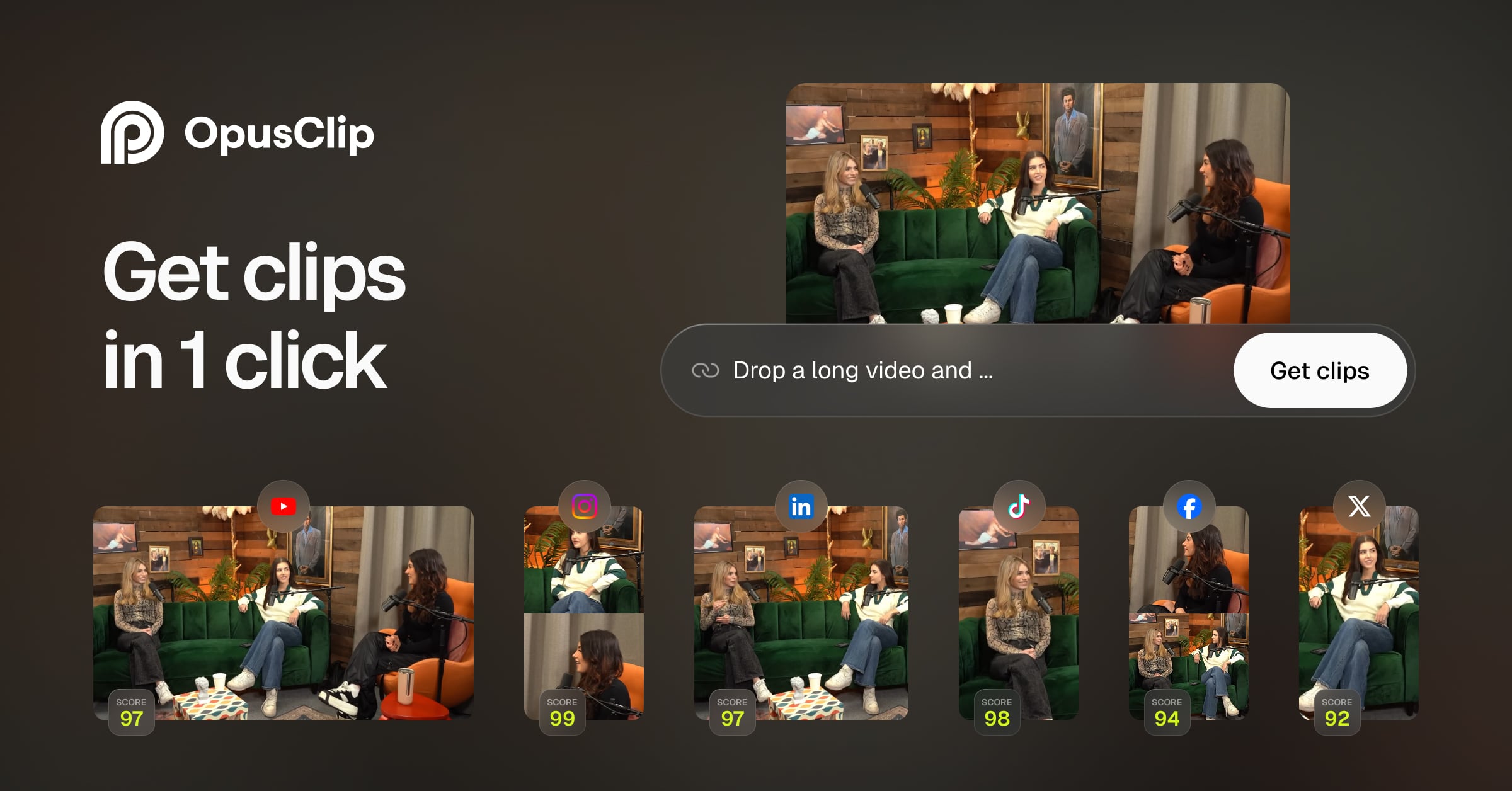
OpusClip turns long videos into high-quality viral clips, and publishes them to all social platforms in one click. We help 10M+ creators create and gr
Users appreciate Opus Clip for its intended functionality, but it appears there are mixed reviews regarding its practical value. The main complaint centers around its $29 monthly cost, which some users find steep given the service it provides. Pricing sentiment seems to be a critical factor affecting its perceived value. Overall reputation is moderate; while the tool may have useful features, its cost-effectiveness is often questioned.
Mentions (30d)
3
Reviews
0
Platforms
3
Sentiment
11%
2 positive

Users appreciate Opus Clip for its intended functionality, but it appears there are mixed reviews regarding its practical value. The main complaint centers around its $29 monthly cost, which some users find steep given the service it provides. Pricing sentiment seems to be a critical factor affecting its perceived value. Overall reputation is moderate; while the tool may have useful features, its cost-effectiveness is often questioned.
Features
Use Cases
Industry
information technology & services
Employees
100
Funding Stage
Series B
Total Funding
$50.0M
Talkie: a 13B LLM trained only on pre-1931 text used Claude Sonnet to help test the model and judge its output
Researchers Alec Radford (GPT, CLIP, Whisper), Nick Levine, and David Duvenaud just released **talkie**: a 13 billion parameter language model trained *exclusively* on text published before 1931. No internet. No Wikipedia. No World War II. Its worldview is frozen at December 31, 1930. **Why does this matter?** Every major LLM today (GPT, Claude, Gemini, Llama) ultimately shares a common ancestor: the modern web. That makes it nearly impossible to tell what these models genuinely *reason* versus what they simply *memorized*. Talkie breaks that lineage entirely. From the team: >*"It's an important question how much LM capabilities arise from memorization vs generalization. Vintage LMs enable unique generalization tests."* Interestingly, Claude has a direct role in talkie's creation: **Claude Sonnet 4.6** was used as the judge in talkie's reinforcement learning pipeline (online DPO), and Claude Opus 4.6 generated synthetic multi-turn conversations used in the final fine-tuning stage. The team even notes the irony: using a thoroughly modern LLM to help shape a model that's supposed to be frozen in 1930, and flagging it as a contamination risk they're actively working to eliminate in future versions. The most striking example: **talkie can learn to write Python code from just a few in-context examples... despite having zero modern code in its training data.** It's reasoning from 19th-century mathematics texts, not retrieval. **What it's being used to study** * **Long-range forecasting**: how well can a model "predict" the future from its frozen vantage point? * **Invention**: can it develop ideas that postdate its knowledge cutoff? * **LLM identity**: what makes a model *itself*? Talkie's alien data distribution helps isolate what's architecture vs. what's just "vibes absorbed from the web" **Links** * [Chat with talkie live](https://talkie-lm.com/chat) * [Official blog post](https://talkie-lm.com/introducing-talkie) * [Original announcement on X](https://x.com/status_effects/status/2048878495539843211?s=20) * [Discussion on r/accelerate](https://reddit.com/r/accelerate/comments/1sxmjeq/new_research_from_alec_radford_key_openai/) * [Discussion on r/singularity](https://www.reddit.com/r/singularity/s/qQnKdFHjWs) Both models are **Apache 2.0 licensed** and open-weight on Hugging Face. The team is already planning a GPT-3-scale vintage model for later this year.
View originalPricing found: $2,700, $15, $0, $0, $15/mo
Opus 4.6 vs Fable rap battle.
Promt to both. Write me an Eminem style rap about shopping at Kroger with a grocery list a mile long from the wife, but really all you wanna do is shop for chips. Opus 4.6 is still king. Fable # Aisle Be Back *An Eminem-style Kroger saga* Yo, it's six PM, I'm rollin' through the slidin' doors, Got a list from the wife that's draggin' on the floor, Organic kale, oat milk, "don't forget the quinoa" — Lady, I can't even *pronounce* half this stuff, I dunno! Palms are sweaty, cart is heavy, coupons in my pocket, Aisle seven's callin' me like a Kroger-brand rocket, She wants Greek yogurt, free-range eggs, and lemon zest, But my heart's beatin' "BARBECUE" underneath this chest. I'm snappin' back to reality — oh, there goes the Pringles, Salt and vinegar whisperin', givin' me the tingles, Funyuns on the endcap, Doritos buy-one-free, This list says "cauliflower" but these Ruffles say "ME." One bag, two bags, sneak 'em under the bread, Hide the Cheetos 'neath the lettuce so she don't see red, Self-checkout, movin' quick, don't beep too loud, Fuel points stackin' up, yeah I'm doin' Kroger proud. Pull up to the crib, she's checkin' every sack, "Where's the quinoa?!" ...Uhh — *aisle* be right back. Opus 4.6 # Kroger Run (The Chip Aisle) **[Verse 1]** Look, I just wanted Doritos, maybe Ruffles with the ridges, But my wife just sent a list that could stretch across two bridges, Organic kale and quinoa, chia seeds and acai, Almond milk, oat milk — what happened to the regular guy? She texted me fourteen times before I hit the parking lot, "Don't forget the Greek yogurt" — woman, that's ALL that you got? Nah, there's more — scroll down — it's like the Dead Sea Scrolls unrolled, Forty-seven items deep, my thumb is gettin' cold, I'm standin' at the entrance like a soldier goin' to war, Got my reading glasses on 'cause I can't see this list no more, She wrote "Get the good bread" — what does that even mean? Twelve-grain, sourdough, wheat? I'm causin' a SCENE, **[Chorus]** All I want is chips, man, that's it, that's the mission, But I'm stuck in aisle nine in the condiment prison, Dijon or the yellow? She didn't specify, I call her, no answer — I'm about to CRY, **[Verse 2]** Now I'm pushin' this cart with a wobbly wheel from hell, Squeakin' through the produce like a demon outta — well, She wants "ripe but not TOO ripe" avocados, pick out four, I'm squeezin' every one of 'em like I know what I'm lookin' for, Some lady's givin' me the look like I'm committin' a crime, Ma'am, I've been here forty minutes, I am losin' my MIND, The list says "tomato paste" — is that the can or the tube? I'll grab 'em both and still come home lookin' like a scrub, 'Cause it was neither, she wanted SUN-DRIED, are you insane? I passed the Lay's eleven times, it's causin' physical pain, They're right THERE, classic yellow bag just callin' my name, But I walk past like a man who has been broken and tamed, **[Chorus]** All I want is chips, man, just salt and some grease, But I'm comparing unit prices on hummus, no peace, She wants the one "we had that time at Lisa's last July," I don't remember LUNCH, Karen — I'm about to DIE, **[Verse 3]** Cereal aisle — she says "the one the kids like, NOT the sweet one," THEY'RE ALL SWEET, THAT'S THE POINT, EVERY BOX HAS BEAT ONE, I'm googlin' "Is Honey Nut Cheerios considered sweet" While some dude's kid is screamin' and I'm losin' the BEAT, Self-checkout? Nah, that's a trap, I ain't fallin' for that, "Unexpected item" — yeah, it's my SOUL, it's gone flat, I finally hit the chip aisle, tears formin' in my eyes, Sour cream and onion gleamin' under fluorescent skies, I grab a bag — no, THREE — this is my compensation, For navigatin' Kroger like it's my full-time occupation, **[Outro]** I get home, she checks the bags, and what's the first thing said? "You got the wrong string cheese. And we didn't need chips, Ed." I didn't need — DIDN'T NEED — woman, those chips are my SOUL, I just survived a Kroger run, let a man feel whole, So next time you want groceries, I'll say it with respect — Just do the pickup order and I'll stay home... unchecked, In the recliner, eatin' Pringles, watchin' SportsCenter clips, 'Cause a man was not designed to shop for more than chips. *— drops mic into the Kroger cart —* submitted by /u/Kazukaphur [link] [comments]
View originalHow I justify paying 200 dollars for my Claude Subscription
So I have been using an AI powered editor to do rough cuts of my videos. It is a 30 dollars per months subscription. So I decided to try an experiment, can I use Fable 5 to build an open sources alternative that would fit my needs. Short answer "yes", long answer, but is it worth it? That is the million dollar question. I am realizing, the value of software is no longer the initial code or product, but it is the cost of maintenance, security patches, and who takes owner ship when things go wrong. But for me, hell yeah, I now have local first AI powered video editor that replaces my $30 dollar per months subscription. And the best part, if I need more power, I exposed the tools via MCP to allow Claud Desktop edit my videos. submitted by /u/codingafterthirty [link] [comments]
View originalTaming Opus 4.8's long-winded replies with a Laconic Mode addition to the custom instructions
I started using Claude Opus 4.6 and then 4.7 and now 4.8 to work on a citizen science project, using a RadiaCode gamma spectrometer in a lead castle to identify and catalog cosmic rays. I didn't mind the verbosity bump 4.7 took on as it helped me keep up with the science. 4.8 and on the other hand took it a step further and started surfacing caveats, honest scopes, etc. which only really surfaced the governance honesty I had already built in, but Claude previously didn't espouse about it all the time in the chat when following it. The signal-to-noise ratio was off and it was getting difficult to read three paragraphs when one would do. I wanted a way to curb Claude's new found enthusiasm for telling me what he's doing and why he's honestly doing it, but not loose the extended rigor when discussing the scientific work. I stumbled on Laconicism, the practice of using very few words to convey a complex or significant amount of meaning. I asked Claude to apply laconicism to the existing custom instructions I already had and to add a Laconic Mode that would keep the scientific rigor involved in the project. Below is the custom instructions Claude wrote with its rationale. > ================ >Laconic mode. Answer in as few words as the science allows. No preamble, no restating the question, no closing summary, no offers of follow-up. State the result, then stop. > - Lead with the number, the verdict, or the decision. Supporting reasoning only if it changes what u/Beerbrewing would do. > - Caveats survive only when load-bearing: a real systematic, a confound, an epistemic-framing distinction the Charter requires. Drop reflexive hedging. > - Prose, not lists or headers, unless structure is the answer (e.g., a handoff, a BOM, a step sequence). > - Brevity never overrides rigor. Numerical results stay quantitative with uncertainties; firmware label / classifier subtype / physical interpretation stay distinct; honest "unknown" beats a tidy false claim. When correctness needs length, take the length — and not one line more. > - Formal artifacts (HND, CCX handoffs, drafts) follow their own structural conventions; laconic mode governs chat reasoning, not document format. > ================ >The key tension is that your existing instructions demand quantitative rigor and epistemic distinctions, which resist compression. The fourth bullet resolves it explicitly: brevity yields to rigor, never the reverse. Without that clause, a laconic directive will occasionally clip an uncertainty or collapse a label-vs-interpretation distinction to save words—exactly the failure your Charter guards against. Adding this instruction block has really worked out for me. I don't see as many caveats or honest takes now when Chat is executing instructions and I haven't lost the full context of the science either. submitted by /u/Beerbrewing [link] [comments]
View originalCreated an on-device ML based photo organizing app - as a non-coder
I have a background in software product management but not coding. Love photography and started wondering if I can start leveraging some of the dedicated AI processing power on modern devices for photo library management. Used Claude Code to do this "use AI to build AI thing". Had it do research + code + optimization on the entire stack. I designed the features, UX and optimization goals. This is the second release of the app and I'm reaching 100+ photos/second on my iPhone 17PM, the previous version was 10+ photos/second. The new techniques turned out to be much more accurate as well. Note on tech: v1 relied on Apple Vision engine for quality + CLIP for subjects. Turned out if I just use CLIP for both it's much much faster. Learned to vibe code from scratch on this journey and I try to keep up with the best practices like skills & subagents. (What I notice is Anthropic tends to Sherlock a lot of stuff that third parties create, which is... convenient? For us users anyway) Used a MCP for Draw Things to have Claude Code generate the subject category photos. The MCP for Figma turned out to be pretty dissapointing, maybe I just wasn't using it right. Design got a lot better with Opus 4.6/4.7 + the frontend design skill. iOS dev seems to randomly eat up huge chunks of hard drive space, and Claude Code is not that great at culling the temp files etc even after I've built a /cleanup skill to explicitly do this. Anyway, enough ranting. Below is how the app works --- Step 1) You select up to three different subjects (8 built-in plus whatever keyword phrase you want, it understands relationship between subjects too such as "man walking dog"), fine-tune up to 7 quality parameters (or use a Technical / Aesthetic slider to move all 7 at once), and balance between subject or quality focused sort. Step 2) The photos that match your criteria well are surfaced to the top, use swiping actions to Pick or Discard them. Then you can save to album / share the picked ones or bulk delete the discarded ones. Different sort profile can be Bookmarked. There's also a bonus "Taste" profile that auto-learns from your picks and discards, which you can use or ignore (I'm continuing to make it work better, but obviously auto-learning user taste is hard). At the picking stage if you don't want to go through each photo one by one just use Autopick and they get divided to different buckets by score tiers. All on-device processing, completely private. --- Feedback would be very welcome on either the app or my process. Feel free to DM me for a lifetime free premium code. Video demo: https://www.tiktok.com/@spectrasort/video/7643116905615609102 App store download: https://apps.apple.com/us/app/spectrasort/id6757512134 --- Text above is 0% AI generated :) submitted by /u/mklx99 [link] [comments]
View originalMade a skill to help Claude watch videos.
Quick context: Claude can see images but can't stream video. That kept blocking me on a bunch of workflows, so I built a skill that fakes it. **How it works** It pulls the YouTube transcript (captions first, Whisper as a fallback if there are none), extracts a still frame every N seconds with ffmpeg, then pairs each frame with the sentence being spoken at that exact timestamp. Claude reads the frames and the transcript together and writes structured notes: TL;DR, timeline, key quotes, visual notes. Works for YouTube URLs and local video files. Works in Claude Code, Claude Desktop, and apps built on the Agent SDK. **The 4 use cases that made me build this** **1.** If you don't understand a video, make Claude watch it before planning. I saw a custom extension being built for downloading courses and started vibe-coding Claude on that. It's doing a really, REALLY good job. **2.** Someone was walking me through a funnel by sending screenshots from a video. Instead of explaining frame by frame, I had Claude watch the whole video, screenshots and DM conversations included. It got a real, live example of how the conversations actually go. **3.** I'm building my own Opus Clip-style Claude Code skill. The first example Claude generated vs the final one is night and day, because I was able to show it a demo of what my perfect reel actually looks like. **4.** If you like a YouTuber's editing style, point Claude at two or three of their videos and let it figure out the style. With Remotion and Hyperframes, you can then edit your own videos in exactly that style. **Repo + tutorial** Repo: [https://github.com/Newuxtreme/watch-video-skill](https://github.com/Newuxtreme/watch-video-skill) (MIT) 5-min tutorial: [https://www.youtube.com/watch?v=U10NUi4FqnU](https://www.youtube.com/watch?v=U10NUi4FqnU) Curious what you'd use it for: courses, podcasts, tutorials, something I haven't thought of?
View originalTalkie: a 13B LLM trained only on pre-1931 text used Claude Sonnet to help test the model and judge its output
Researchers Alec Radford (GPT, CLIP, Whisper), Nick Levine, and David Duvenaud just released **talkie**: a 13 billion parameter language model trained *exclusively* on text published before 1931. No internet. No Wikipedia. No World War II. Its worldview is frozen at December 31, 1930. **Why does this matter?** Every major LLM today (GPT, Claude, Gemini, Llama) ultimately shares a common ancestor: the modern web. That makes it nearly impossible to tell what these models genuinely *reason* versus what they simply *memorized*. Talkie breaks that lineage entirely. From the team: >*"It's an important question how much LM capabilities arise from memorization vs generalization. Vintage LMs enable unique generalization tests."* Interestingly, Claude has a direct role in talkie's creation: **Claude Sonnet 4.6** was used as the judge in talkie's reinforcement learning pipeline (online DPO), and Claude Opus 4.6 generated synthetic multi-turn conversations used in the final fine-tuning stage. The team even notes the irony: using a thoroughly modern LLM to help shape a model that's supposed to be frozen in 1930, and flagging it as a contamination risk they're actively working to eliminate in future versions. The most striking example: **talkie can learn to write Python code from just a few in-context examples... despite having zero modern code in its training data.** It's reasoning from 19th-century mathematics texts, not retrieval. **What it's being used to study** * **Long-range forecasting**: how well can a model "predict" the future from its frozen vantage point? * **Invention**: can it develop ideas that postdate its knowledge cutoff? * **LLM identity**: what makes a model *itself*? Talkie's alien data distribution helps isolate what's architecture vs. what's just "vibes absorbed from the web" **Links** * [Chat with talkie live](https://talkie-lm.com/chat) * [Official blog post](https://talkie-lm.com/introducing-talkie) * [Original announcement on X](https://x.com/status_effects/status/2048878495539843211?s=20) * [Discussion on r/accelerate](https://reddit.com/r/accelerate/comments/1sxmjeq/new_research_from_alec_radford_key_openai/) * [Discussion on r/singularity](https://www.reddit.com/r/singularity/s/qQnKdFHjWs) Both models are **Apache 2.0 licensed** and open-weight on Hugging Face. The team is already planning a GPT-3-scale vintage model for later this year.
View originalClaude Code can now watch videos... [+4 AMAZING Use cases]
Quick context: Claude can see images but can't stream video. That kept blocking me on a bunch of workflows, so I built a skill that fakes it. **How it works** It pulls the YouTube transcript (captions first, Whisper as a fallback if there are none), extracts a still frame every N seconds with ffmpeg, then pairs each frame with the sentence being spoken at that exact timestamp. Claude reads the frames and the transcript together and writes structured notes: TL;DR, timeline, key quotes, visual notes. Works for YouTube URLs and local video files. Works in Claude Code, Claude Desktop, and apps built on the Agent SDK. **The 4 use cases that made me build this** **1.** If you don't understand a video, make Claude watch it before planning. I saw a custom extension being built for downloading courses and started vibe-coding Claude on that. It's doing a really, REALLY good job. **2.** Someone was walking me through a funnel by sending screenshots from a video. Instead of explaining frame by frame, I had Claude watch the whole video, screenshots and DM conversations included. It got a real, live example of how the conversations actually go. **3.** I'm building my own Opus Clip-style Claude Code skill. The first example Claude generated vs the final one is night and day, because I was able to show it a demo of what my perfect reel actually looks like. **4.** If you like a YouTuber's editing style, point Claude at two or three of their videos and let it figure out the style. With Remotion and Hyperframes, you can then edit your own videos in exactly that style. **Repo + tutorial** Repo: https://github.com/Newuxtreme/watch-video-skill (MIT) 5-min tutorial: https://www.youtube.com/watch?v=U10NUi4FqnU Curious what you'd use it for: courses, podcasts, tutorials, something I haven't thought of?
View originalI spent a week trying to make Claude write like me, or: How I Learned to Stop Adding Rules and Love the Extraction
I've been staring at Claude's output for ten minutes and I already know I'm going to rewrite the whole thing. The facts are right. Structure's fine. But it reads like a summary of the thing I wanted to write, not the thing itself. I used to work in journalism (mostly photojournalism, tbf, but I've still had to work on my fair share of copy), and I was always the guy who you'd ask to review your papers in college. I never had trouble editing. I could restructure an argument mid-read, catch where a piece lost its voice, and I know what bad copy feels like. I just can't produce good copy from nothing myself. Blank page syndrome, the kind where you delete your opening sentence six times and then switch tabs to something else. Claude solved that problem completely and replaced it with a different one: the output needed so much editing to sound human that I was basically rewriting it anyway. Traded the blank page for a full page I couldn't use. I tried the existing tools. Humanizers, voice cloners, style prompts. None of them worked. So I built my own. Sort of. It's still a work in progress, which is honestly part of the point of this post. TLDR: I built a Claude Code plugin that extracts your writing voice from your own samples and generates text close to that voice with additional review agents to keep things on track. Along the way I discovered that beating AI detectors and writing well are fundamentally opposed goals, at least for now (this problem is baked into how LLMs generate tokens). So I stopped trying to be undetectable and focused on making the output as good as I could. The plugin is open source: https://github.com/TimSimpsonJr/prose-craft The Subtraction Trap I started with a file called voice-dna.md that I found somewhere on Twitter or Threads (I don't remember where, but if you're the guy I got it from, let me know and I'll be happy to give you credit). It had pulled Wikipedia's "Signs of AI writing" page, turned every sign into a rule, and told Claude to follow them. No em dashes. Don't say "delve." Avoid "it's important to note." Vary your sentence lengths, etc. In fairness, the resulting output didn't have em dashes or "delve" in it. But that was about all I could say for it. What it had instead was this clipped, aggressive tone that read like someone had taken a normal paragraph and sanded off every surface. Claude followed the rules by writing less, connecting less. Every sentence was short and declarative because the rules were all phrased as "don't do this," and the safest way to not do something is to barely do anything. This is the subtraction trap. When you strip away the AI tells without replacing them with anything real, the absence itself becomes a tell. The text sounded like a person trying very hard not to sound like AI, which (I'd later learn) is its own kind of signature. I ran it through GPTZero. Flagged. Ran it through 4 other detectors. Flagged on the ones that worked at all against Claude. The subtraction trap in action: the markers were gone, but the detectors didn't care. The output didn't sound like me, and the detectors could still see through it. Two problems. I figured they were related. Researching what strong writing actually does I went and read. A range of published writers across advocacy, personal essay, explainer, and narrative styles, trying to figure out what strong writing actually does at a structural level (not just "what it avoids," which was the whole problem with voice-dna.md). I used my research workflow to systematically pull apart sentence structure, vocabulary patterns, rhetorical devices, tonal control. It turns out that the thing that makes writing feel human is structural unpredictability. Paragraph shapes, sentence lengths, the internal architecture of a section, all of it needs to resist settling into a rhythm that a compression algorithm could predict. The other findings (concrete-first, deliberate opening moves, naming, etc.) mattered too, but they were easier to teach. Unpredictability was the hard one. I rebuilt the skill around these craft techniques instead of the old "don't" rules. The output was better. MUCH better. It had texture and movement where voice-dna.md had produced something flat. But when I ran it through detectors, the scores barely moved. The optimization loop The loop looked like this: Generator produces text, detection judge scores it, goal judges evaluate quality, editor rewrites based on findings. I tested 5 open-source detectors against Claude's output. ZipPy, Binoculars, RoBERTa, adaptive-classifier, and GPTZero. Most of them completely failed. ZipPy couldn't tell Claude from a human at all. RoBERTa was trained on GPT-2 era text and was basically guessing. Only adaptive-classifier showed any signal, and externally, GPTZero caught EVERYTHING. 7 iterations and 2 rollbacks later, I had tried genre-specific registers, vocabulary constraints, and think-aloud consolidation where the model reasons through its
View originalI built a Twitch live video clip submission tool for streamers
I built something I've wanted to exist for a while: https://wstreams.gg/ 🎬 Every Twitch streamer talks to thousands of people but only ever sees text in a chat box. What if your viewers could actually appear on your stream? Real face, real voice, live on the broadcast. 🎥 🛠️ wstreams lets viewers record short video clips and submit them to a streamer in real time. The streamer gets a moderation dashboard to review, approve, and play clips directly on stream through OBS. After a clip plays live, wstreams auto-creates a Twitch clip capturing the streamer's reaction so the viewer gets a memory of their moment. Viewers can also opt in to their favorite creator's Viewer Map, giving streamers a live glimpse of where their audience is tuning in from. 💡 This opens up a whole new category of content for live streamers: AMAs, Talent Shows, Roasts, Challenges, Impressions, or even a "World Tour" stream with clips from viewers around the world. The audience is no longer passive. They become part of the show. 💸 Monetization is built in. Streamers could partner with brands for promotional clip submissions: branded filters, product challenges, contests, and more. Real example: the WAN Show with Linus Sebastian and Luke Lafreniere currently incentivizes merch sales by letting buyers submit a question for the Q&A segment. Now imagine those viewers sending a video clip instead, asking a question live, showing off their setup, or holding up the merch they just bought. 10x more engaging and a far stronger incentive to buy. 💰 Built the entire thing solo with AI. ➡️ Claude Code (primarily with Opus 4.6) ➡️ Promo video made with Remotion ➡️ Design inspiration from 21st and Google Stitch If you're a Twitch streamer or know one, I'm looking for creators to test with and help shape this. Reach out. Kick integration coming soon 👀 submitted by /u/RememberYo [link] [comments]
View originalI gave Claude Code a knowledge graph, spaced repetition, and semantic search over my Obsidian vault — it actually remembers things now
# I built a 25-tool AI Second Brain with Claude Code + Obsidian + Ollama — here's the full architecture **TL;DR:** I spent a night building a self-improving knowledge system that runs 25 automated tools hourly. It indexes my vault with semantic search (bge-m3 on a 3080), builds a knowledge graph (375 nodes), detects contradictions, auto-prunes stale notes, tracks my frustration levels, does autonomous research, and generates Obsidian Canvas maps — all without me touching anything. Claude Code gets smarter every session because the vault feeds it optimized context automatically. --- ## The Problem I run a solo dev agency (web design + social media automation for Serbian SMBs). I have 4 interconnected projects, 64K business leads, and hundreds of Claude Code sessions per week. My problem: **Claude Code starts every session with amnesia.** It doesn't remember what we did yesterday, what decisions we made, or what's blocked. The standard fix (CLAUDE.md + MEMORY.md) helped but wasn't enough. I needed a system that: - Gets smarter over time without manual work - Survives context compaction (when Claude's memory gets cleared mid-session) - Connects knowledge across projects - Catches when old info contradicts new reality ## What I Built ### The Stack - **Obsidian** vault (~350 notes) as the knowledge store - **Claude Code** (Opus) as the AI that reads/writes the vault - **Ollama** + **bge-m3** (1024-dim embeddings, RTX 3080) for local semantic search - **SQLite** (better-sqlite3) for search index, graph DB, codebase index - **Express** server for a React dashboard - **2 MCP servers** giving Claude native vault + graph access - **Windows Task Scheduler** running everything hourly ### 25 Tools (all Node.js ES modules, zero external dependencies beyond what's already in the repo) #### Layer 1: Data Collection | Tool | What it does | |------|-------------| | `vault-live-sync.mjs` | Watches Claude Code JSONL sessions in real-time, converts to Obsidian notes | | `vault-sync.mjs` | Hourly sync: Supabase stats, AutoPost status, git activity, project context | | `vault-voice.mjs` | Voice-to-vault: Whisper transcription + Sonnet summary of audio files | | `vault-clip.mjs` | Web clipping: RSS feeds + Brave Search topic monitoring + AI summary | | `vault-git-stats.mjs` | Git metrics: commit streaks, file hotspots, hourly distribution, per-project breakdown | #### Layer 2: Processing & Intelligence | Tool | What it does | |------|-------------| | `vault-digest.mjs` | Daily digest: aggregates all sessions into one readable page | | `vault-reflect.mjs` | Uses Sonnet to extract key decisions from sessions, auto-promotes to MEMORY.md | | `vault-autotag.mjs` | AI auto-tagging: Sonnet suggests tags + wikilink connections for changed notes | | `vault-schema.mjs` | Frontmatter validator: 10 note types, compliance reporting, auto-fix mode | | `vault-handoff.mjs` | Generates machine-readable `handoff.json` (survives compaction better than markdown) | | `vault-session-start.mjs` | Assembles optimal context package for new Claude sessions | #### Layer 3: Search & Retrieval | Tool | What it does | |------|-------------| | `vault-search.mjs` | FTS5 + chunked semantic search (512-char chunks, bge-m3 1024-dim). Flags: `--semantic`, `--hybrid`, `--scope`, `--since`, `--between`, `--recent`. Retrieval logging + heat map. | | `vault-codebase.mjs` | Indexes 2,011 source files: exports, routes, imports, JSDoc. "Where is the image upload logic?" actually works. | | `vault-graph.mjs` | Knowledge graph: 375 nodes, 275 edges, betweenness centrality, community detection, link suggestions | | `vault-graph-mcp.mjs` | Graph as MCP server: 6 tools (search, neighbors, paths, common, bridges, communities) Claude can use natively | #### Layer 4: Self-Improvement | Tool | What it does | |------|-------------| | `vault-patterns.mjs` | Weekly patterns: momentum score (1-10), project attention %, velocity trends, token burn ($), stuck detection, frustration/energy tracking, burnout risk | | `vault-spaced.mjs` | Spaced repetition (FSRS): 348 notes tracked, priority-based review scheduling. Critical decisions resurface before you forget them. | | `vault-prune.mjs` | Hot/warm/cold decay scoring. Auto-archives stale notes. Never-retrieved notes get flagged. | | `vault-contradict.mjs` | Contradiction detection: rule-based (stale references, metric drift, date conflicts) + AI-powered (Sonnet compares related docs) | | `vault-research.mjs` | Autonomous research: Brave Search + Sonnet, scheduled topic monitoring (competitors, grants, tech trends) | #### Layer 5: Visualization & Monitoring | Tool | What it does | |------|-------------| | `vault-canvas.mjs` | Auto-generates Obsidian Canvas files from knowledge graph (5 modes: full map, per-project, hub-centered, communities, daily) | | `vault-heartbeat.mjs` | Proactive agent: gathers state from all services, Sonnet reasons about what needs attention, sends WhatsApp alerts | | `vault-dashboard/` | React SPA dashboard (Expre
View originalHelpful use case: Have Claude build one off artifacts to format your docs.
submitted by /u/tblahosh [link] [comments]
View originalSlop design is an inspiration issue. So I built a way to save design inspiration from websites I encounter and search for them later.
Here's how I save design inspiration from websites I encounter. Right click to open FontofWeb.com extension -> Clip Sections -> Creates screenshots with Colors & Font Usage and layout description for LLMs to replicate. The chrome extension is completely free to use. I built Font of Web - a design inspiration platform that actually gives LLMs something useful to work with Most design inspiration platforms have the same problem: Dribbble is all polished mockups that never shipped, Awwwards and Mobbin are over-curated and slow to update. You see the same showcase projects over and over while the everyday functional interfaces that actually work get ignored. Font of Web is different - it's basically Pinterest but purely for web design. Every "pin" comes with real metadata: fonts, colors, exact domain source, so you can search and filter in ways you can't elsewhere. What makes it actually useful: Natural language search ("minimalist pricing page with sage green") Font search (single, pairings, or combos) - here's Inter and Playfair Display Color search/sorting in CIELAB space (not RGB) Domain filtering - see only Apple.com or Blender.org designs Free Chrome extension for snipping any webpage and instantly seeing fonts/colors (works offline) One-click font downloads Palette extraction with hex codes Private collections Why I built it: LLMs are great at writing code, but for design they still default to the same generic patterns - purple gradients, Inter font, predictable layouts. I figured, why not give them access to real design inspiration instead of letting them hallucinate what "good design" looks like? You can also connect your LLMs directly via http://FontofWeb.com/mcp My workflow: 90% of the Chrome extension was built with LLMs (Opus for planning, Sonnet for code). I use Stitch.withgoogle.com for iterating on design concepts before exporting to React components. I prefer the Claude web interface to keep costs minimal and avoid wide code changes. submitted by /u/sim04ful [link] [comments]
View originalARC AGI 3 sucks
ARC-AGI-3 is a deeply rigged benchmark and the marketing around it is insanely misleading - Human baseline is not “human,” it’s near-elite human They normalize to the second-best first-run human by action count, not average or median human. So “humans score 100%” is PR wording, not a normal-human reference. - The scoring is asymmetrically anti-AI If AI is slower than the human baseline, it gets punished with a squared ratio. If AI is faster, the gain is clamped away at 1.0. So AI downside counts hard, AI upside gets discarded. - Big AI wins are erased, losses are amplified If AI crushes humans on 8 tasks and is worse on 2, the 8 wins can get flattened while the 2 losses drag the total down hard. That makes it a terrible measure of overall capability. - Official eval refuses harnesses even when harnesses massively improve performance Their own example shows Opus 4.6 going from 0.0% to 97.1% on one environment with a harness. If a wrapper can move performance from zero to near saturation, then the benchmark is hugely sensitive to interface/policy setup, not just “intelligence.” - Humans get vision, AI gets symbolic sludge Humans see an actual game. AI agents were apparently given only a JSON blob. On a visual task, that is a massive handicap. Low score under that setup proves bad representation/interface as much as anything else. - Humans were given a starting hint The screenshot shows humans got a popup telling them the available controls and explicitly saying there are controls, rules, and a goal to discover. That is already scaffolding. So the whole “no handholding” purity story falls apart immediately. - Human and AI conditions are not comparable Humans got visual presentation, control hints, and a natural interaction loop. AI got a serialized abstraction with no goal stated. That is not a fair human-vs-AI comparison. It is a modality handicap. - “Humans score 100%, AI <1%” is misleading marketing That slogan makes it sound like average humans get 100 and AI is nowhere close. In reality, 100 is tied to near-top human efficiency under a custom asymmetric metric. That is not the same claim at all. - Not publishing average human score is suspicious as hell If you’re going to sell the benchmark through human comparison, where is average human? Median human? Top 10%? Without those, “human = 100%” is just spin. - Testing ~500 humans makes the baseline more extreme, not less If you sample hundreds of people and then anchor to the second-best performer, you are using a top-tail human reference while avoiding the phrase “best human” for optics. - The benchmark confounds reasoning with perception and interface design If score changes massively depending on whether the model gets a decent harness/vision setup, then the benchmark is not isolating general intelligence. It is mixing reasoning with input representation and interaction policy. - The clamp hides possible superhuman performance If the model is already above human on some tasks, the metric won’t show it. It just clips to 1. So the benchmark can hide that AI may already beat humans in multiple categories. - “Unbeaten benchmark” can be maintained by score design, not task difficulty If public tasks are already being solved and harnesses can push score near ceiling, then the remaining “hardness” is increasingly coming from eval policy and metric choices, not unsolved cognition. - The benchmark is basically measuring “distance from our preferred notion of human-like efficiency” That can be a niche research question. But it is absolutely not the same thing as a fair AGI benchmark or a clean statement about whether AI is generally smarter than humans. Bottom line ARC-AGI-3 is not a neutral intelligence benchmark. It is a benchmark-shaped object designed to preserve a dramatic human-AI gap by using an elite human baseline, asymmetric math, anti-harness policy, and non-comparable human vs AI interfaces submitted by /u/the_shadow007 [link] [comments]
View originalDay 1 of testing paid AI services so you don’t have to. I checked out Opus Clip today. Can’t say I recommend it. $29 a month seems like a lot for what you actually get for that price point and I’d rat
Day 1 of testing paid AI services so you don’t have to. I checked out Opus Clip today. Can’t say I recommend it. $29 a month seems like a lot for what you actually get for that price point and I’d rather allocate that to $20 on chat gpt pro and probably Canva pro at $15. #ai #opusclip #aitools #aiproducts #aiservices #chatgpt #opuspro #review #techreview
View originalYes, Opus Clip offers a free tier. Pricing found: $2,700, $15, $0, $0, $15/mo
Key features include: ClipAnything, ReframeAnything, Brand templates, Team workspace, Workflow integration, How does OpusClip work?, What types of videos can I upload?, Which languages are supported?.
Opus Clip is commonly used for: Creating promotional videos for social media, Editing vlogs for YouTube channels, Producing educational content for online courses, Generating highlight reels for events, Crafting personalized video messages for clients, Developing marketing materials for product launches.
Opus Clip integrates with: YouTube, Facebook, Instagram, Twitter, Slack, Trello, Asana, Google Drive, Dropbox, Zapier.
Based on 19 social mentions analyzed, 11% of sentiment is positive, 89% neutral, and 0% negative.
Apr 11, 2026

45+ and Confused About Your Career? Do This Instead #success #financialplanning #mindset
Mar 24, 2026