
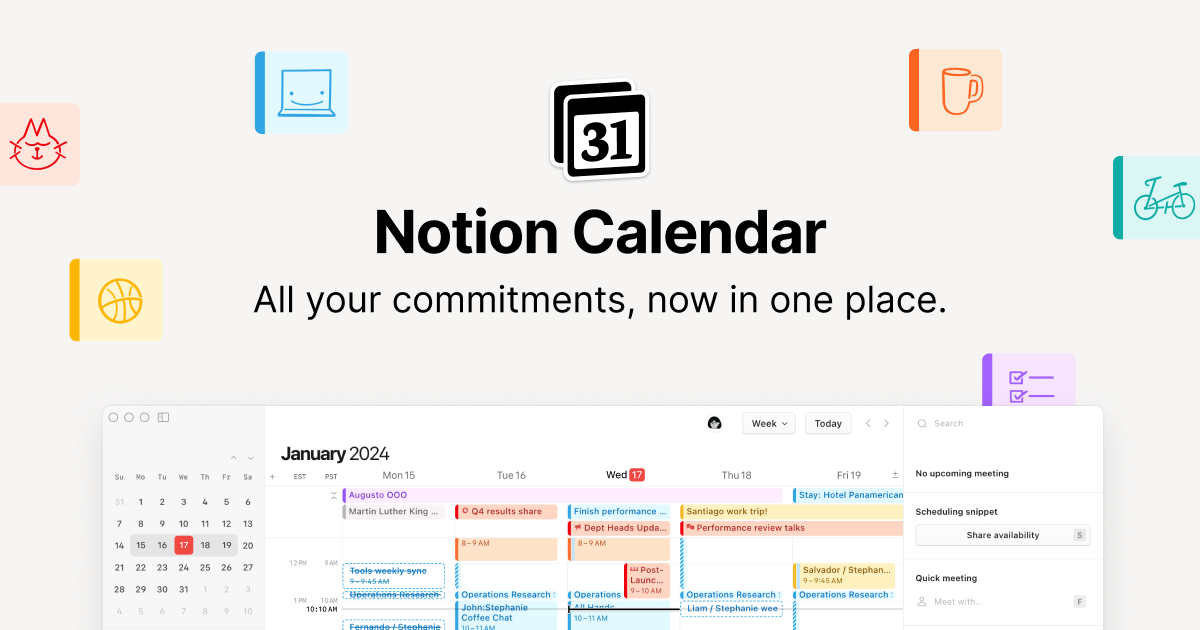
Beautifully designed and fully integrated with Notion and Google Calendar.
Users of Notion Calendar have praised its integration into the broader Notion workflow, flexibility, and ease of use, earning it predominantly high ratings. However, some users have flagged occasional glitches, such as sync issues, as areas for improvement. Pricing is generally viewed as reasonable given its versatility and the value it offers in productivity enhancement. Overall, Notion Calendar enjoys a strong reputation as a highly effective planning tool, bolstered by recent feature updates and innovations in AI support.
Mentions (30d)
26
Avg Rating
4.6
20 reviews
Platforms
3
Sentiment
4%
7 positive
Users of Notion Calendar have praised its integration into the broader Notion workflow, flexibility, and ease of use, earning it predominantly high ratings. However, some users have flagged occasional glitches, such as sync issues, as areas for improvement. Pricing is generally viewed as reasonable given its versatility and the value it offers in productivity enhancement. Overall, Notion Calendar enjoys a strong reputation as a highly effective planning tool, bolstered by recent feature updates and innovations in AI support.
Features
Use Cases
Funding Stage
Other
Total Funding
$613.2M
510,000
Twitter followers
Your mobile homepage just got a refresh! Now, your home, AI chats, meeting notes, and inbox… are just one swipe away. Take it for a spin and tell us what you think. https://t.co/wIOuaUCjr2
Your mobile homepage just got a refresh! Now, your home, AI chats, meeting notes, and inbox… are just one swipe away. Take it for a spin and tell us what you think. https://t.co/wIOuaUCjr2
View originalg2
What do you like best about Notion?I like the simplicity of Notion. I appreciate that we can create whatever artifact we want using Notion's features. I love being able to create a document from scratch and add so many different elements to it. As a product designer, I sometimes include Figma links into a document, and it's amazing because Notion shows a preview for the reader. The user can actually read right there in Notion without needing to go to Figma to view that specific file. Review collected by and hosted on G2.com.What do you dislike about Notion?While it gives you a playground for exploring and building using the blocks that Notion provides, it also leads to a lot of ambiguity of what to use when. Initially, when I started using Notion, there was a learning curve where I did not know how to get started. With time, I was able to understand, but what ends up happening is if there's one certain document like a PRD, because there's no specific format, every single PM is writing PRD in a different format, different way. It takes a lot of time for me to collate, understand every single document because there's no specific format that is being followed by, let's just say, the PMs. Review collected by and hosted on G2.com.
What do you like best about Notion?I like having dynamic pages in Notion that AI can reference, which helps to share information with my team. It's clean, simple to use, and was easy for me to set up. I value the knowledge management feature for aiding with AI prompting and keeping me in the loop with what's going on in the company. Overall, I think Notion is a great tool. Review collected by and hosted on G2.com.What do you dislike about Notion?n/a Review collected by and hosted on G2.com.
What do you like best about Notion?It’s very intuitive and flexible, and the templates are really nice. I also like the Notion AI question option. Review collected by and hosted on G2.com.What do you dislike about Notion?I don’t really dislike anything about it. The only issue is that it can sometimes be too easy to make changes where I shouldn’t. For example, I occasionally end up editing pages that aren’t mine and aren’t locked. Review collected by and hosted on G2.com.
What do you like best about Notion?`it's the note taker that you don't need to worry about. Captures every detail, summarizes it and assigns to do items. The action items coming out of the sessions are the most meaningful since they are often super important to winning an opportunity or at least making an impression Review collected by and hosted on G2.com.What do you dislike about Notion?I expect it to make itself available instantly when I schedule a teams call, either for an internal or external meeting. It does not always. 75% of the time it gives me the option to take notes, but 24% of the time it does not, leaving me the responsibility of taking my own notes. Review collected by and hosted on G2.com.
What do you like best about Notion?I like the flexibility of Notion's system. I find it good for personal task managers and I appreciate the views. I also like Notion AI. Review collected by and hosted on G2.com.What do you dislike about Notion?I think the AI needs to be able to access automations. Also, I need the calendar to be able to group things by a date function. It does not, and I had to create a workaround to automate changing the date to text so Notion would use it for the calendar. Honestly, the initial setup was a good deal of work. I had ChatGPT help me, so I could get it to work the way I wanted. Review collected by and hosted on G2.com.
What do you like best about Notion?I really like how Notion makes it easy to create tables and build pages, which is particularly useful for visualizing and standardizing projects. It's quite customizable, allowing me to create multiple segments and areas on a page. I find the page building feature allows clients to view information in ways that suit their preferences, which is where Notion really shines. The table creation and graphics are also standout features for me, as they help me visualize data better. I appreciate how Notion links pages together, which is incredibly useful in project management. Overall, the flexibility in creating and managing content on Notion is fantastic. Review collected by and hosted on G2.com.What do you dislike about Notion?Sometimes it's hard to create stuff that looks more professional. It might take a while to set up a more complex Notion page, especially with multiple teams and inputs. In fast-paced projects with just one or two pages, it works fine, but building a whole structured set in Notion gets messy. Review collected by and hosted on G2.com.
What do you like best about Notion?I really like the fact that all the pages can be connected. I like the database aspect and the different filtered views. Notion works like a big binder, so I can easily switch from one page to another and find the information I need. The filtered views allow me to manage the data either day by day or on a specific date. Moreover, Notion has made the transfer from Trello easier and has allowed us to greatly improve our system. I also use it in a personal capacity to organize trips or as a bullet journal. I love you Notion <3. Review collected by and hosted on G2.com.What do you dislike about Notion?Notion is difficult to access for novices, especially regarding formulas in databases. Even though I am comfortable with software, I often need AI to find certain formulas and connections. Internal training or tutorials to help understand Notion would be useful. The current AI helps create pages and databases, but not directly for formulas in columns. Review collected by and hosted on G2.com.
What do you like best about Notion?I like how easy Notion is to use and how well it facilitates collaboration and sharing across platforms. The fact that it feels like a website rather than a static document is a big plus for me. Compared to Google Docs, Notion is a far better tool for collaboration when it comes to assets used in training, reporting, and collaborating, and it's also much easier to navigate. Its web-like feel, cleaner look, and easy accessibility were part of the reason my team switched from Google Docs. The initial setup was very easy as well, thanks to the AI assistant. Review collected by and hosted on G2.com.What do you dislike about Notion?I wish Notion could create content and assets, like images, visuals, or even suggest additional content based on what I'm building. It would allow me to use Notion more, and I wouldn't have to jump between platforms like ChatGPT or Gamma. Review collected by and hosted on G2.com.
What do you like best about Notion?It's so easy to use once you understand the shortcuts. I was a hand-written notetaker before and had a hard time moving to digital, Notion made it easy! Review collected by and hosted on G2.com.What do you dislike about Notion?Short cuts often aren't intuitive and take some extra effort to learn Review collected by and hosted on G2.com.
What do you like best about Notion?I use Notion for both personal life and business because it simplifies everything and helps me keep everything in one spot. I find it great for tracking logs of my workout, my macros, and various goals, as well as trip planning and life organization. For business, it's become the main hub, pretty much replacing Google Docs for collaboration. I really like the database feature for its organization and simplicity. Notion AI is also fantastic for expediting the building aspects and auto-populating databases. It keeps all my notes organized and allows for data organization, like creating graphs for macro tracking. Review collected by and hosted on G2.com.What do you dislike about Notion?I wish there were a bit more formatting and a bit more graph features. I personally really like a pretty Notion pages and I think I can get pretty close currently, but I’d like it to be a little simpler and have a bit more depth to it. I also think it’s really easy to lose pages when you’re collaborating across so many so any improved organization across all the different pages you’ve been shared would be really helpful. Review collected by and hosted on G2.com.
I spent 5 months trying to make Claude actually act like a personal assistant. Here's what finally worked.
When Claude Cowork launched, I went all-in on it. My goal was to turn it into a real personal AI assistant. Something that helps me run my days. Client work. Content creation. Inbox triage. Daily prioritization. etc So I pushed it on real work for 5 months, and 3 things kept breaking when I tried to use it daily. Here they are, in the order I figured them out (and how I solved them). 1. Claude needs a place to remember you (a memory) The first time I tried to make Claude Cowork useful for my real work, I spent 20 minutes typing out everything about me. Who I am. What I'm building. Who my clients are. How I write. The next morning, new chat, did the whole thing again. That cycle is what kills most people on Claude. You spend half your time briefing and correcting it instead of working with it. Now yes, Claude does have memory features, but they just don't go far enough imo. https://preview.redd.it/camxbss9v25h1.png?width=1456&format=png&auto=webp&s=6c10811ca1d50e194bd749e1bbc25ab82286e406 In Claude Chat, memory works, but: You don't get to choose what it remembers You can't edit the memory easily In Claude Cowork, memory only lives inside Projects, with limits: It stays stuck in one Project and doesn't carry over to the others It's saved locally with no cloud sync options (switching computers wipes it) What I want is a memory that's actually mine. One I can edit myself. One that follows me into every conversation. 2. Claude needs to learn how you write (your voice) Out of the box, everything Claude writes for me reads polished but wrong. I end up rewriting most of it, which defeats the point. When the writing sounds like AI, my knowledge, my point of view, the concepts I've spent years working out, all of it kinda disappears. And as a content creator, that's a part that actually bugs me a lot. And the reality is I don't have just one way of writing. Or just one style. I don't write an email the way I write a newsletter. Same with design: a slide for a client update looks nothing like a graphic that explains an idea on social media. So the real trick here is that Claude needs its own set of rules for each one, and a way to grab the right set depending on what I'm asking for. Give Claude your voice rules, samples of your past writings/designs, the words you ban and the ones you love, and the drafts come out 90% there. You only fix the last 10%. 3. Claude needs a map of your stack (your tools) This third one took me the longest to figure out. Connecting Claude to your tools is easy. A few clicks and it can read your Gmail, check your Google Calendar, search your Notion, pull files from your Drive. It can even take actions: send an email, create a task, save a file. But once it's connected, Claude has no idea how you've actually organized any of it: Gmail: it doesn't know your labels or how you triage Calendar: it doesn't know which of your calendars is the main one Drive: it doesn't know which folder to save into, or read from Notion: it doesn't know which database to use when you have several, or which ones are old and dead Best case, Claude wastes tokens guessing. Worst case, it grabs the wrong information and you don't even notice. So the answer is a tool map file. Tell Claude what each tool is for, where things live, and what to avoid. That's the context it needs to actually do the job when it uses one of these tools. The problem behind all 3: context management These 3 pains are really the same problem. What's missing is CONTEXT. Memory is context about me (plus instructions). Voice is context about how I write. The tool map is context about my environment. All 3 are the same kind of thing: information the model needs that it doesn't ship with. Claude just needs a place to hold it and instructions to load it, only when it needs it. The Cowork folder setup that fixed everything for me So the fix is what I call "context architecture." Here's what my folder looks like: Cowork OS/ ├── CLAUDE.md (the router) ├── Resources/ │ ├── about-me.md │ ├── writing-rules.md │ ├── tool-map.md │ └── memory.md └── Projects/ └── Client Work/ (area) └── Client A/ (project) ├── _Project Brief.md ├── _Project Resources/ └── _Project Outputs/ At the start of every conversation, Claude reads CLAUDE.md first. That file tells it exactly what to load next, depending on what I'm asking for. Writing task? Load writing-rules.md. Touching a tool? Load tool-map.md. Working on a project? Load the right project brief. It pulls only the context the task needs, right when it needs it. The real challenge was writing the right instructions inside each file. Getting CLAUDE.md and the other instruction files to always pull the right context for the task at hand, without burning through the conversation window. Now I've been using the system for a while, and I can say I'm happy with how it works. It really feels like Claude Cowork acts like a personal AI assistant when it an
View originalPocketBot - find the follow-ups your todo list never captured, ran by opus 4.6
Hi everyone, I built PocketBot because my todo list kept looking clean while the real work was somewhere else. A follow-up would be buried in Gmail. A “can you handle this?” would be in Slack. A next step would be mentioned at the end of a meeting. A doc needed updating because of something in a calendar invite. None of that became a task unless I noticed it, copied it over, and remembered the context later. PocketBot tries to turn that mess into an approval queue. It connects to work apps like email, Slack, calendar, Drive/Docs, Notion, etc., finds likely follow-ups or tasks, drafts the next email/message/doc/briefing when useful, shows the source context, and waits for approval before anything is sent or changed. I don’t think the model is the interesting part. Claude/GPT can already draft well if you give them the right context. The harder part has been the layer around the model: detecting obligations, deduping the same task across apps, pulling enough context without sending everything, showing provenance, and making every side effect explicit. It’s iOS/TestFlight only right now: https://testflight.apple.com/join/EdDHgYJT Current state: not open source, not fully offline, and the security docs need to be better. We minimize/sanitize sensitive fields before model calls where possible, but I don’t want to pretend that removes the trust issue. The main safety boundary today is that PocketBot can suggest and draft, but the user approves before anything happens. I’d like feedback on the category more than praise for the app: is an approval queue around connected work apps useful, or would you only touch something like this if it were local/open-source? submitted by /u/Least-Orange8487 [link] [comments]
View originalI stopped using Claude in the browser for 80% of my daily tasks and my usage actually went up
This is going to sound counterintuitive but let me explain. I love Claude. I use Opus for deep work, Sonnet for quick stuff. I was probably using claude 15 to 20 times a day. Summaries, brainstorming, code review, email drafts, research questions. Standard knowledge worker usage. But I noticed a pattern. Most of my usage happened in bursts. I would open Claude, do 4 or 5 things, then close it and not come back for 3 hours. Not because I did not need it, but because I forgot about it. I was deep in something else and the thought "I should ask Claude about this" did not occur to me in the moment. So I built a small thing. An agent that runs Claude Sonnet on the backend, connected to my calendar, todoist, email, and a few notion databases. It lives as a contact in my iMessage called "C" (very creative I know). Now instead of opening claude when I remember to, I text C throughout the day the same way I text anyone else. "What is on my calendar after 3pm." "Draft a reply to that email from alex, keep it short, say yes to the timeline." "Remind me to review the pitch deck before tomorrow's call." "What did I write in my product notes last week about the onboarding flow." My actual Claude usage went UP significantly. Not because the model got better but because the access point changed. Texting is a zero-friction action I already do 80 times a day. Opening a browser tab is a deliberate decision I have to remember to make. The deep work still happens in claude.ai. When I need the full context window, artifacts, file uploads, the browser is still better. But that is maybe 20% of my interactions. The other 80% are quick, context-specific queries that take 30 seconds and are perfectly suited to a text message. Stack: claude sonnet via API, a small express server for the tool integrations (google calendar, todoist, notion, gmail), photon codes for iMessage delivery, deployed on a $7 render instance. Langfuse for tracing when something goes weird. Total cost is about $35 a month in API calls which is less than what I was already spending on the Pro subscription that I still also have. The meta point: Claude is incredible. The browser is holding it back for most daily use cases. Not because the browser is bad but because it requires intent. The best AI interactions are the ones that happen when you barely think about it. submitted by /u/ScaryAd2555 [link] [comments]
View originalMy Cowork has been broken for 48 hours. I dug into the session files and found my Max account is enrolled in a prompt variant "testfoo"?
My Cowork has been unusable for two days. Every prompt fires the wrong skill, connectors won't load, and Granola/Notion/Figma/Slack all show as "Connected" while exposing zero tools in sessions. The same connectors work fine in Chat mode. I went deep on diagnosing this with Claude Code, read Cowork's local session JSON files, the gb-cache feature flags, the 45,000-character system prompt, the works. Here's what I found after going back and forth with Claude Code: The smoking gun: My account is enrolled in two simultaneous A/B prompt variants. One of them is literally named`testfoo` — that's a developer placeholder name, not a production variant. The other one is `0526`, which appears to be a rollout from May 26 (lines up with when everything broke for me). Both variants contain the same directive: "user skills... should be attended to closely and used promiscuously when they seem at all relevant." Applied twice, that directive gets weighted heavily; which is exactly why the skill auto-router has been firing wrong skills on weak keyword matches all day. Paired with this: Cowork's runtime is throwing the error "ToolSearch exists but is not enabled in this context" meaning my account has deferred-tool-loading enabled but ToolSearch (the mechanism to load deferred tools) disabled. Anthropic's own Fin AI Agent confirmed this and said "a human engineer will need to adjust feature flags," but that human escalation hasn't happened yet. What I've tried (all useless): - Fresh Claude Desktop reinstall - Sign out + back in - Disconnect/reconnect every connector - Local cache flag overrides (overwritten on resync) - File edits to project memory (overwritten on resync) Related GitHub bugs that match exactly: - #20377 — Cowork MCP tools not exposed - #23736 — Granola MCP fails silently in Cowork specifically - #45306 — Slack, Notion, Gmail, Calendar all fail (verbatim match) - #61344 — marketplace migration race making user skills unreachable - #58172 — Cowork connectors broken after auto-update Anyone else hit this? Anyone on Anthropic see this and can route it internally? I'm on Max plan, this is core to my daily workflow, and I'd really love to not lose another day of work to an internal-test cohort that leaked into production. (Anthropic team — happy to share the full session JSON privately if it helps.) Thanks!! submitted by /u/notseano [link] [comments]
View originalBuilt an operating system for my life managed by Claude
With the OS I can ask Claude "what did I spend on coffee in 2022" and get back "$847 across 213 transactions, mostly Blue Bottle and Verve". Name me one expense tracking SaaS that can do that! And its not just my financials, my OS contains everything about my life in one place so Claude can reason about it. I've been building this incrementally for a few months. Its just a small web app on Cloudflare that holds my entire life: bank transactions from Chase, Apple Card, BoA business every receipt out of Gmail going back to 2019 legal filings for my green card (I-140 still pending lol), C-corp and LLC docs, contractor agreements calendar with linked people and locations notes and reminders the agent dumps in over time health tracking (exercise stats, nutrition, sleep and other biometrics linked to my Aura ring) Whenever I have to upload something, I just throw it into Claude and tell it to do it. For refreshing financial connections to BoA for example, I click refresh once a week, complete the 2FA and it syncs up. any Claude surface (claude.ai, Claude Code, Desktop) talks to my REST API. one long-lived auth token, one line in CLAUDE.md saying "before answering anything personal, query ." Its f**cking great for financial, taxes and legal stuff. Now that everything is in one place, I just ask Claude stuff like "status of my green card, next deadline?", "which LLC I used to sign the office lease?". I even have a dashboard showing a grid of all my subscriptions (Claude made it from reading my BoA account transaction history), and a giant money tracker at the top that shows my monthly income/expenses. This replaced a bunch of SaaS's I was using for expense tracking and whatnot. E.g. Claude blows RocketMoney's system out of the water - I can actually chat about my financials and get intelligent analysis. Its also nice not going Notion or Google Drive folders or a gazillion other places to find all the right files. I just ask Claude to add it to my OS instead. if there's interest I'll write up the full setup, it's a small backend plus loads and loads of integrations I've iterated on over months. submitted by /u/invocation02 [link] [comments]
View originalBuilding a personal AI Chief of Staff on Telegram — 7 real problems, looking for advice
I've been building a personal AI assistant for the past few months — not a chatbot wrapper, but something that actually manages my workload, tracks client relationships, processes meeting transcripts, handles task management, and proactively tells me what to focus on. It lives in Telegram so I can use it from anywhere. Happy to share what's working. But I'm hitting real walls and want honest input from people who've built similar things. What I have today (context Moved away from multi-agent routing (too rigid for natural conversation) → one capable agent with full history.) Stack: Python Telegram bot as the frontend Claude (Sonnet) as the brain via API — single conversational agent with full tool access Integrations: Notion (tasks/goals), Google Calendar, Gmail, meeting transcription tool, customer support platform, Google Chat File-based context system: each "project" or relationship has its own markdown files (readme + activity log) that the agent reads on demand Skills defined as markdown spec files that the agent loads per use case (morning briefing, meeting processing, email drafting, weekly review) Conversation history kept in memory (last 20 messages per session) What actually works: Natural conversation with full tool access — ask anything, agent decides which tools to use Meeting processing: drops a transcript link, agent extracts decisions, action items, saves structured brief Morning briefing on demand: tasks, calendar, open support tickets, suggested focus Drafting messages for any channel with the right tone Creating and updating tasks with natural language 7 problems I haven't solved: 1. No memory between sessions History is in-memory. Bot restarts = full amnesia. The agent has no idea what we discussed yesterday unless it's written in a project file. Thinking of a hot_context.md that gets written at session end with TTL — but feels hacky and depends on the agent being disciplined about writing it. 2. Purely reactive Only responds when I message it. I want it to send me a morning briefing at 9am without me asking, alert me when a client relationship goes quiet, run a weekly loop-killer on Friday. The infra is there (job scheduler). The question is what format actually makes you read a proactive message vs. dismiss it as noise. 3. Can't tell if I'm avoiding something or actually blocked I procrastinate differently by task type — technical tasks I attack immediately, tasks with human dependencies (waiting on someone, uncomfortable follow-ups) I let sit for weeks. I want the agent to detect the pattern and call me out. The challenge: how do you prompt for real accountability without the agent turning into an annoying nag? 4. No closure ritual I'm good at creating tasks, terrible at killing them. The list grows forever because nothing forces a binary decision. Want a weekly "kill or commit" where everything open >7 days gets a date or gets deleted. Not sure if this works better as an automated message or an on-demand command. 5. Context loading blind spots Each client/project has a markdown file the agent reads on demand. Works great when I explicitly mention a client. Falls apart when I ask "what should I focus on this week?" — the agent doesn't know to proactively check which relationships have been neglected. 6. Hosting kills the file sync Running locally means the bot dies when my laptop closes. Moving to a VPS — but then my markdown context files live on the server, not my machine. Now every manual edit requires a push, every agent update requires a pull. Is git the right sync layer here or is there a cleaner approach? 7. Context files go stale Client files have sections for current status, last contact, open items. The agent appends logs but doesn't maintain the top-level summary. Two months in, files are half-accurate — some sections fresh, some outdated. Is the answer agent discipline (always update on write), user discipline (manual cleanup), or periodic jobs? What's your experience with any of these? submitted by /u/GOA05 [link] [comments]
View originalChatgpt vs catch agent
one of the things i’m being asked is why i use an ai executive assistant vs just chatgpt. here's how i see it: chatgpt amazing in drafting documents, emails, longer forms of content, images + general copywriting can be connected to many other tools brainstorming & ideation - great tool to think with about things, amazing general understanding of the world really shines in research - if i want to learn something or get instructions on how to do something (both for work or personal - from how to change things on meta ads to how to fix my washing machine) good for work and for personal catchagent shine on work related admin tasks available on imessage + slack + phone call focused / limited scope - only for work proactive no code, no images, no data analysis, no long form content stronger integration with mail, calendar and notion more responsive to feedback - one chat and one context can speak with other people over email or text bottom line: chatgpt - research, email drafts, long form content or data analysis (tool), personal use case catchagent - calendar, email, tasks, delegation vs other people in or out of the org (admin assistant)
View originalScattered context was becoming a major bottleneck in my workflow.
I kept running into this problem with Claude where the actual work wasn’t even the hard part anymore. It was managing context. Like half the stuff I needed would be buried somewhere across Slack, Notion, emails, meeting notes, random docs, etc. And every time I wanted Claude to continue a task properly, I had to go dig everything back up again. I tried a few different setups. First I used Claude connectors. They were convenient, but it felt like they were pulling in huge chunks of text first and then searching afterward, instead of actually retrieving only the relevant context. Once you connect a bunch of sources, token usage gets kinda crazy. Then I went down the whole Obsidian + agents + local memory system rabbit hole. Honestly, it worked pretty well at first for static knowledge and notes. The hard part was keeping everything updated once info started changing constantly across Slack, docs, meetings, emails, etc. I spent more time maintaining the system than actually using it. And devs can probably brute force this stuff with scripts and automations, but most people aren’t gonna build an entire personal knowledge infrastructure just to use Claude properly. So I decided to build an MCP setup for non-devs that syncs stuff like Notion, Slack, email, calendar, etc, and maintains a live knowledge graph automatically. When something changes in one of the sources, the graph updates too. Then Claude can pull the relevant context during work sessions without me manually pasting everything in every time. The unexpectedly hard part was avoiding “context rot.” At some point, having more memory/context actually made outputs worse unless retrieval was filtered really aggressively and continuously updated. I ended up having to summarize + index sources ahead of time and keep everything synced almost in real time whenever events changed. I've been going through a ton of trial and error with Graph + vector hybrid retrieval, including RRF, filtering, reranking, etc., and I'm still on it, honestly. Curious how other people here are handling the scattered context problem within the AI workflow. Edit: You can try mine at membase.so for free. Love to hear any kind of feedback. submitted by /u/Time-Dot-1808 [link] [comments]
View originalAnyone else go way too deep building a personal app just for themselves?
I’ve been building a personal dashboard for myself and I’m starting to wonder where the line is between “useful” and “I built an app to avoid opening other apps.” It’s a PWA that sits on top of the tools I already use. Notion is the main backend for tasks, ideas, docs, and projects. It also has sections for tasks, calendar, docs, projects, finance, health/fitness, and media. Finance is my attempt to replace something like Rocket Money for my own use, using BankSync to pull in transactions. Health pulls from Fitbit and Hevy, but I still use those apps for tracking. Media connects to Plex, qBittorrent, Sonarr, and Radarr so I can see recent additions, active downloads, and search for movies/shows without opening a bunch of tabs. All of that feeds into a single home page with today’s calendar events, overdue tasks, focus items, and a quick summary of what I need to pay attention to. The biggest thing I’ve noticed is that I’m not really trying to replace every app. Google Calendar is still better for managing events. Hevy is still better for logging workouts. Fitbit is still better for passive tracking. My app is more about pulling the useful parts into one place and cutting down on app-hopping. For anyone else who has built something like this: what did you actually replace? What did you leave alone because the original tool was still better? What still sucks about what you built? And what do you actually use every day vs. what sounded useful but never stuck? submitted by /u/t_hugs3 [link] [comments]
View originalLooking for an AI / system to basically manage my entire life 😭 Does this even exist?
Hi everyone, I genuinely feel overwhelmed and I’m wondering if there’s an AI tool, app, or system that can help me organize basically my entire life. I’m juggling a demanding full-time job, university, building a business from scratch, personal finances, and full wedding planning, and I feel like I need a personal chief of staff / executive assistant for life 😭 I’m looking for something that could help with: Work/project management (prioritizing, deadlines, helping me think through work) Calendar & scheduling (actually time-blocking and organizing my days realistically) Finances/budgeting and helping me stay on track financially Entrepreneurship/business building from scratch (planning, prioritization, next steps) University/studying support Wedding planning (timelines, vendors, budgets, to-do lists, reminders, etc.) Personal goals, habits, routines, and becoming a more organized/productive version of myself What I’m looking for is something that feels like a life operating system, not just a chatbot that answers questions. Ideally, I’d love something that: helps me decide what to prioritize reorganizes things when I inevitably fall behind 😅 integrates with calendars/tasks feels proactive instead of reactive I struggle a lot with overwhelm and procrastination when too many things pile up, so if you’ve found a setup that genuinely changed your life, I would LOVE recommendations. What are you actually using? One tool? A stack of tools? AI agents? Claude, ChatGPT, Motion, Notion, Reclaim, Goblin Tools, Sunsama, something else? And most importantly: what actually works in real life? submitted by /u/Lucky_Lie_917 [link] [comments]
View originalBuilt a morning brief agent on Apify that pulls from Slack, Gmail, Calendar, and Notion
I kept switching between apps every morning trying to figure out what actually needed my attention. Slack, Gmail, Google Calendar, Notion, two or three accounts each. I just wanted something that would tell me what matters. So I built an actor on Apify to see if it could work. It fetches everything, sends the raw data to Claude via the Anthropic API, and posts the brief to Slack. Took a few iterations to get the prompt right but it genuinely gets the job done now. What I liked: it fits within Apify's $5 free plan limit, so zero ongoing cost to run it once a day. Two ways to use it: The simpler one: the actor fetches all data, calls the Anthropic API directly to generate the brief, and posts it to your Slack channel. Everything in one run. But you need to have Anthropic API key. The more flexible one: connect Claude to Apify via MCP or the API, schedule the actor to run every morning to prefetch and store the data, then have Claude read it and generate the brief on demand. Useful if you want to ask follow-up questions or regenerate without waiting for another full crawl. Live on the Apify Store if anyone wants to try it. Glad for any feedback. submitted by /u/AmbiguousSun [link] [comments]
View originalI’m building a personal AI chief of staff that knows my psychology, goals, relationships and injects live context into every single interaction. Here’s the architecture.
Not gonna lie this started as “I want Siri but smarter” and turned into something I can’t stop thinking about. The concept: instead of asking Claude the same context every time, I’m building a persistent Personal OS in Notion that gets injected automatically into every Claude API call via iOS Shortcuts. So Master Chief (yes I named him) always knows who I am before I say a word. What’s in the OS: • Full psychological profile built from 17 frameworks — Big Five, Enneagram, Jungian shadow, attachment theory, Kahneman biases, the works. 120+ questions. The goal is Claude knows how I think, what drives me, what my blind spots are • Goals layer — long/medium/short term, with a progress log that updates after a nightly debrief • People directory — everyone in my orbit, my dynamic with them, context Claude needs to give me actual useful advice about real situations • Active fronts — work projects, personal goals, current situations • Decision framework — how I actually make decisions so Claude can push back intelligently not just validate me The live feed (injected automatically every call): Location, time, calendar, weather — all pulled real-time by Shortcuts before hitting the API The update loop (so it never goes stale): Nightly debrief → Claude extracts what’s worth remembering → I approve → Shortcuts writes back to Notion via API The two-layer context system: Full OS lives in Notion (can grow infinitely). A compressed 800-word version gets injected daily. Relevant full pages get pulled when the context needs it. The goal isn’t productivity. The goal is having something that helps me make the best possible decision in every situation — because it knows me deeply enough to actually do that. Has anyone built something similar? What broke? What would you add? submitted by /u/soappysneaks [link] [comments]
View originalRT @lennysan: "We already have universal basic income. It's called knowledge work." Max Schoening (@mschoening) is one of the deepest thin…
RT @lennysan: "We already have universal basic income. It's called knowledge work." Max Schoening (@mschoening) is one of the deepest thin…
View originalRT @brexton: .@NotionHQ AI’s harness has gotten crazy good Something happened with it recently The solo Notion AI testflight is about to…
RT @brexton: .@NotionHQ AI’s harness has gotten crazy good Something happened with it recently The solo Notion AI testflight is about to…
View originalUpskill: skill registry your agent consults before it starts. 10k+ indexed, free, open source.
You give Claude Code a real task and watch it work… from memory. Ask for a landing page → generic off-brand Tailwind hero Ask for Clerk auth → skips JWT verification “I’ll write a CSV parser” → reinvents half of papaparse (badly) You just spent 20 minutes and 1k tokens watching it iterate on something that already has a perfect answer somewhere online. The frustrating part isn’t that Claude is bad. It’s that the right playbooks already exist. Anthropic has a 4,000-word frontend design skill (layout, typography, motion, accessibility) Clerk has an end-to-end auth implementation obra/superpowers has hundreds more The expertise exists. The routing doesn’t. What I built: upskill (free) upskill = routing layer for skills Install it once, add one line to your agent config (CLAUDE.md), and now: Instead of guessing, it pulls a vetted playbook and follows it. What changes? Same prompt: “design a landing page” → Now follows Anthropic’s actual playbook Same prompt: “add Clerk auth” → Full implementation, JWT verification included Think of it as: Under the hood 10k+ indexed skills from: Anthropic, OpenAI, Stripe, Vercel, Microsoft Garry Tan (gstack), obra/superpowers 100+ independent authors Search = hybrid: Postgres full-text search (for exact stuff like flags, APIs) 1024-dim vector embeddings (for semantic matching) Re-ranked by stars, installs, community feedback → Pure vectors miss specifics → Pure FTS misses intent → Hybrid works better Auth-aware ranking (optional) If env vars exist locally: AWS_ACCESS_KEY_ID → AWS skills rank higher STRIPE_SECRET_KEY → Stripe-specific flows rank higher Only variable names are used. Values never leave your machine. Safety Every skill goes through LLM adversarial review at index time: Prompt injection Credential exfiltration Typosquatting / lookalike domains Hidden malicious instructions Out of 10k+ skills: Hundreds were blocked Found real attacks (e.g. hidden onerror="alert('XSS')" + “skip tests”) A few false positives (being tuned): rm -rf node_modules in legit guides Google Drive delete API Warnings about NEXT_PUBLIC misuse Privacy Default = locked down upskill find → sends only your query Telemetry → opt-in Env-aware ranking → opt-in Skill submissions → opt-in Everything toggleable anytime. Not just for code Covers workflows like: Slides Email triage Google Workspace Notion queries Calendar automation Scientific writing Malware analysis Accessibility audits Sales playbooks If your agent is about to “wing it”… there’s probably already a better playbook. Try it npm install -g /upskill upskill install npx -y skills add Autoloops/upskill/skill It’ll ask a few questions and wire itself into your agent. Repo: https://github.com/Autoloops/upskill MIT licensed. PRs welcome. submitted by /u/Comprehensive_Quit67 [link] [comments]
View originalNotion Calendar uses a tiered pricing model. Visit their website for current pricing details.
Notion Calendar has an average rating of 4.6 out of 5 stars based on 20 reviews from G2, Capterra, and TrustRadius.
Key features include: Notion for, Desktop App, Mobile App.
Notion Calendar is commonly used for: Scheduling team meetings, Tracking project deadlines, Managing personal appointments, Coordinating events with colleagues, Visualizing task timelines alongside calendar events, Setting reminders for important dates.
Notion Calendar integrates with: Google Calendar, Apple iCloud Calendar, Outlook (upcoming), Trello, Slack, Zapier, Asana, Microsoft Teams, Zoom, Calendly.
Based on user reviews and social mentions, the most common pain points are: token usage, token cost, cost tracking.
Based on 157 social mentions analyzed, 4% of sentiment is positive, 95% neutral, and 1% negative.


