Mem and Beautiful.ai cater to different niches within AI productivity tools. Mem focuses on intelligent note organization with mixed user reviews (avg. rating 2.3/5), while Beautiful.ai specializes in creating polished presentations quickly, though some find customization limited. Mem supports deep integrations for project planning, whereas Beautiful.ai simplifies presentation creation with a positive reputation for its design and ease of use.
Best for
Mem is the better choice when your team needs AI-enhanced organizational features for collaborative note-taking and research management, especially if integration with tools like Slack and Trello is important.
Best for
Beautiful.ai is the better choice when your team requires rapid creation of professional presentation decks with minimal manual formatting, benefiting teams that prioritize speed and visual appeal in client communications.
Key Differences
Verdict
For teams focused on knowledge management and collaboration across diverse tools, Mem holds potential but may require efforts to overcome its mixed user feedback. Beautiful.ai is ideal for those who prioritize presenting data effectively with ease and speed, as its user interface and design capabilities stand out despite some customization critiques. Choose Mem for integrated note management, or Beautiful.ai for seamless presentation creation.
Mem
Let AI organize your team
Mem's main strength lies in its positioning as an AI-enhanced organizational tool, as highlighted positively by social mentions describing it as an "AI thought partner" and its ability to transform webpages into structured notes. However, user reviews are highly polarized, with ratings ranging from very satisfied to extremely dissatisfied, suggesting issues such as functionality inconsistencies or user experience drawbacks. Pricing sentiment is generally not discussed in the available data. Overall, Mem seems to have a mixed reputation with intriguing potential but apparent concerns over consistent user experience.
Beautiful.ai
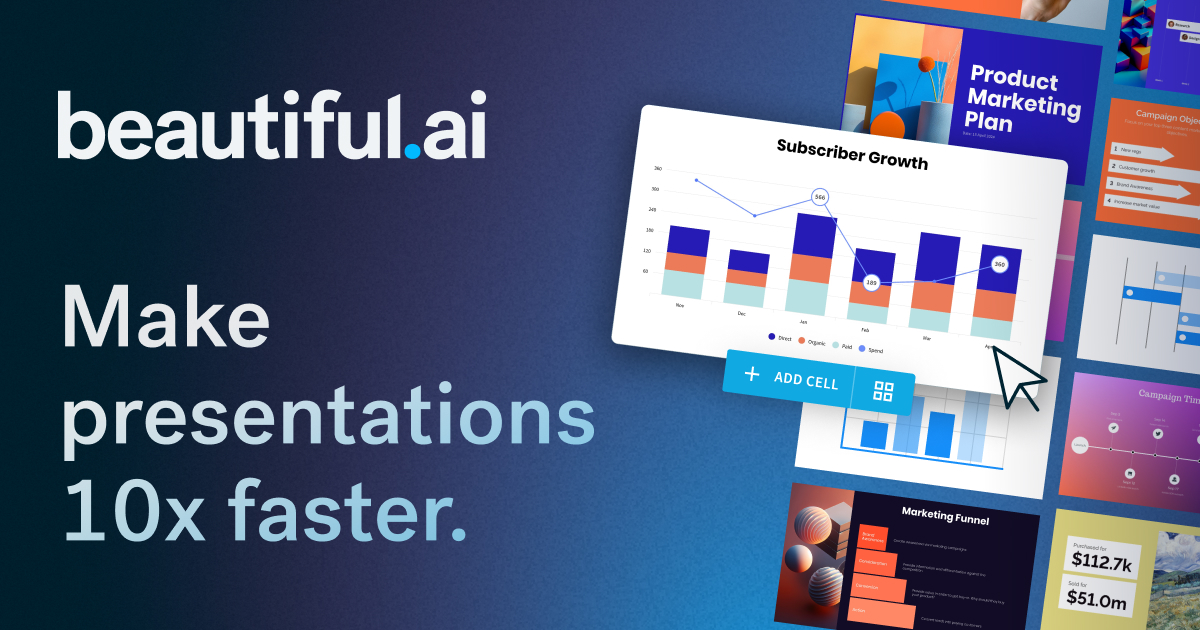
The AI presentation maker built for speed and polish. Beautiful.ai helps you create professional, client-ready slide decks in minutes. Try it free for
Beautiful.ai is praised for its capability to quickly create professional and visually appealing presentations with a user-friendly interface. However, some users express dissatisfaction with limited customization options and occasionally slow performance. The pricing of Beautiful.ai is generally seen as reasonable, but there are mixed feelings about whether it offers enough value, especially for professional users requiring more advanced features. Overall, Beautiful.ai has a positive reputation for design simplicity, though there is room for improvement in functionality and customization.
Mem
Stable week-over-weekBeautiful.ai
+25% vs last weekMem
Beautiful.ai
Mem
Beautiful.ai
Mem
Beautiful.ai
Pricing found: $12 /mo, $50, $40 /mo, $45, $12/month
Mem (6)
Beautiful.ai (1)
Only in Mem (10)
Only in Beautiful.ai (10)
Shared (11)
Only in Mem (9)
Only in Beautiful.ai (4)
Mem
What do you like best about Mem?Mem allows for immediate client updates and notes to be created and organized. This is especially important in the coaching world to allow for immediate client feedback and to stay very organized and accessible. Review collected by and hosted on G2.com.What do you dislike about Mem?We are still discovering news implementations, but have not found a dislike, yet. Review collected by and hosted on G2.com.
What do you like best about Mem?- Smart pricing strategy: the unlimited notes and collections allows you to get a feel for the product before having to make a purchase decision. - Search is blazing fast. So is the experience when I select an item from the search results. It shows up before my eyes can even get down the screen to it. - The font they chose incorporates ligartures. Review collected by and hosted on G2.com.What do you dislike about Mem?- Lots of missing note-taking features. The biggest missing feature: there's no way to reorder lines in your notes by keyboard (including bullets and numbered lists). Among the many usecases for this, my biggest one is revising notes right after a meeting. Moving around lines and paragraphs is a critical part of the revision process when organizing the notes that I hastily typed out during a meeting. 1. Bear uses Cmd+Opt+up/down 2. Apple notes uses Cmd+Ctrl+up/down 3. Google docs uses Ctrl+Shift+up/down There hasn't been any movement on this fundamental note-taking feature since I requested it 2.5 years ago. - Reported bugs go unfixed for years. 2.5 years ago I reported a ton of bugs with the note-taking experience. None of them have been fixed yet. Here are three examples: 1. Numbered lists add a space when copy-pasting one list item onto another (what you have to do when you want to reorder list items in a numbered list). 2. Code blocks require an extra space after closing them. Then if you try to delete that space and continue typing, whatever you typed is also now part of the code block. 3. Bullets and numbered lists break after adding a non-bulleted or numbered element. Google Docs and Bear are able to handle this without any issue. The crazy thing is that even though they acknowledged all the bugs I reported 2.5 years ago, not a single one has been fixed. - The paid gimmicky AI marketing features do exactly what every other product these days AI features do... mimick the functionality of the free-to-use ChatGPT. It seems they care less about the note-taking essentials than the hot new trendy buzz features. Review collected by and hosted on G2.com.
What do you like best about Mem?Writing notes with AI is nice, and the product seems to function normally. Review collected by and hosted on G2.com.What do you dislike about Mem?Extremely poor customer service (especially from the co-founders). They don't respond to any of your emails, almost like the cadences they place new users are in are just for show. There's also a massive lack of API integrations - this product won't work well with any of your other existing platforms. The company mission also seems extremely lackluster and there's nothing that sets Mem apart from stronger competitors like Obsidian, ClickUp, Notion, and other companies like Constella do a better job of standing out in the crowd. Review collected by and hosted on G2.com.
Beautiful.ai
No reviews yet
Mem
Beautiful.ai
Mem
Beautiful.ai
Mem
No YouTube channel
Mem

Beautiful.ai


Mem
Beautiful.ai
Mem
Show HN: Sub-millisecond VM sandboxes using CoW memory forking
I wanted to see how fast an isolated code sandbox could start if I never had to boot a fresh VM.<p>So instead of launching a new microVM per execution, I boot Firecracker once with Python and numpy already loaded, then snapshot the full VM state. Every execution after that creates a new KVM VM backe
Beautiful.ai
Only in Beautiful.ai (3)
Mem is optimal for complex project planning requiring note organization, while Beautiful.ai excels in creating quick, visually appealing presentations.
Mem's pricing details are less explicit, focusing on tiered models, while Beautiful.ai offers clear subscription options including a free tier, making it more transparent.
Beautiful.ai likely benefits from a larger community due to its higher funding and positive reputation in design aspects, whereas Mem's community feedback is more polarized.
Yes, Mem and Beautiful.ai can complement each other, with Mem managing meeting notes and Beautiful.ai transforming them into presentations.
Beautiful.ai is likely easier for initial use, given its guided presentation creation process and availability of a free tier to experiment with.


