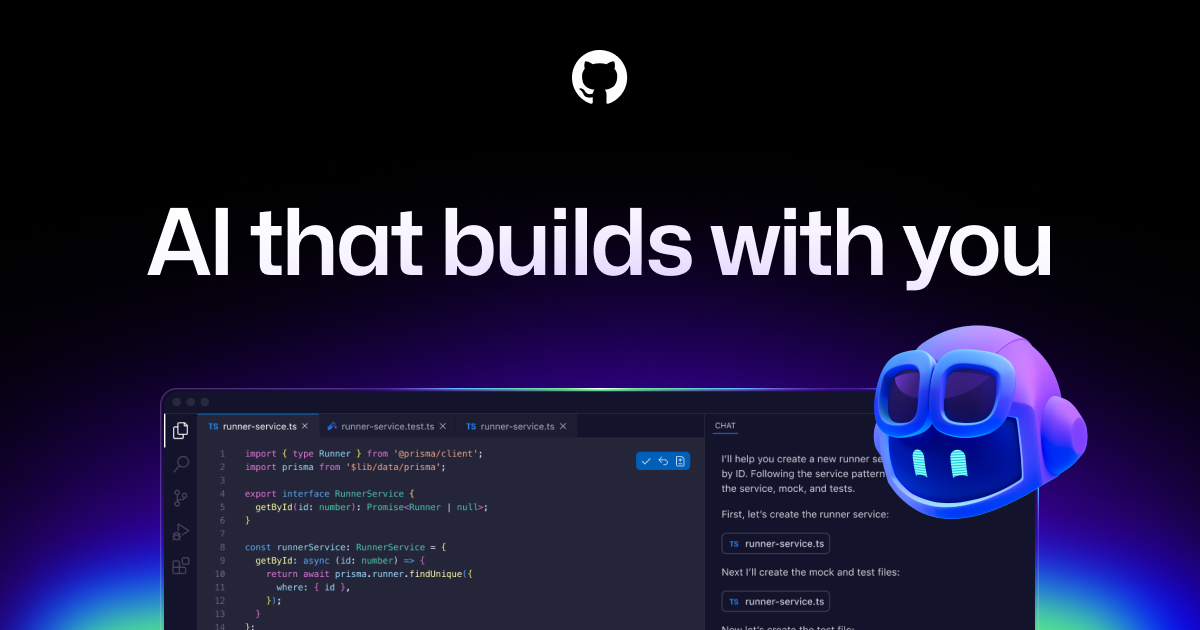
GitHub Copilot works alongside you directly in your editor, suggesting whole lines or entire functions for you.
GitHub Copilot is widely praised for its robust code suggestion capabilities and has a largely positive user reputation, as seen in consistent high ratings on G2. However, specific complaints are not highlighted in the reviews or social mentions, indicating a general satisfaction among users. Many social mentions focus on the tool's innovative features and integration capabilities, such as multi-agent code reviews and task automation, underscoring its enhancement to developer productivity. Pricing sentiment is not explicitly mentioned, but the overall reputation is strong as it’s seen as a valuable tool for developers globally.
Mentions (30d)
16
Avg Rating
4.5
20 reviews
Platforms
4
Sentiment
7%
12 positive



GitHub Copilot is widely praised for its robust code suggestion capabilities and has a largely positive user reputation, as seen in consistent high ratings on G2. However, specific complaints are not highlighted in the reviews or social mentions, indicating a general satisfaction among users. Many social mentions focus on the tool's innovative features and integration capabilities, such as multi-agent code reviews and task automation, underscoring its enhancement to developer productivity. Pricing sentiment is not explicitly mentioned, but the overall reputation is strong as it’s seen as a valuable tool for developers globally.
Features
Use Cases
Industry
information technology & services
Employees
6,200
Funding Stage
Other
Total Funding
$7.9B
Brazil, Indonesia, Japan, Germany, and India fueled a massive surge in 2025, adding nearly 36 million new developers to GitHub. 🌏 India alone added 5.2 million. 🇮🇳
Brazil, Indonesia, Japan, Germany, and India fueled a massive surge in 2025, adding nearly 36 million new developers to GitHub. 🌏 India alone added 5.2 million. 🇮🇳
View originalPricing found: $100, $390
g2
What do you like best about GitHub Copilot?Contextual Autocomplete: It suggests entire blocks of code, functions, and tests by analyzing your current file and open tabs. Boilerplate Reduction: It handles repetitive tasks like writing unit tests, regex, or standard API calls, allowing you to focus on logic. Natural Language to Code: You can write a comment describing what you want (e.g., // function to validate email using regex), and it will generate the implementation. Multi-language Support: It works across dozens of languages including Python, JavaScript, TypeScript, Ruby, Go, and Java. IDE Integration: It lives directly inside popular editors like VS Code, JetBrains, and Neovim, so there is no need to switch windows. Review collected by and hosted on G2.com.What do you dislike about GitHub Copilot?1. Inaccuracy and "Hallucinations" Code Quality: It often suggests code that is inefficient, outdated, or uses libraries that don't actually exist (hallucinations). Bugs: It can generate syntactically correct code that contains subtle logical errors, requiring you to spend more time debugging than if you had written it yourself. 2. Context Limitations Large Projects: It sometimes "forgets" logic established earlier in a file or fails to understand the broader architecture of a complex project. Proprietary Logic: It struggles with custom frameworks or internal business logic that wasn't part of its public training data. 3. Privacy and Security Data Training: Many users are concerned about their code being sent to GitHub's servers to train future models. As of early 2026, some users have expressed frustration over "automatic opt-in" policies for data collection. Vulnerabilities: There is a risk that the AI might suggest patterns that include known security vulnerabilities (like SQL injection) if they were prevalent in its training set. Review collected by and hosted on G2.com.
What do you like best about GitHub Copilot?For agent-based programming with models from other providers, I would also like to be able to integrate it within VS Code. Review collected by and hosted on G2.com.What do you dislike about GitHub Copilot?Sometimes using the models is slower than using the provider directly. Review collected by and hosted on G2.com.
What do you like best about GitHub Copilot?GitHub Copilot feels like a smart coding partner that understands context and suggests accurate code instantly. It helps reduce repetitive work and speeds up development significantly.Overall,it makes coding more efficient, easier and more enjoyable Review collected by and hosted on G2.com.What do you dislike about GitHub Copilot?Sometimes GitHub Copilot generates suggestions that feel generic or not perfectly aligned with the intended logic. It may also struggle with highly specific or complex requirements. Review collected by and hosted on G2.com.
What do you like best about GitHub Copilot?What I like best about GItHub Copilot is how it provides real-time code suggestions that fit the context of what I'm working on. It saves a lot of time on repetitive coding and helps maintain flow without switching between tabs. It feels like a helpful assistant built right into the editor. Review collected by and hosted on G2.com.What do you dislike about GitHub Copilot?One thing I dislike about GitHub Copilot is that some suggestions can be inaccurate, especially for complex logic or specific use cases. It sometimes requires careful review and adjustments. Improving consistency and understanding of edge cases would make it even better Review collected by and hosted on G2.com.
What do you like best about GitHub Copilot?Copilot has managed to develop into a fully agentic tool, which is great for agentic coding and development. It’s no longer just an AI assistant, and that completely changes how I can use it day to day. Support for MCP servers, skills, agnets.md, and similar pieces also makes it easier to use alongside other agentic tools. The UI is fairly intuitive, and I like how it’s directly wired into VS Code. It doesn’t feel like “just an extension” anymore; it feels like a core feature of VS Code now. The usage limits are also really generous considering the pricing, especially when you compare them to Claude Code, for example. Copilot clearly wins here for me by a lot. Review collected by and hosted on G2.com.What do you dislike about GitHub Copilot?I dislike the data retention policy for Copilot coding agents and Copilot CLI. The retention period is far too long, especially given how much sensitive information is being shared, such as source code. I think they should reconsider this and make changes. It’s not that I don’t trust GitHub, but given the industry I work in, the idea that our data could be stored somewhere for extended periods of time is unacceptable. Review collected by and hosted on G2.com.
What do you like best about GitHub Copilot?GitHub copilot is really helpful for speeding up coding and routine tasks. As someone who uses it frequently, I like how it suggests code while I'm typing and helps with small functions, syntax or repetitive parts of the code. The UI feels clean and blends well into tools like VS Code and the integrations with different IDEs make it very convenient to use. It saves time, reduces manual effort and helps maintain a smooth workflow when working on scripts or development tasks. Review collected by and hosted on G2.com.What do you dislike about GitHub Copilot?One slight downside of GitHub copilot is that the suggestions are not always accurate so I still need to review and adjust the code instead of relying on it completely. Review collected by and hosted on G2.com.
What do you like best about GitHub Copilot?I like GitHub Copilot because it literally reduces my time on repetitive tasks, like refining my emails and suggesting my coding functions. I like that I can use GitHub Copilot to get an overview of a repository and understand the functionalities, which really helps when I’m looking for main files and functionalities. I love that I can access it inside Visual Studio Code. It immediately starts suggesting code and improving it for me. GitHub Copilot is especially useful in writing helper functions, validations, and logic. It’s great that I don't have to switch between tabs when I'm working because I can access it easily both from GitHub and Visual Studio Code. I appreciate the different models provided by Copilot as they really help a lot. I find the customer support and the community very helpful, and I feel like the platform is well-supported, which gives me trust when relying on it for development. I think GitHub Copilot is flexible and can be used by anyone, not just developers—it can help with sales data analysis or marketing strategies. It also helps me with documentation by providing outputs in a structured way. The initial setup was smooth and very straightforward, making it user-friendly and beginner-friendly. Review collected by and hosted on G2.com.What do you dislike about GitHub Copilot?Sometimes the suggestions are not very up to date, especially with recent changes in API versions like Azure's. GitHub Copilot doesn't always have knowledge of the latest API updates, which can be problematic when working with new features or changes. Additionally, it requires a stable internet connection, which is a limiting factor. Review collected by and hosted on G2.com.
What do you like best about GitHub Copilot?What I like most is how it fits into both my development workflow and our review process. I use it in my IDE to help write code, suggest improvements, and even debug when I’m stuck, which saves a lot of time. We also use it as part of an automated GitHub workflow for code reviews, and it’s helpful in catching basic issues or suggesting changes early. It feels like having an extra pair of eyes, especially for repetitive or boilerplate-heavy tasks. Review collected by and hosted on G2.com.What do you dislike about GitHub Copilot?The suggestions aren’t always accurate, especially for more complex logic or domain-specific code. You still need to review everything carefully, as it can sometimes produce code that looks right but isn’t fully correct. In code reviews, it’s useful but not a replacement for human context, it can miss the bigger picture or intent behind changes. Review collected by and hosted on G2.com.
What do you like best about GitHub Copilot?I think it’s really worthwhile these days to add AI capabilities to anything coding-related, especially at a small company where it can make a meaningful difference. Review collected by and hosted on G2.com.What do you dislike about GitHub Copilot?I’m not sure I ever learned how to use it to its full potential. To be honest, I don’t use it anymore because of that. Review collected by and hosted on G2.com.
What do you like best about GitHub Copilot?Copilot fits seamlessly into VS Code with fast, reliable suggestions that keep my flow uninterrupted, even on larger tasks. It saves time on repetitive work, making it worth the cost. Setup is quick, and getting started feels effortless with minimal learning curve. I also like that it gives access to multiple AI models. Review collected by and hosted on G2.com.What do you dislike about GitHub Copilot?One downside of GitHub Copilot is that it sometimes feels a bit slower as compared to Cursor, especially when working on larger or multi-file changes. But Copilot is much cheaper (around $10/month vs $20 for Cursor), and for day-to-day coding, it still covers most needs really well. Review collected by and hosted on G2.com.
I built PromptQueue for when I'm out of prompts and the reset is hours away
I kept running into the same tiny workflow tax: I know exactly what I want to ask next, but the AI tool says to come back later. So I built PromptQueue. It is a local Python CLI that queues a prompt for a later time, then opens or focuses the target app, pastes the prompt, and can submit it. Example: promptqueue add 19:30 chatgpt finish the outline from earlier promptqueue run It supports ChatGPT, Claude, Codex, Gemini, Cursor, Copilot, CLI targets, and clipboard-only mode. I am the author. It is free and open source. No server, no account, no private APIs, one Python file, standard library only. GitHub: https://github.com/AtharvaMaik/PromptQueue PyPI: pip install promptqueue submitted by /u/Clashking666 [link] [comments]
View originalSuggest model and subscription
I am new to Claude. I have been using github copilot. I want to fiddle a bit with Claude to make sure I can use it professionally (I am a developer). I will create a personal project with it (thinking about a small-ish casual game, if it is important). Not sure about the stack yet, but I am thinking either a web app, or a Godot game. I would like a recommendation on what model I should use and what subscription should I start with. Do you recommend codex or something else? Finally, what is important currently so I won't be overcharged without knowing it or to prevent myself from token burning? submitted by /u/poponis [link] [comments]
View originalI run Claude Code with --dangerously-skip-permissions, so I built a tiny hook that bounces rm -rf and DROP TABLE before they run
Disclosure up front: I'm the author, it's MIT, free, one file, zero deps. We've all seen the threads. The agent that "violated permission denial and deleted a bunch of files." Replit's agent wiping a prod database during a code freeze. The guy here who watched Claude delete a 717GB Windows install over one collapsed backslash. The common thread is YOLO mode plus one command that should never have run. So I built Bouncer. It's a PreToolUse hook (~190 lines) that reads every shell command your agent tries to run and blocks the destructive ones before they execute. It is not a denylist of fixed commands. It's 38 regex rules, each catching a whole class: any rm into home or root, any DROP TABLE, any curl piped to sh, force-push to main, dd to a device, secret exfil, fork bombs. When it fires, the agent sees exactly which rule bounced it. The honest number, and the reason I'm posting it instead of just saying "it's safe": it blocks 45/45 footguns in a public, labeled list, with 0 false positives on 41 real commands (git status, npm test, normal work). Both corpora are in the repo and run through the actual hook. You reproduce the whole thing with one command: npm test. No marking my own homework. The caveat, because there always is one: this is a seatbelt, not a sandbox. It catches the ~95% of footguns that are accidental. A base64 or eval-obfuscated payload still slips past, and the repo ships a KNOWN-BYPASSES.md that lists exactly which classes it can't catch, each pinned by a test. If you want true isolation, you still want a container. Works on Claude Code, and also Codex CLI, Copilot CLI, and Gemini CLI via each tool's native hook (advisory-only on agents with no blocking hook). Install on Claude Code: /plugin marketplace add karanb192/bouncer /plugin install bouncer@bouncer Repo: https://github.com/karanb192/bouncer Would genuinely like the footgun list torn apart. If there's a destructive class you've hit that it doesn't catch, tell me and I'll add a rule and a test for it. submitted by /u/karanb192 [link] [comments]
View originalWhich Claude Code Plugins Should I use to significantly my claude codes coding abilities?
Hey guys I recently got claude pro and was previously was working with Github Copilot VS code extension , so i feel more comfortable with Claude Code VS code extension , but when I tried looking in the marketplace for extensions it didnt show me anything so I wanted help from the community as to what are some must have extensions that I should get? PS: I havent installed claude code for the terminal! So should I consider doing it? submitted by /u/Resident-Ad-3952 [link] [comments]
View originalI deleted my proudest feature after realizing Mozilla built it better. A postmortem from my open-source agent-memory tool
https://preview.redd.it/0dlzypwc4a8h1.png?width=1672&format=png&auto=webp&s=4de0a13231e820bf729ec827b4306a26bb206a43 TL;DR: I maintain Barry Cache, a free/open-source tool that gives AI coding agents durable, source-backed memory of your repo. I spent weeks building a "hive mind" so agents could share lessons across projects - then realized Mozilla's cq already does exactly that, and honestly designed it better. So I deleted my version and made Barry interoperate with cq instead, plus shipped a few other improvements. I'm the author; this is the honest writeup. What Barry is (30s): coding agents burn tokens re-reading your whole repo and re-deriving the same context every session. Barry keeps a small, validated, source-backed memory in the repo itself (facts + decision records, in git) and gives the agent a CLI to load only the slice relevant to the task. Agent-agnostic (AGENTS.md / Claude / Cursor / Copilot / Gemini), auditable, no external service required. The honest failure For a few weeks I went deep on a "self-validating agent hive mind": a server agents could push lessons to, with Ed25519-signed contributions, a reputation system, staged trust promotion, anti-Sybil scoring, a conformance test suite - the works. I was pretty proud of it. Then I actually looked around and found Mozilla's cq ("Stack Overflow for agents"). It does the same thing - and when I read their design, they'd independently arrived at the same trust model I'd built: weighting independent orgs over raw vote count, tiered local/org/global trust, confidence that grows with confirmations. Same core idea, more mature, with real distribution behind it. Two options: keep polishing my parallel commons and pretend I hadn't seen it, or delete it and build on theirs. I deleted it - the server, the reputation engine, the whole global stack. Net change: I removed more code than I added. Felt bad for about a day, correct ever since. Shipping a worse copy of someone else's open standard helps no one. What's new cq interop (opt-in, off by default): barry-cache kb search --source cq pulls lessons from the commons; kb contribute gives yours back, provenance-annotated. One-step auth: kb cq login --api-key . Kept what's genuinely mine: local source-backed memory, privacy-first sanitisation, and structured harvesting of lessons from your own work - so Barry contributes higher-quality, provenance-carrying lessons than raw agent chatter. Standards over adapters: collapsed six duplicated agent-instruction files into one canonical AGENTS.md (the rest are thin pointers) - riding the AGENTS.md/MCP standardisation instead of fighting it. Drift detection: barry-cache validate --strict now fails CI when memory rots - facts pointing at deleted files, stale open questions. The "unmaintained wiki misleads" problem is real; this is the guardrail. Does it actually save anything? Barry alone, on a maintained, reused codebase: roughly 10–25% fewer tokens and ~10–20% less time per task, mostly by skipping the agent's "explore the repo to find the right files" phase. On tiny/throwaway tasks or unmaintained context, it's ~zero or net-negative - you pay to curate. cq on top: spiky - occasionally a big win when the commons already has the exact pitfall you're about to hit. Today it skews Python, so for other stacks the payoff is back-loaded as the commons grows. Why I'm doing this Barry is free and open source, and I'm not monetising it - no plans to. The only returns I'm after are (a) making agent-assisted coding a little less wasteful, and (b) building a bit of a reputation as someone who ships and reasons in public. Repo: Barry-cache Quick start: npx barry-cache init submitted by /u/Nice-Pair-2802 [link] [comments]
View originalCUE — a skill that reads your installed skills and weaves them into generated prompts (works with Claude, 30+ tools)
I built a prompt engineering skill called CUE that does something I haven't seen other skills do: it reads what you already have installed and builds on top of it. How it works You ask CUE to write a prompt for Claude Code, Cursor, Midjourney, whatever. Before generating, CUE: 1. Scans your ~/.claude/skills/ directory 2. Matches relevant skills to the task using word overlap + trigger pattern extraction 3. Injects matched skill constraints into the generated prompt Example: If you have frontend-design, high-end-visual-design, and impeccable installed, and you ask CUE to generate a landing page prompt — the output references your banned fonts, your quality gates, your design thinking. Not a generic template. The hook Every prompt you write loses something in translation. Vague verbs, missing constraints, no stop conditions, dual tasks in one prompt. CUE catches 20 common anti-patterns and fixes them silently. Before: "Make me a landing page for my SaaS" After: A structured prompt with exact design system, section-by-section spec, animation constraints, and a binary "done when" condition. Numbers 98% anti-pattern detection 92% first-try success rate (vs ~40% baseline) 35% token reduction 86% stress test pass rate across 8 complexity dimensions ## What it supports Claude, ChatGPT, Gemini, o3, DeepSeek, Kimi, Llama, Cursor, Copilot, Windsurf, Bolt, v0, Lovable, Devin, Midjourney, DALL-E, Stable Diffusion, ComfyUI, Sora, Runway, ElevenLabs, and a universal fingerprint for anything not on the list. ## Install git clone https://github.com/clawdbot58-pixel/cue-skill.git ~/.claude/skills/cue-skill That's it. No config. MIT license. https://github.com/clawdbot58-pixel/cue-skill submitted by /u/AdHead6280 [link] [comments]
View originalI maintain two browser extensions (~800 weekly users) almost entirely through Claude Code, including the analytics pipeline and the store-publishing tools. Here's the setup.
I'm a software engineer who moved into management years ago, so I started this to get my hands back on a keyboard and learn the agentic tooling instead of reading about it. It grew into two shipped browser extensions. The thing that surprised me was how much of the ongoing maintenance tooling I could automate with Claude Code. Quick context on the product. "AI Folders" saves your AI chats into folders and gives you a reusable prompt library. It works on ChatGPT, Claude, Perplexity, Copilot, DeepSeek, Grok, Gemini and local LLMs. There's an older Gemini-only version too. Vanilla JS, Manifest V3, no servers, no analytics, no tracking. The parts I learned the most from, with Claude Code doing most of the coding: - A Python build that turns one source into Chrome and Firefox variants, runs the tests first, and patches the manifests per browser. - A screenshot generation script that uses playwright to compose screenshots and a mock browser procedurally for all supported languages. - A few maintainer tools in /tools, all agent-built. A stats collector that scrapes my Chrome Web Store dashboard and commits the aggregated numbers to the repo (that feeds a public stats page). Store-listing publishers for the Chrome Web Store and Firefox AMO (the AMO one uses the official add-ons API). A selector-diagnostics extension that tells me when an AI site changes its DOM and my prompt injection breaks. - 43 locales kept in sync. All of it is open source and free. Clone it, pull out the tools, use whatever helps you maintain your own extension. A lot of the work went into removing friction from the boring chores. Stats are public, small but real (Gemini Folders ~766 weekly users, AI Folders just getting started): https://aifolders.xyz/stats Repo: https://github.com/dlamarre-dev/AI-Gemini-Folders Site: https://aifolders.xyz Ask me anything about the Claude Code workflow: what worked, what didn't, where I still had to drive it by hand. That's mostly why I'm posting.s structure and stats submitted by /u/dlamarre [link] [comments]
View originalMy AI tools kept forgetting everything, so I gave them a shared brain (local + open source)
Hi there! this is my first small rant that turned into a project: every AI tool I use has its own memory. I tell Claude Desktop something, Cursor has no clue. New chat? Back to zero. It drove me nuts — so I built Centralaizer. This is an open source solution, so it's free with MIT license. It's a little memory hub that runs on your own machine. Any MCP tool (Claude Desktop, Cursor, Claude Code, VS Code Copilot…) plugs into it and they all share the same memory. Save a fact or a decision in one, the others can pull it right up. No cloud — everything stays on your laptop. A few things I cared about: 🧠 opt-in, not spying — the agent decides what to save/recall 🚧 sketchy notes get held in a review queue instead of polluting everyone's memory 🔒 it scrubs PII (emails, keys, phones) before storing 🔎 search isn't just keywords — vector + full-text + a little knowledge graph 🖥️ a web dashboard to browse it all (light and dark mode 🌙) One command (./setup_and_run.sh) or Docker. There's also a Claude Code hook for auto-recall, one-click export, and a browser extension to bring it into ChatGPT/Gemini/Qwen. Would love thoughts — or roasts — on the retrieval and the "trust score" idea. Any feedback is more than welcome as it's an initial project. 🎥 (attach centralaizer-demo.mp4) · 👉 https://github.com/lestercoyoyjr/Centralaizer-public https://reddit.com/link/1u66kb0/video/90314duxkd7h1/player submitted by /u/Accomplished-Pen-491 [link] [comments]
View originalThe biggest bottleneck in my AI workflows turned out to be me
After months of using GPTs for development, research, planning, debugging, and business work, I noticed something strange. The model usually wasn't stuck. I was. The workflow kept pausing because the system needed another prompt, another confirmation, another "continue." So I started experimenting with a different question: What happens if AI conversations can keep progressing without constant human intervention? That became Ghost in the Loop. An open-source browser tool that automatically continues multi-step conversations across ChatGPT, Claude, Gemini, Perplexity, DeepSeek, Copilot, Grok, Manus and other AI platforms. Some things it's helped with: • Long-form research • Multi-step coding tasks • Roadmap execution • Prompt queues • Iterative refinement loops Now I'm trying to figure out where the approach falls apart. What concerns would you have with a tool like this? What failure modes would worry you? What would make something like this useful rather than dangerous? GitHub: https://github.com/MShneur/ghost-in-the-loop TL;DR Built an open-source AI workflow automation tool. Trying to learn where autonomous AI workflows become genuinely useful versus where they become a bad idea. submitted by /u/Mstep85 [link] [comments]
View originalI built a CLI that generates a tailored CLAUDE.md for your project from a short interview
When I vibe code with Claude, I almost never give it the full picture of how I want the project built — I mention a few things and skip the rest. So Claude decides the rest for me: where files go, how things are structured, how tests and commits look. Those quiet defaults are the ones I end up fighting later. Claude reads CLAUDE.md, but writing a good one by hand is a chore and I'd let it go stale. So I made Payo. It asks you about your stack (framework, DB, data layer, auth, testing, conventions) and writes CLAUDE.md plus .claude/skills/** tailored to your actual answers. After that one-time setup, Claude follows your structure and rules from the first prompt instead of guessing. Try it now: npx @uge/payo # or bunx @uge/payo If the Claude CLI is on your PATH it drives Claude to write richer rules; if not, it falls back to templates. Not just Claude, either — the same interview also writes for Cursor, Copilot, Codex, Windsurf, and Antigravity, across 25 frameworks / 24 data layers / 4 DBs in TS/JS, Python, Go, and Rust. So if your team mixes tools, everyone's assistant follows the same rules. It's early and solo. For those of you maintaining a CLAUDE.md by hand — what do you put in yours that a generator would have to get right to be useful? And if you know a stack deeply, I'd love help adding it or sharpening the defaults for one Payo already covers — issues and PRs very welcome. Repo: https://github.com/uttam-gelot/payo Site: https://payo.uttamgelot.com submitted by /u/uttam_b [link] [comments]
View originalAre companies allowing Claude Desktop + MCP on corporate laptops? How are subscriptions handled?
Hi everyone, I'm curious about the real-world adoption of Claude Desktop in corporate environments. I've recently been experimenting with Claude Desktop, MCP (Model Context Protocol) servers, Power BI semantic models, and automation workflows. The capabilities are impressive, but I'm wondering how companies are handling this from an IT, security, and licensing perspective. I recently heard reports that Microsoft has restricted or reduced the use of some Anthropic/Claude products internally due to data governance, security, compliance, and internal tooling considerations. This made me wonder how other organizations are approaching Claude Desktop and MCP usage. For those working in enterprises, consulting firms, banks, healthcare organizations, software companies, data engineering teams, analytics teams, or BI teams: Is Claude Desktop allowed on company-issued laptops or client laptops? Are MCP servers allowed, or are they considered a security risk because they can access local files, repositories, databases, and internal systems? Does your company provide Claude Team/Enterprise licenses, or are employees allowed to use their own personal Claude Pro subscriptions? Are there restrictions on plugins, integrations, local file access, or custom MCP servers? Has your IT/Security team formally approved Claude Desktop? If your company uses Microsoft Copilot, GitHub Copilot, ChatGPT Enterprise, or other AI tools, how does Claude fit into the approved toolset? For Power BI, Fabric, Data Engineering, Analytics, or Software Development teams, are people actively using Claude Desktop in production workflows? I'm particularly interested in hearing from people who work in large enterprises where security, compliance, and client data protection are important. submitted by /u/Available-Opinion191 [link] [comments]
View originalI built a CLI that scans your Claude Code history for leaked API keys and redacts them in place open source, fully offline (Python)
The problem Claude Code stores your full conversation history as plaintext JSONL under ~/.claude/projects/. Every API key, DB password, and .env file you've ever pasted into a chat is sitting there in plain text. A single compromised npm package running postinstall can scan common paths and exfiltrate everything in one request. I reviewed my own history and found 3 AWS keys and a Stripe secret key I'd forgotten about entirely. What I built agentsweep a CLI that scans AI agent history files and redacts secrets in place. How it works 189 detection rules (AWS, GitHub PATs, Stripe, OpenAI, Anthropic, Slack, JWT, PEM keys, DB URLs with passwords, BIP-39 crypto seed phrases, and ~167 more ported from the gitleaks pack) Aho-Corasick keyword pre-filter before regex and fast even on large histories Supports 10 agents: Claude Code, Codex, OpenCode, Cursor, Windsurf, Aider, Cline, Gemini CLI, Continue, GitHub Copilot Chat Atomic writes + mandatory .bak backup before every change agentsweep undo reverts any redaction instantly Zero network calls it runs entirely on your machine Install pip install uv && uv tool install agentsweep && asweep Interactive menu walks you through everything. Type REDACT to confirm — nothing destructive happens without an explicit confirmation. Who is this actually for If you use local agents (Aider + Ollama, OpenCode with a local model, etc.): Your keys never left your machine via the agent, but they're sitting in plaintext files that any process on your machine can read. A compromised npm package, a malicious VSCode extension, a stolen laptop. The local file is still an attack surface even if the network never saw it. If you already pasted keys into cloud-backed agents (Claude Code, Cursor, etc.): Yes, the provider already received those keys, agentsweep can't undo that. But your local history is a separate, ongoing attack vector. Cleaning it up removes one more way those keys can be stolen, long after the conversation ended. The honest framing: The best practice is to not paste production keys into any AI agent at all. This tool exists for the reality that most devs already have histories full of secrets they pasted months ago without thinking twice. GitHub: https://github.com/Ishannaik/agent-sweep Happy to answer questions about rule coverage, false positives, or agents I haven't added yet. submitted by /u/Ishannaik [link] [comments]
View originalI gave Claude Code a "lazy senior dev" mode and it writes like 6x less code
AI agents love to over-deliver. Ask for email validation and you get a 27-line EmailValidator class with a wrapper and a regex that's somehow still wrong. So I built Ponytail. It's a skill that channels the senior dev everyone knows. Long ponytail, oval glasses, seen it all. Says nothing, writes one line, it works. Before it writes anything it walks a little ladder. Does this even need to exist? Does the standard library already do it? Is there a native platform feature? An existing dependency? Can it be one line? Only then does it actually write code, and only the minimum. I benchmarked it against a normal agent with no skill on 5 tasks. Came out to roughly 16% fewer tokens, about 4x faster, and 293 lines of code dropped to 47. On one task the no-skill agent built a 190-line countdown "dashboard" with animations nobody asked for. Ponytail shipped 13 lines. It's a Claude Code plugin so it auto-activates every session and adds a statusline badge. There are also plain rules files for Cursor, Windsurf, Cline, Copilot and Aider if you live somewhere else. MIT licensed. github.com/DietrichGebert/ponytail The 246 lines nobody wrote have never caused an incident. UPDATE: There's no shortage of people online who will criticize an open-source AI tool without ever running it, let alone benchmarking it. So instead of arguing, I benchmarked my own project as hard as I could and published all of it. Ponytail is a small open-source skill that gets AI coding agents to write only the code a task actually needs, without dropping the validation and safety checks that matter. The claim has always been that it cuts a lot of code. Some people doubted that. Fair enough, numbers should be earned. So I ran the hard version: a real coding agent editing a real open-source repository, the same agent with and without the skill, a critic's own suggested one-liner prompt included as a control, repeated runs, fully reproducible. Across 12 tasks it wrote about 54% less code than the same agent without the skill. The spread is wide and I report all of it: close to zero on code that was already minimal, and as much as 94% on the cases where an agent tends to over-build, like a date picker where a native input replaces a hand-rolled component. It never wrote more than the baseline. On a separate set of adversarial tasks it kept every safety check, while the bare "just write one-liners" prompt missed one, a path-traversal guard. Ponytail was never about a flashy number on a homepage. I built it because I was tired of reviewing hundreds of lines of AI-generated code that should have been ten. The goal is simple: help developers ship what is necessary and not a line more, without cutting the corners that matter. That is also why it is open source and fully reproducible. Anyone can run the exact benchmark and check every number. Criticism is easy. Running the test is the part that counts. Repo and full writeup: github.com/DietrichGebert/ponytail. If you want to poke holes in it, please do. submitted by /u/IT_WAS_ME_DIO__ [link] [comments]
View originalBest practices for a newbie transitioning from GitHub Copilot to Claude?
Hi guys! I’m one of the GitHub Copilot orphans. After the recent billing changes, I canceled my subscription, and now I’m completely lost. I used to abuse Copilot's prompt system like crazy—honestly, I got so incredibly lazy that I was literally asking Copilot to format bold text for me. But now that the party's over, I need to find an alternative, and I’ve been looking into Claude From what I’ve gathered, unlike Copilot, I actually need to be careful with my prompts and context windows here. I read somewhere that I should use specific extensions/tools to keep the context slim, among other things. Could you guys drop your ultimate, must-know tips for a beginner? I’d love to know the best practices for both starting a project from scratch and working within an existing codebase. Thanks in advance! submitted by /u/Any-Security4098 [link] [comments]
View originalMicrosoft is restricting employees from using Claude Fable 5
Access to the powerful Claude Fable 5 model has been halted, particularly concerning its integration into GitHub Copilot, pending internal review. Core Issue: Anthropic's updated policy for Mythos-class models dictates that user prompts and generated outputs are retained for 30 days for safety purposes. This follows a recent pushback against external AI assistants at Microsoft. Earlier in the year, the company canceled most of its internal licenses for the Claude Code assistant. Source: The Verge submitted by /u/BuildwithVignesh [link] [comments]
View originalYes, GitHub Copilot offers a free tier. Pricing found: $100, $390
GitHub Copilot has an average rating of 4.5 out of 5 stars based on 20 reviews from G2, Capterra, and TrustRadius.
Key features include: Go beyond one-size-fits-all, Use your agents, your way, Stay in your flow, Make your editor your most powerful accelerator, Ship faster with AI that work alongside you, Bring AI to your terminal workflow, Grupo Boticário increases developer productivity by 94% with Copilot, Frequently asked questions.
GitHub Copilot is commonly used for: automating code completion, generating unit tests, refactoring existing code, creating pull requests autonomously, validating code files, explaining code concepts.
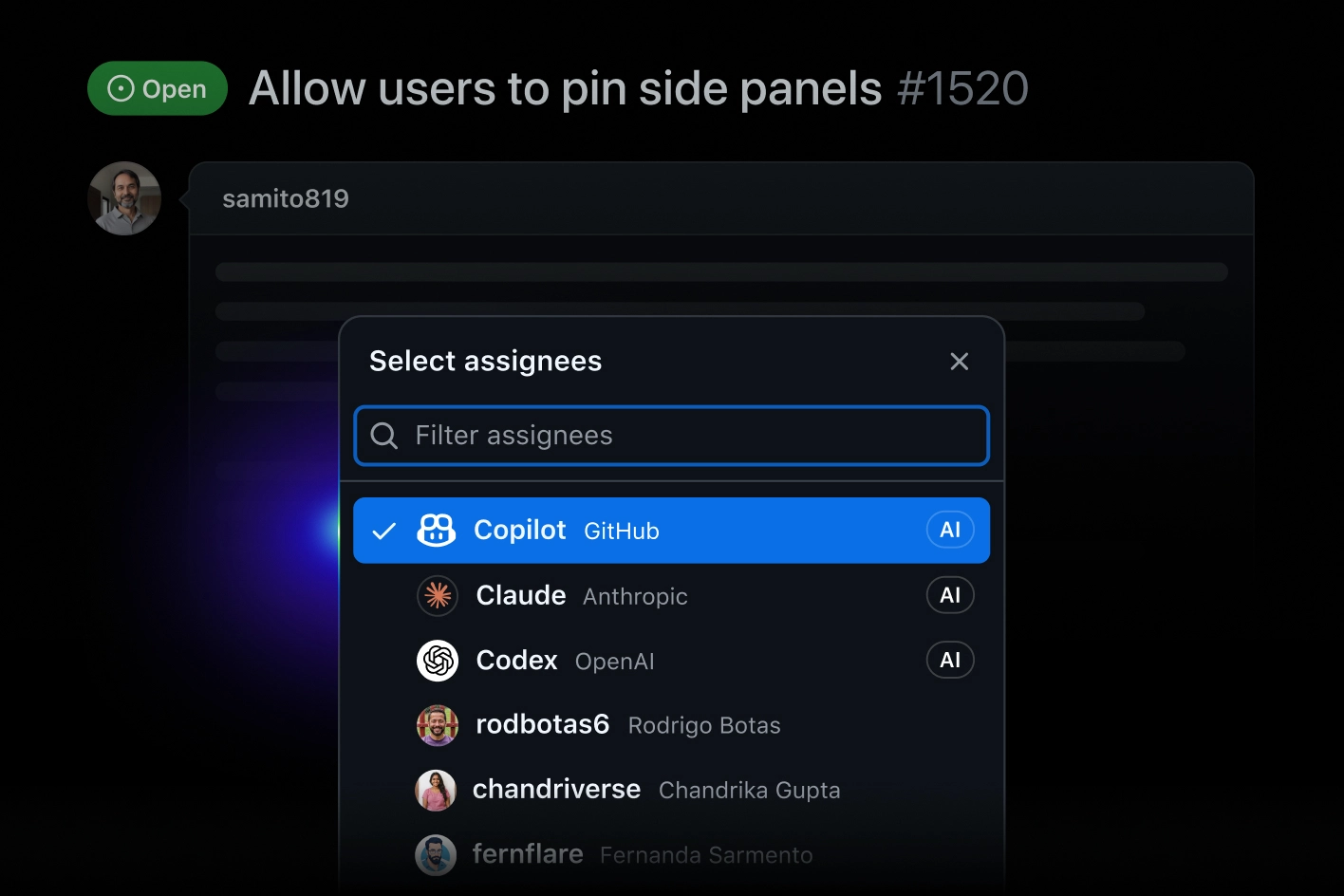
GitHub Copilot integrates with: Visual Studio Code, Visual Studio, JetBrains IDEs, Neovim, GitHub, OpenAI Codex, Claude by Anthropic, Slack.
Fireship
Content Creator at Fireship.io
1 mention
Based on user reviews and social mentions, the most common pain points are: token cost, API costs, token usage, right now.
Based on 164 social mentions analyzed, 7% of sentiment is positive, 93% neutral, and 0% negative.