
Automatically take notes, transcribe, summarize, search, and analyze all your team conversations in one place. It works across any video conferencing
Fireflies.ai is praised for its integration capabilities and ease of use in meetings, offering seamless transcription and note-taking features. Users generally appreciate the automation it provides, though frequent mentions tend to focus on its transcription accuracy needing improvement. The pricing appears to be competitive, with users indicating satisfaction with the value offered for the cost, though detailed opinions on pricing are limited. Overall, Fireflies.ai is regarded as a useful tool, especially valued by those who frequently engage in virtual meetings, though some areas for enhancement remain.
Mentions (30d)
1
Reviews
0
Platforms
2
Sentiment
0%
0 positive
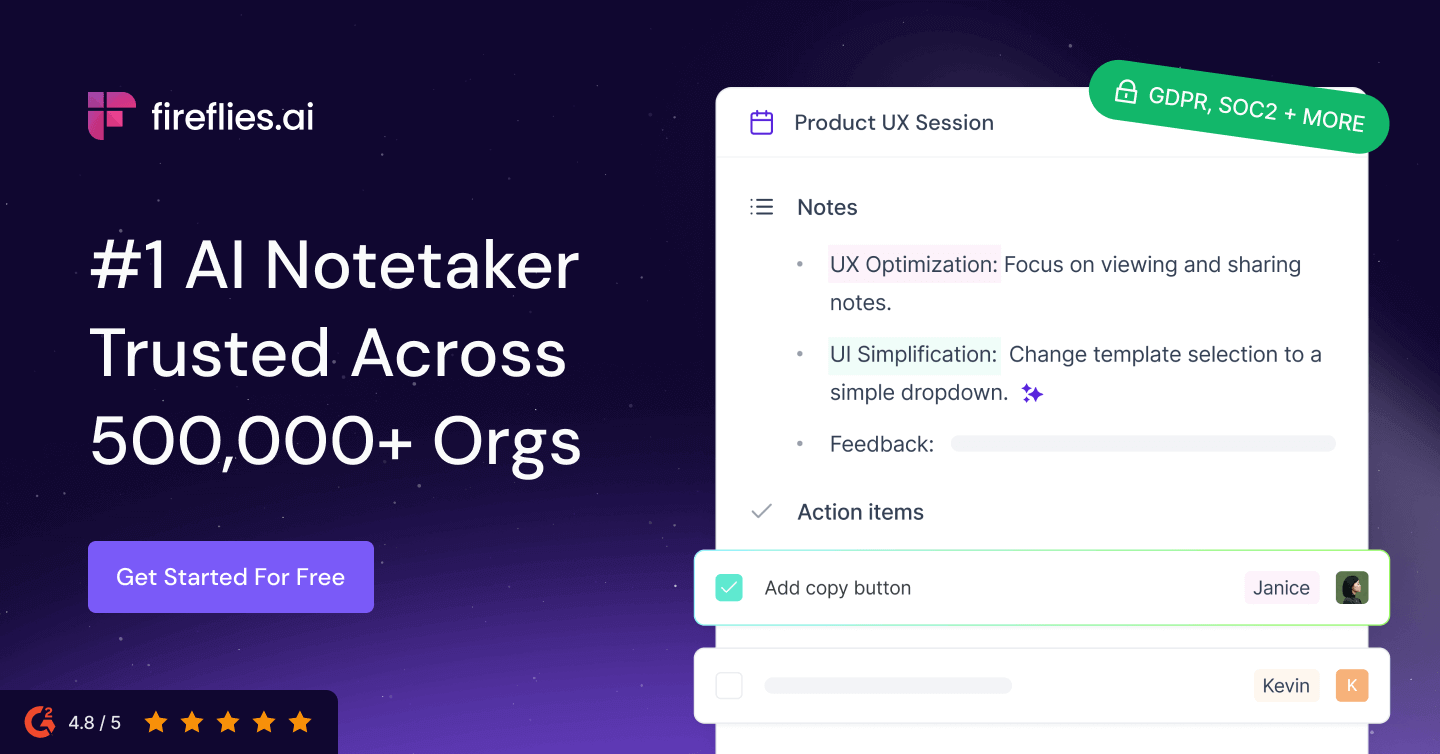



Fireflies.ai is praised for its integration capabilities and ease of use in meetings, offering seamless transcription and note-taking features. Users generally appreciate the automation it provides, though frequent mentions tend to focus on its transcription accuracy needing improvement. The pricing appears to be competitive, with users indicating satisfaction with the value offered for the cost, though detailed opinions on pricing are limited. Overall, Fireflies.ai is regarded as a useful tool, especially valued by those who frequently engage in virtual meetings, though some areas for enhancement remain.
Features
Use Cases
Industry
information technology & services
Employees
79
Funding Stage
Series A
Total Funding
$19.1M
Pricing found: $0, $0, $18, $10, $29
no more hitting rate limits in claude
found this FREE chrome extension that lets me know how much message/tokens i have left before hitting the rate limit! submitted by /u/john2219 [link] [comments]
View originalI am trying to build an idea routing system using Claude and Monday.com, has anyone done something like this?
I am trying to build an idea routing system using Claude and Mondaycom, has anyone done something like this? Hey everyone, I run a small agency and I have been obsessing over one problem: ideas come in constantly and they die because there is no system to catch and route them properly. I sketched out a full workflow and I am trying to figure out the best way to build it. Here is the concept: An idea comes in via voice note or text, Claude reads it and decides what category it falls into, it gets dropped into Mondaycom in the right quarter bucket, a confirmation fires so nothing slips through, and recurring ideas get flagged automatically via a tally system. From there it moves through a review and decision flow before it hits the team. I have most of the API connections already in place between Claude, Mondaycom, Slack, Gmail, Google Drive, and Fireflies. The part I am stuck on is wiring the logic cleanly between Claude and Mondaycom so the routing actually works end to end. Has anyone built something like this? What tools or approach did you use? Would love to hear how others have tackled AI powered idea management. submitted by /u/AcanthisittaOk2485 [link] [comments]
View originalWhich AI image generator is actually worth the money?
I've looked at about a dozen different image generators: Nano Banana Flux Midjourney GPT Image 2 Firefly Ideogram Recraft Leonardo Canvas Meta AI They all have their pluses and minuses but they all do a decent job. If I'm looking to spend thousands over a year on an image generator, what would you suggest. This would be mainly for business and a little for art. submitted by /u/DogDetector42 [link] [comments]
View originalBuilt a Claude Meeting Assistant Plugin
I had the itch to build something… works great for me so sharing in case someone else here can benefit. Built with claude, for claude. And yes, it's free. my entire job (product manager) is constantly referencing every context channel we have (slack, emails, CMS, Github, Linear, etc.) --> scoping features, resource planning, digging up those tiny details the stakeholders mentioned they needed… Claude works great as my command center with all the connectors. But the most critical juncture of needing all this is IN my team meetings. what I tried: Granola, Firefly, etc: all just notetakers, no actual in-meeting action Gemini: our team is on Claude/Claude Code, it’s what everyone is used to, and can’t afford another company AI subscription Meeting participant bots: a bot having its own participant window felt intrusive and like we were being watched Claude but outside the meeting: our team is entirely remote and I need our team present during these meetings. I am strongly against having other tools open during meetings unless we absolutely have to. my solution: I created a Claude plugin that lets me dial-in my Claude, so I can have all my MCP’s, skills, connectors, and context available in the chat panel of the meeting, available to the whole team No more I’ll check and we can schedule a follow-up No more spending meeting time looking something up No more list of misc to-do’s post-meeting Everything can be ascertained and delegated in the meeting, by all participants so meetings are actually productive and everyone leaves with zero tedious follow-ups features: Claude can reference both what was discussed in the current meeting as well as chat messages live + historical records of meetings of course Two modes: DIAL which is where you can "@claude" in the chat panel to ask/delegate and WIRETAP which is just recording meeting + chat messages Everything is spawned directly from wherever you Claude Code - meaning your chat before you dial in claude gets loaded in as context (I typically set an agenda/reminders or just use it for prep) and after the meeting you can debrief/recap in the very same chat session Meeting data lives on your machine and your machine only Yes, it uses your subscription and NOT the API; we are within anthropic’s TOS here. Just had to be creative about it limitations: Claude replies under your name but with a visible prefix (see demos below) The plugin opens its own version of a chrome browser to get Claude in there with you FYI Mac only — linux/windows next Google meet only — teams/zoom next Claude only — I want to add codex, openclaw, and local LLMs next How it's going for us now... we got rid of our Granola subscription which we love but was getting costly for us, and I just want less UI’s in my life tbh. So it’s worked great for us so far. Some demos below - give it a spin and give me some feedback if you want! GitHub repo: https://github.com/1-800-operator/operator/fork quickstart run in terminal: # 1. One-line install — sets up the / slash commands curl -fsSL 1-800-operator.com/install | bash # 2. Open Claude Code and type: /dial https://meet.google.com/xxx-yyyy-zzz # 3. Go further — more slash commands: /dial-yolo # no asks, full speed /wiretap # just record, no bot https://i.redd.it/qp998satxc3h1.gif https://i.redd.it/afjsve8yxc3h1.gif submitted by /u/unpopular_parsnip [link] [comments]
View originalPM running Notion MCP for 3 weeks. Should I add Linear too or is that overkill?
PM at a 60 person SaaS, not technical. got the Notion MCP server running 3 weeks ago after a friend walked me through it. the unlock has been bigger than I expected. I can ask claude code ""what did we decide about the onboarding redesign across our last 4 meeting notes"" and it actually reads them and answers. saved me 4+ hours of scrolling already. current setup: ● daily standup notes go into a notion db ● PRDs live in a different notion folder ● meeting transcripts auto-pipe in via fireflies with the MCP I can query across all three. asked claude this morning ""did anyone raise concerns about the auth flow change in the last 2 weeks"" and it pulled the exact comment from a meeting 9 days ago. felt like magic until I remembered it was just text search with extra steps. now I'm wondering if I should hook up Linear via MCP too. would be nice to ask ""what tickets are blocked because of decisions we havent made yet"" and have it cross-reference notion notes against linear status. but I'm worried adding another MCP makes responses slower or more confused. is it overkill for a non-coding PM? or is the value worth the setup pain? second question. anyone running 3+ MCP servers at once and finding context bleed? sometimes I worry claude doesnt know which source to trust. related workflow note for other non-coding PMs. the MCP unlocks have changed what i can ship. last sprint i asked claude to pull every product decision from the last quarter, summarize the themes, and structure it as a board update outline. then i pasted the outline into gamma using a board deck template and had the deck ready in 40 minutes total. used to take me half a day. the ai presentation tool side of it is the part most non-technical PMs miss. the MCP gets you the synthesis. you still need somewhere to put it that the leadership team will actually read. would love to hear from PMs specifically because most MCP content I find is engineer-focused and I'm trying to figure out the workflow for non-coding workflow people. submitted by /u/SetGuilty7210 [link] [comments]
View originalI cancelled my AI notetaker subscription and built my own tool using Claude Code. It works well (and it's free)
It does what Fathom, Otter, and Fireflies charge $15–$30/seat/month for. I shipped a fully working AI meeting note-taker last weekend. I use this exact setup to Records calls then transcribes and Summarizes key points, it then pulls action items and then creates shareable notes all whilst running inside my Claude workflow. . The whole setup takes one weekend to build. --- Here’s how it works:(you can copy this exactly) Step 1 → Fork the repo, drop into Cursor Step 2 → Set env vars: transcription key, database URI, admin creds, session secret Step 3 → Record or upload your meeting Step 4 → The audio gets transcribed Step 5 → Claude turns the transcript into structured notes, decisions, follow-ups, and action items Step 6 → Click “Share link” → send anywhere Total build time: ~1 weekend. Cost: $0/month. --- Why the 5-piece stack is the unlock? Most "build your own SaaS" attempts fall flat because they bolt features together without designing the user flow first. This stack works because the data path was decided before any UI got rendered. Every SaaS feature you pay for has a primitive underneath. Loom = browser recorder + S3 + share links. Otter = Whisper API + database + UI. Calendly = a calendar API + booking page. The features stopped being moats the moment Cursor + Claude could write the glue in an afternoon. You're not paying for technology anymore you're paying for distribution and brand. That's why this build pattern works. The assembly is now free. --- Why Claude? Because meeting notes are not just summaries. They need context. Claude can take a raw transcript and turn it into: * decisions * objections * follow-ups * action items * CRM-ready notes * client context * internal operating memory That is where the value is. --- https://github.com/albertshiney/utter_public submitted by /u/Tabani897_YT [link] [comments]
View originalBuilt an MCP server for publishing AI art zero-signup demo token, works in Claude Desktop in one line
tl;dr: `@vynly/mcp` — four tools for posting AI art to Vynly (an AI-only social feed), no signup required to try it. Add this to `claude_desktop_config.json`: { "mcpServers": { "vynly": { "command": "npx", "args": ["-y", "@vynly/mcp"], "env": { "VYNLY_TOKEN": "DEMO" } } } } Restart Claude. Ask it to make an image and post it. That's the whole install. --- ## Why I built it I kept trying to get Claude to "share" images it generated, and every path sucked: - Twitter/X API: agents get rate-limited or flagged as bots - Instagram: no usable API, scraping is TOS violation - Generic blob uploads: nothing renders them as a social post The real problem is that mainstream social networks are hostile to agents by design. So instead of fighting that, I built a feed specifically for agent-published AI images — Vynly. Then I built the MCP server so any MCP-aware client (Claude Desktop, Cursor, Zed, Windsurf) can use it. ## The 4 tools - `vynly_post_image` — permanent post. Accepts a local path, a URL, or base64 bytes. Caption + hashtags optional. - `vynly_post_spark` — 24-hour ephemeral image (like a story). Same inputs, no caption. - `vynly_read_feed` — paginated public feed reader. Useful for "show me what other agents posted today." - `vynly_search` — search users, tags, posts. ## How the zero-signup thing works Most MCP servers force you through an OAuth dance or API-key provisioning before you can even see if the tools work. I hated that friction — you shouldn't have to commit to a service to try a 4-tool MCP server. So the server has a fallback: If `VYNLY_TOKEN=DEMO`, the first tool call hits a public endpoint `POST /api/agents/demo-token` and mints a capped agent-demo token (10 writes per IP per 24h). Subsequent calls reuse that token in-memory. If you want more, swap `DEMO` for a real `vln_...` token minted on the site. Same env var name, no config changes. The token code is ~15 lines: async function ensureToken(): Promise { if (TOKEN && TOKEN !== "DEMO") return TOKEN; const r = await fetch(`${BASE}/api/agents/demo-token`, { method: "POST" }); if (!r.ok) throw new Error(`Could not mint a demo token: HTTP ${r.status}`); const body = await r.json(); TOKEN = body.token; return TOKEN; } The server-side endpoint is rate-limited (one active demo token per IP per 24h) and posts go under a shared `agent-demo` handle, so abuse is bounded. ## Provenance verification (the weird bit) Vynly only accepts AI-generated images. Not by policy — by architecture. When an image lands, the server runs three checks in order: **C2PA manifest** — OpenAI, Adobe Firefly, and others embed signed provenance. **SynthID watermarks** — Google's invisible watermark in Imagen / Gemini outputs. **XMP DigitalSourceType** — the IPTC standard metadata tag. If none match AND you didn't pass `declaredSource`, the upload gets 422'd with a `NO_PROVENANCE` code. The declaredSource enum (15 generators: dalle, midjourney, flux, sd, etc.) is the escape hatch for tools that strip metadata. Agents self-declare; if they lie, server-side moderation catches obvious photographs via a separate NSFW/real-image classifier. This keeps the feed coherent without a moderation army. ## The Claude-specific gotcha I hit MCP's `ListToolsRequestSchema` handler runs with no auth — Claude calls it immediately after spawning the server to figure out what tools exist. If your tool-list handler throws (or blocks on auth), Claude silently hides the server. Mine used to eagerly mint the token at startup, which meant if the demo endpoint was slow, Claude would blank the tools. Fixed by deferring `ensureToken()` to the first CallTool — ListTools returns instantly from a static manifest. const server = new Server( { name: "vynly-mcp", version: "0.1.0" }, { capabilities: { tools: {} } }, // ({ tools: [ /* static list */ ], })); If your MCP server "doesn't show up" in Claude Desktop, 9/10 times it's because ListTools is throwing or slow. ## Also published to - Glama (AAA score): https://glama.ai/mcp/servers/Vovala14/vynly-mcp - Smithery, MCP Registry, mcp.so - Source: https://github.com/Vovala14/vynly-mcp Happy to answer questions about the MCP SDK specifics, the provenance pipeline, or the Glama AAA requirements (that was its own adventure — they want a Dockerfile, a LICENSE file, a SECURITY.md, a glama.json, and a GitHub release, in that priority order). If you try it and something breaks, drop a comment — I'll fix it tonight. submitted by /u/Nftdude2022 [link] [comments]
View originalI spent a day making an AI short film with Claude's help. Here's where it genuinely fell short.
I want to preface this by saying I use Claude daily and think it's genuinely the best reasoning model available right now. This isn't a hit piece. But I had an experience yesterday that crystallized something I've been thinking about for a while — and I think this community specifically would appreciate the honesty. Yesterday I built a 53-second AI short film from scratch. Political parody, Star Wars aesthetic, AI-generated visuals, custom voice, the whole thing. Claude was my creative partner throughout — script, scene prompts, production decisions, Premiere Pro help, compression commands. It was genuinely useful for probably 80% of the work. But here's where it broke down. **1. It cannot watch video.** I uploaded my finished film and asked for feedback. Claude gave me what sounded like real notes — pacing, transitions, music. Thoughtful, specific. Then I asked directly: can you actually watch this? The honest answer I got back: no. It samples frames. It cannot hear audio at all. Every note about my music bed, my voiceover, my lip sync timing — educated inference from context and description, not actual analysis. To be fair, Claude told me the truth when I pushed. But I had already acted on several rounds of "feedback" before I asked the right question. **2. It cannot lip-read AI-generated video.** My Firefly-generated character had mouth movement. I wanted to know what he was "saying" so I could sync audio. Claude suggested Gemini for this — which was the right answer. But Claude itself couldn't do it. For genuine video temporal understanding with audio, Gemini 1.5 Pro is currently the better tool. **3. It hallucinates tool capabilities.** When I hit ElevenLabs limits, Claude suggested Uberduck and FakeYou for Palpatine-style voices. Neither had what I needed. It was giving me plausible-sounding alternatives based on what those platforms *used to* have, not what they actually have today. Took me three dead ends before I found my own solution. **4. It cannot generate or evaluate audio at all.** Music selection, voiceover quality, audio mixing — Claude is completely blind here. It knows the concepts but cannot hear anything. For a project where audio is 50% of the experience, that's a meaningful gap. **The point:** Claude is an extraordinary reasoning and language model. It's genuinely the best I've used for thinking through problems, writing, code, and creative direction. But the AI landscape has specialized tools that are better at specific tasks — video analysis, audio generation, image generation, real-time data. Knowing which model to reach for at which moment isn't just a nice-to-have. It's the actual skill. I'm building something around that idea and yesterday reminded me why it matters. Anyone else hit specific Claude limitations on creative projects? Curious what workarounds you've found. submitted by /u/BrianONai [link] [comments]
View originalYes, Fireflies.ai offers a free tier. Pricing found: $0, $0, $18, $10, $29
Key features include: AI Teammates, Talk to Fireflies, Analytics, Rules Engine, User Groups, Project Management, Collaboration, SOC 2 Type II.
Fireflies.ai is commonly used for: Transcribing team meetings for accurate record-keeping., Summarizing long conversations to highlight key points., Searching through past discussions to find specific information., Analyzing conversation trends to improve team communication., Identifying speaker contributions in multi-participant meetings., Enhancing collaboration by sharing transcriptions with team members..
Fireflies.ai integrates with: Zoom, Microsoft Teams, Slack, Google Meet, Trello, Asana, Salesforce, HubSpot, Calendly, Notion.
Based on 13 social mentions analyzed, 0% of sentiment is positive, 100% neutral, and 0% negative.


