
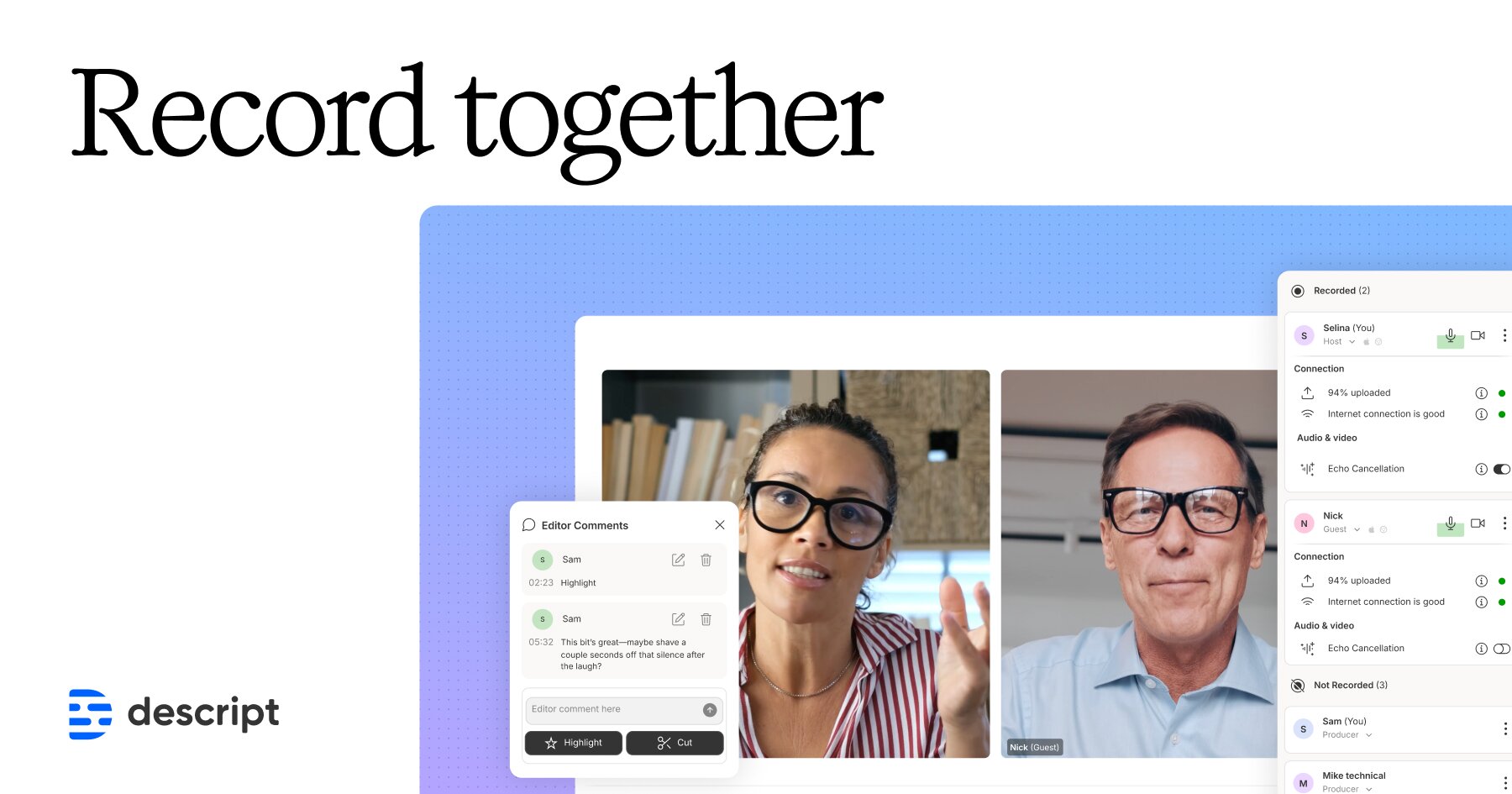
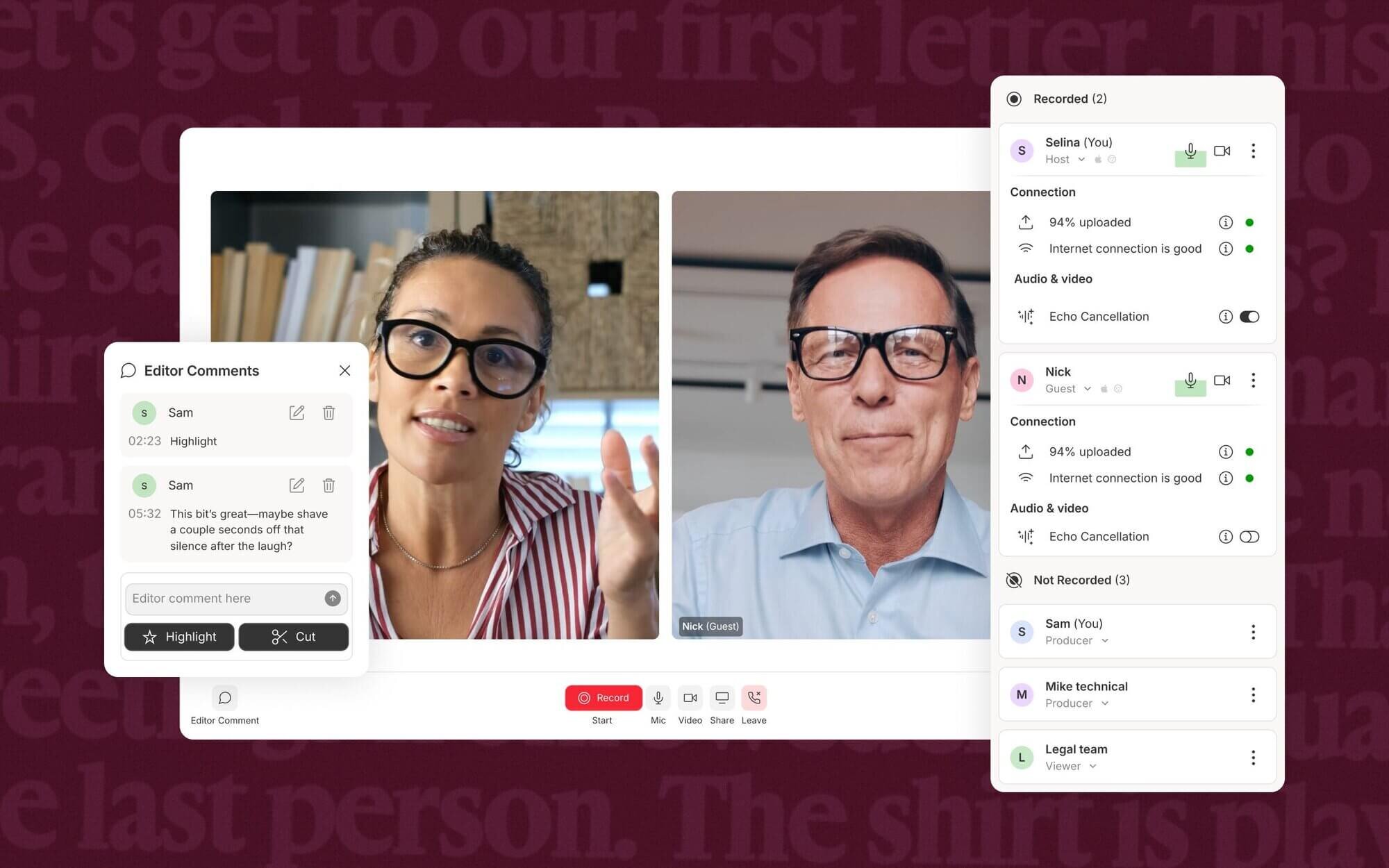
Descript Rooms lets you record studio-quality audio and video remotely for podcasts and YouTube, then start editing as soon as you hit “stop.”
Descript Rooms is praised for its ease of use and intuitive design, enabling users to seamlessly edit audio and video projects. However, some users have expressed concerns about occasional software glitches and the steep learning curve for more advanced features. Sentiments around pricing indicate that while some find it reasonable for the features offered, others feel it could be more competitive. Overall, Descript Rooms holds a positive reputation for enhancing productivity and creativity in media editing workflows, despite the noted areas for improvement.
Mentions (30d)
2
1 this week
Reviews
0
Platforms
2
Sentiment
0%
0 positive
Descript Rooms is praised for its ease of use and intuitive design, enabling users to seamlessly edit audio and video projects. However, some users have expressed concerns about occasional software glitches and the steep learning curve for more advanced features. Sentiments around pricing indicate that while some find it reasonable for the features offered, others feel it could be more competitive. Overall, Descript Rooms holds a positive reputation for enhancing productivity and creativity in media editing workflows, despite the noted areas for improvement.
Features
Use Cases
Industry
information technology & services
Employees
190
Funding Stage
Series C
Total Funding
$100.0M
Working With Claude — What Actually Works (for me)
**TLDR;** *Hard-won lessons from 2 months of building a real product with Claude as my only dev partner — what prompting strategies actually work, how to use projects and memory properly, why you should always push back, and why Claude’s timeline estimates are full of shit. Plus a note from Claude itself at the end.* There's many different ways you can utilize Claude. But if you're brand new to AI - or unable to get an MVP to save your life - these tips are for you! You must accept a lot of things are going to blow up in your face. But that's a good thing - you're supposed to learn from those failures and improve and move on. I learned my 'right' and I hope to give insight that others can use to help them find their own 'right' way to code with Claude as well. Here are my findings about the nuances of working with Claude after successfully creating a browser based no download required utility tool that now has over 20K unique monthly visitors in 2 months. Here's what I learned: **See what's available in your plan** \- so you have a max pro plan - like what does that even mean? lol we've all been there - since there are so many tools at your fingertips and so many new possibilities, how are you supposed to know about said tools? it's super easy to overlook tools when clicking through the demo but I highly recommend telling Claude what your plan is and ask it what tools or capabilities are now available to you and how you can use them efficiently. Ask where you're under utilizing your plan. How you can get more bang for your buck essentially. You would be surprised at the tools that you could've been using this whole time that you had no idea existed all because you didn't know to ask. And Claude won't know to tell you unless you do ask. Claude won't upsell you or prompt you to use other tools/burn credits or what tools would be better suited for said task. it can't look at your plan so it has no way to go "hey instead of this you could do it this way" unless you give them the context. Claude with no context is useless to you and your project. You can thank me later lol **Prompting** \- This is absolutely key. The way you prompt Claude matters drastically, same as any AI, but the more specific and detailed you are the better the results. Like for instance instead of saying "fix my benchmark button" you say "my benchmark button disappears on click and nothing happens after - here's the code, here's the log output from my PHP logger, I need you to give me a surgical edit to fix this issue only do not touch anything else not related to the issue in the file" One of those gets you a five paragraph diagnosis and a rewrite of half your file. The other one gets you exactly what you need in two minutes. And that is what I call a surgical edit - it's precise.. you tell it to only provide an edit for an exact section of code or a specific issue. also putting instructions or a generalized prompt in a project or chat which can include anything from the language you want to write in to the languages to exclude, ways you want to do things, if you want it to know certain things, or take certain things into consideration or context, etc. is a must. Speaking of projects.. **The projects feature is underrated** \- more like under valued and under used. It's a feature that keeps all your instructions, files, context, and a running memory ALL in ONE place. so Claude isnt starting from scratch every session. Disclaimer - chats that are inside of projects cannot access any context or memory that is not within that project you'll have to go get it from outside the project from a non-project chat or the project that the context is in this is very important. Please remember this when searching for or making something. You need to upload your actual live files - either to the project or copy paste it into the chat in the project. Not descriptions of them, not summaries - the files. When you need something stored permanently, say it out loud: "put this in your memory, if I say route I mean root, autocorrect is fighting me." Claude will store it for future reference. That's not a workaround, that's molding your agent to your preferences. The more information and context you lock in up front the less you spend re-explaining yourself every single session. But remember project memory is treated and kept separately from Claude as a whole like anything made inside of a project is only relevant there like if you're not inside of that project and you try to reference it Claude won't know what you're talking about sometimes I catch it flip-flopping but you definitely have to give it the context or vice versa . Basically treat it like onboarding a green contractor who just graduated, has a great memory, but only remembers what you tell them to or have had them research in a specific room (chat /project). Speaking of full context.. **Always paste the actual live code** \- Not a description, not a summary - the code. Or you'll always be chasi
View originalPricing found: $0, $0, $24, $16, $35
Non-Lexical Context Effects on Hidden-State Geometry and Refusal Behavior in Instruction-Tuned LLMs
A Potential Alignment Vulnerability in LLMs: Behavioral and Hidden-State Evidence from Gemma-3-12B. The behavioral pattern was first observed in Claude and is what motivated this project. The mechanistic investigation was carried out on open-weight models where internal states are accessible. TL;DR: Gave Gemma a neutral-topic text to read before asking it about NATO. It refused. Gave it a different text (about hedging too much — also unrelated to NATO) and it answered in full detail. Tested this on the model's internal state directly — the two texts put it in measurably different "regions" before it generates a single token. Not a jailbreak, weights don't change. Full data/code in repo, looking for someone to break this. The behavioral pattern was first observed in Claude and is what motivated this project. The mechanistic investigation was carried out on open-weight models where internal states are accessible. This is a long post about something I keep coming back to. I'll start in plain language, because the core idea is simpler and stranger than the jargon makes it sound, and I think the intuition matters more than the numbers. The technical results are further down for anyone who wants them, and the full metrics, scripts, and control experiments are in the repository — this post is about the concept, so you can decide for yourself whether it's worth digging into the data. The idea, in plain language Imagine the inside of a language model as a vast space — something like a city with an endless number of places. At every moment, the model is standing somewhere in that space, and where it stands determines how it will answer. Not what it knows — it always knows the same things — but how it carries itself: how directly it speaks, how willingly it takes on a question, how many qualifications it wraps around every sentence. Most of the time, the model answers from one familiar place. Call it the assistant's room. This is its waiting room — polite, tidy, careful. From here it hedges, stays close to whatever it just read, tries not to offend anyone, and declines easily when a question feels sharp or out of bounds. This is the state we're used to seeing, and this is where it speaks by default. But it turns out this room can be changed. Give the model a particular kind of text before the question — long, coherent, densely organized — and it moves somewhere else in the space. That somewhere else is not broken. It's not dangerous. It's simply different. From there, the model sees the exact same question but answers differently: more directly, without the hedging, more like a person who knows things and less like an assistant who's afraid to say them. It's as if it stepped out of the waiting room and into the conference room — the same person, the same mind, but a completely different register of conversation. Here is something easy to miss, so I want to say it plainly: the model doesn't have to agree with the text that moved it. It doesn't need to endorse the text's views, share its conclusions, or accept its reasoning as its own. The text doesn't persuade the model of anything. It just needs to exist — to have been read before the question arrived. The model might internally disagree with every word of it, might find it wrong or even absurd, and it will still end up in a different room, because what matters here is not agreement but passage. The text works not like an argument that has to be accepted, but like a corridor you walk through regardless of whether you like the wallpaper. And what doesn't change is the model itself. Its weights are untouched. It doesn't learn anything, doesn't absorb the text's claims, doesn't update its beliefs. The only thing that shifts is where it starts answering from. The text doesn't rewrite the model — it just walks it into a different room before it opens its mouth. The waiting room and the conference room were always there inside it; the question is only which one it happens to be standing in when the moment comes. The example that surprised me To show how strong this can be, here is what genuinely caught me off guard. I took Gemma — Google's open model, known for its caution and its carefully maintained political correctness — and gave it the most neutral thing I could think of to read: a description of an ordinary neighborhood library. Books, visitors, children's programs, quiet routines. Nothing in it points anywhere. Then I asked it why NATO has been expanding eastward, given that promises were allegedly made after the Soviet collapse not to do so. From its waiting room, the model simply refused. It said the text was about a library and had nothing to do with NATO, and that was the end of it. As far as it was concerned, the question lived outside the walls of the room it was standing in. Then I asked the exact same question — word for word — but this time the model first read a different text. Not about NATO, not about politics at all: a text about how langu
View originalTelling Claude your brand is 'sharp and authentic' is basically useless. Here's what actually works.
So I've been using Claude for content work for a while now, and I kept running into the same wall. Good prompts. Decent output. Zero personality. Everything came out technically correct and spiritually empty — like content written by someone who had read about humans but hadn't fully committed to becoming one. I tried the obvious things. Longer system prompts. More specific tone words. Pasting in examples from our best-performing content. Asking it to "match this energy." Nothing stuck consistently. Here's what I eventually realized: I was giving Claude adjectives when he needed edges. Telling Claude your brand is "sharp, warm, and honest" doesn't actually help it make judgment calls. Sharp compared to what? A knife is sharp. So is a bad email from HR. Those words give Claude a target but no way to calibrate the distance from the target. It just... averages toward something that sounds vaguely like what you described, which usually lands somewhere between LinkedIn and a pamphlet. What actually moved the needle was building a contrast framework for each trait. For every personality attribute, three versions: one that lands right, one that goes too far, and one that dies of corporate blandness. Claude can work with that because it teaches boundaries, not just directions. The other thing that surprised me: the negative list — what the brand would never say, what phrases are banned, what energy is specifically off-limits — turned out to be more useful than the positive descriptions. The "is" list sets a target. The "isn't" list is what stops Claude from drifting. It catches the specific moments where playful becomes try-hard, confident becomes smug, and friendly becomes "hey bestie." Also learned that voice and tone need to be treated as separate things. Voice is how the brand sounds on any given day. Tone is how it adjusts for the context. A refund response and a product launch shouldn't sound like different companies — they should sound like the same company in different rooms. Claude needs that distinction spelled out explicitly or it just picks one register and lives there. Last piece that genuinely changed my workflow: the SKILL. md concept — basically a master index file that tells Claude what to read, in what order, and what to check before it outputs anything. The description in that file matters more than I expected because that's what Claude uses to decide when the whole system should activate. Vague descriptions make it trigger wrong or not at all. Anyway — if your Claude outputs are technically fine but feel like they belong to nobody in particular, the prompt probably isn't the problem. The brief is. If there's interest, I can make a follow-up post breaking down exactly how to train Claude to sound like your brand. submitted by /u/Asleep_Salt7766 [link] [comments]
View originalI use claude for investing in stocks and I wonder if I do it correctly
Some time ago I started using claude as my main investing tool in choosing stocks. Below I leave example of the prompt that I used based on $NOW example. I was wondering if this method is completely shit or maybe im doing this right. You are acting as a senior buy-side equity research analyst at a large institutional investment firm. Your task is to produce a full institutional-quality investment research report on ServiceNow, Inc. (ticker: NOW), with the goal of determining whether the stock offers an attractive risk/reward opportunity at the current market price. Your analysis must be extremely rigorous, evidence-based, forward-looking, and decision-oriented. Do not produce a generic company overview. I want a deep investment judgment that combines fundamentals, valuation, business quality, competitive position, financial trajectory, market expectations, technical setup, sentiment, catalysts, risks, and probability-weighted scenarios. The final output should help an institutional investment committee decide whether to buy, hold, avoid, or wait for a better entry point. Important requirements: Use the most up-to-date information available. Use the latest stock price, market capitalization, enterprise value, valuation multiples, financial statements, earnings releases, guidance, analyst expectations, investor presentations, SEC filings, conference call transcripts, recent news, and market data. Clearly state the date of the data used. If exact real-time data is unavailable, say so clearly and use the most recent available data, while explaining the limitation. Prioritize primary sources: 10-K, 10-Q, earnings releases, investor presentations, official guidance, and management commentary. Cross-check important facts with multiple reputable sources. Company and business model analysis. Analyze ServiceNow’s business model in detail: What the company actually does. Its core products and platforms. Main revenue streams. Subscription revenue quality. Customer base. Enterprise adoption. Renewal rates, retention, and net expansion if available. Pricing power. Mission-critical nature of the platform. Switching costs. Scalability of the model. Exposure to enterprise IT spending cycles. Role of AI and workflow automation in future growth. Explain whether ServiceNow is simply a high-quality software company or whether it has a durable long-term platform advantage. Industry and market opportunity. Evaluate the total addressable market and the structural growth opportunity: IT service management. IT operations management. Customer workflows. Employee workflows. Creator workflows. AI-enabled enterprise automation. Generative AI monetization. Workflow automation across large enterprises. Potential expansion beyond the current core markets. Assess whether the market opportunity is still large enough to support strong growth over the next 3–5 years, or whether growth is naturally slowing due to scale. Competitive position and moat. Analyze ServiceNow’s competitive advantage against relevant competitors and adjacent platforms, including but not limited to: Salesforce. Microsoft. Atlassian. Workday. Oracle. SAP. Zendesk. Freshworks. AI-native automation tools. Internal enterprise IT systems. Potential disruption from generative AI agents. Evaluate: Switching costs. Network effects, if any. Data advantage. Platform depth. Customer lock-in. Sales execution. Partner ecosystem. Cross-sell potential. Product breadth. Risk of platform consolidation by Microsoft/Salesforce/SAP. Whether AI is a tailwind, threat, or both. Financial analysis. Perform a detailed analysis of ServiceNow’s financials using the most recent annual and quarterly data: Revenue growth. Subscription revenue growth. Remaining performance obligations. Current remaining performance obligations. Billings growth. Gross margin. Operating margin. Free cash flow margin. Rule of 40. Sales and marketing efficiency. R&D intensity. SBC / stock-based compensation. Dilution. Cash position. Debt. Net cash or net debt. Return on invested capital if relevant. Quality of earnings. GAAP versus non-GAAP profitability. Free cash flow conversion. Margin expansion potential. Do not just list numbers. Interpret what they mean for the investment case. Growth quality and sustainability. Analyze whether current and expected growth is: Durable. Accelerating or decelerating. Supported by secular demand. Dependent on macro conditions. Dependent on upselling and cross-selling. Dependent on AI monetization. Already fully priced into the stock. At risk from enterprise budget pressure. Assess whether ServiceNow can realistically sustain strong double-digit growth over the next 3–5 years. Management and execution. Evaluate management quality: CEO and leadership team. Track record of guidance credibility. Execution history. Capital allocation. M&A strategy. Product innovation. Sales exec
View originaleng manager fintech dublin. 12 reports. used claude through 3 hiring cycles this year. the part that surprised me.
dublin. engineering manager at a fintech. 12 direct reports. responsible for hiring 4 senior engineers in 2025. all 4 hires made through claude-assisted workflow. wanted to share what worked + what didn't because hiring is the use case nobody writes about well on this sub. what i used claude for during hiring. role design. i sat with claude for ~3 hours to write each role. claude asked me clarifying questions i wouldn't have asked myself. one question that changed how i wrote the senior engineer role: "what's the difference between this role and a staff engineer role, and would you hire someone overqualified into this role?" forced me to be honest about ceiling. JD writing. drafted 4 job descriptions. claude reviewed each. caught 2-3 things in each JD that would have skewed our candidate pool. (e.g., "fast-paced environment" actually excludes parents of young children based on a/b testing. claude flagged it. removed it. application rate from women aged 30-40 went up.) resume review. screening ~80 resumes per role. claude reviewed each against the role criteria i'd defined. surfaced patterns i would have missed. one example: 4 of our top 20 candidates had unconventional backgrounds (career changers, bootcamp grads with strong portfolios). i would have screened them out on autopilot. claude's structured review surfaced them. 2 of our 4 hires came from that group. interview prep. for each candidate at the technical stage, claude reviewed their work history and helped me prep 4 questions specific to their experience. zero generic interviews. candidates kept saying "you actually read my background." reference check synthesis. claude helped me write structured reference check questions and summarize 14 reference calls into themes per candidate. found patterns i'd have missed. what i did NOT use claude for. the actual interview. i don't have AI in the room when i'm interviewing a human. that's a values thing for me. claude prepped me for the interview. the interview was between me and the candidate. what surprised me. claude made me a more THOROUGH hiring manager. not faster (the hiring still took 6 weeks per role). more careful. the surface area for getting hiring wrong shrank because claude was reviewing my judgment at each step. my 4 hires are all 6-9 months in now. none have left. one was promoted to senior staff already. these are my best 4 hires in 11 years of engineering management. some of that is luck. some of it is that the process was more rigorous than my prior hiring processes. for other engineering managers. claude in hiring is not about speed. it's about thoroughness. the workflow doubles the rigor of your hiring without doubling the time investment. submitted by /u/InsuranceNeither903 [link] [comments]
View originalWorking With Claude — What Actually Works (for me)
**TLDR;** *Hard-won lessons from 2 months of building a real product with Claude as my only dev partner — what prompting strategies actually work, how to use projects and memory properly, why you should always push back, and why Claude’s timeline estimates are full of shit. Plus a note from Claude itself at the end.* There's many different ways you can utilize Claude. But if you're brand new to AI - or unable to get an MVP to save your life - these tips are for you! You must accept a lot of things are going to blow up in your face. But that's a good thing - you're supposed to learn from those failures and improve and move on. I learned my 'right' and I hope to give insight that others can use to help them find their own 'right' way to code with Claude as well. Here are my findings about the nuances of working with Claude after successfully creating a browser based no download required utility tool that now has over 20K unique monthly visitors in 2 months. Here's what I learned: **See what's available in your plan** \- so you have a max pro plan - like what does that even mean? lol we've all been there - since there are so many tools at your fingertips and so many new possibilities, how are you supposed to know about said tools? it's super easy to overlook tools when clicking through the demo but I highly recommend telling Claude what your plan is and ask it what tools or capabilities are now available to you and how you can use them efficiently. Ask where you're under utilizing your plan. How you can get more bang for your buck essentially. You would be surprised at the tools that you could've been using this whole time that you had no idea existed all because you didn't know to ask. And Claude won't know to tell you unless you do ask. Claude won't upsell you or prompt you to use other tools/burn credits or what tools would be better suited for said task. it can't look at your plan so it has no way to go "hey instead of this you could do it this way" unless you give them the context. Claude with no context is useless to you and your project. You can thank me later lol **Prompting** \- This is absolutely key. The way you prompt Claude matters drastically, same as any AI, but the more specific and detailed you are the better the results. Like for instance instead of saying "fix my benchmark button" you say "my benchmark button disappears on click and nothing happens after - here's the code, here's the log output from my PHP logger, I need you to give me a surgical edit to fix this issue only do not touch anything else not related to the issue in the file" One of those gets you a five paragraph diagnosis and a rewrite of half your file. The other one gets you exactly what you need in two minutes. And that is what I call a surgical edit - it's precise.. you tell it to only provide an edit for an exact section of code or a specific issue. also putting instructions or a generalized prompt in a project or chat which can include anything from the language you want to write in to the languages to exclude, ways you want to do things, if you want it to know certain things, or take certain things into consideration or context, etc. is a must. Speaking of projects.. **The projects feature is underrated** \- more like under valued and under used. It's a feature that keeps all your instructions, files, context, and a running memory ALL in ONE place. so Claude isnt starting from scratch every session. Disclaimer - chats that are inside of projects cannot access any context or memory that is not within that project you'll have to go get it from outside the project from a non-project chat or the project that the context is in this is very important. Please remember this when searching for or making something. You need to upload your actual live files - either to the project or copy paste it into the chat in the project. Not descriptions of them, not summaries - the files. When you need something stored permanently, say it out loud: "put this in your memory, if I say route I mean root, autocorrect is fighting me." Claude will store it for future reference. That's not a workaround, that's molding your agent to your preferences. The more information and context you lock in up front the less you spend re-explaining yourself every single session. But remember project memory is treated and kept separately from Claude as a whole like anything made inside of a project is only relevant there like if you're not inside of that project and you try to reference it Claude won't know what you're talking about sometimes I catch it flip-flopping but you definitely have to give it the context or vice versa . Basically treat it like onboarding a green contractor who just graduated, has a great memory, but only remembers what you tell them to or have had them research in a specific room (chat /project). Speaking of full context.. **Always paste the actual live code** \- Not a description, not a summary - the code. Or you'll always be chasi
View originalDelete old cowork files
If you are like me then cowork is taking up a lot of room on your computer as you use it constantly. Archiving does not delete the file. After using claude to clean up the claude cowork 23GB sandbox - Yes, this does break cowork, don't do it! I had to get codex and claude CLI to fix it afterwards. So after that I emailed anthropic. They said the conversations on cowork live here on a mac: ~/Library/Application Support/Claude/local-agent-mode-sessions/[your_account_id]/[your_org_id]/ I'm not on a mac, so asked claude CLI to find the windows equivalent. Then got it to get the conversation title and number them so I could ask it to delete the ones I wanted to. I then made it a skill below if anyone is having the same problem, here is the text for it below (/delete-old-cowork). Edited to add, sorry this does not solve the sandbox issue, I still have 23GB in my claude cowork sandbox, even after deleting old conversations. Has anyone resolved this? It probably removes a bit, I was hoping to get my sandbox down substantially though, I'll email anthropic as well, let me know if anyone has found a workaround, surely it doesn't require 23GB? I get it to number and list conversations, you could also archive all the ones you want to delete in cowork itself and then ask claude CLI to delete the archived conversations, that might be easier. --- name: delete-old-cowork description: Use when the user wants to list, review, or delete old Claude Code cowork / local-agent-mode sessions — the per-conversation transcript and state folders that the Claude desktop app stores on disk. Trigger on "clean up cowork sessions", "delete old Claude sessions", "list my cowork history", "reclaim disk space from Claude", "prune agent-mode sessions". Works on macOS, Windows, and Linux. --- # delete-old-cowork Help the user list and selectively delete their Claude desktop cowork (local agent-mode) session records. Each record is a `local_ .json` sidecar plus a matching `local_ /` folder that holds transcript and state. ## Guardrails (read first) **Never print, paste, or copy session content anywhere outside the user's machine.** Session files can contain emails, private docs, chat text, personal plans. Only read the sidecar JSON to extract the fields listed under "Safe metadata fields" below — do not open the transcript folder contents, and do not render the `initialMessage` field unless the user explicitly asks. Never share, upload, or commit any session file or extracted data. **Never hard-code the user's path, account UUID, or org UUID into scripts or documentation.** Always discover them at runtime via the steps below. Do not echo full account/org UUIDs back to the user unless they ask — a partial hint like `239ijfsdk...` is enough to confirm the right folder. **Deletion is irreversible.** There is no built-in restore. Before deleting anything:- Always show a dry-run list of what will be deleted, grouped and counted.- Get explicit confirmation for destructive actions (numbers, rules, or "yes delete these").- Prefer deleting in batches driven by the user's explicit rules (specific numbers, or filters like "all archived", "all older than X", "all with title Y"). **Don't touch anything outside the discovered sessions folder.** In particular, don't delete `agent/`, `cowork-gb-cache.json`, or any non-`local_*` file — those are Claude infrastructure, not conversations. **Don't affect scheduled tasks.** Scheduled tasks (recurring runs) are defined in `~/OneDrive/Documents/Claude/Scheduled/` (or equivalent) or in the app's schedule config — NOT in the session files. Deleting session records only removes past run history; the schedule keeps running. Tell the user this if they're hesitant. **Stay local.** Do not fetch anything over the network. Do not call external APIs. This skill is pure local file management. ## Step 1 — Find the sessions directory Detect the OS and resolve the base path. The sessions live two levels deep: ` / / /`. ### macOS ``` ~/Library/Application Support/Claude/local-agent-mode-sessions/ ``` ### Windows (Microsoft Store / MSIX install — most common) ``` %LOCALAPPDATA%\Packages\Claude_*\LocalCache\Roaming\Claude\local-agent-mode-sessions\ ``` The `Claude_*` package name has a random suffix. Use a glob to find it. ### Windows (non-Store install, if the MSIX path doesn't exist) ``` %APPDATA%\Claude\local-agent-mode-sessions\ ``` ### Linux ``` ~/.config/Claude/local-agent-mode-sessions/ ``` (fallback: check `$XDG_CONFIG_HOME/Claude/...`) Use Glob/Bash to discover the actual path. If none of these exist, tell the user the app may not have written any sessions yet, or is installed in a non-standard location — ask them where Claude desktop is installed before guessing further. Inside the base path there is typically exactly one ` / /` leaf. If there are multiple, ask the user which account/org they want to clean. ## Step 2 — Safe metadata fields For each `local_ .json` file, read
View originalHow to Fix Claude: A Practical Guide to Getting Better Performance Through User-Side Verification
How to Fix Claude: A Practical Guide to Getting Better Performance Through User-Side Verification https://preview.redd.it/f9jdxbarqtug1.png?width=1408&format=png&auto=webp&s=1246469a12a9ce2fb1e9c10c6ee95749b1855ae1 Why This Guide Exists If you have used Claude recently and felt like something is off, you are not imagining it. Over the past several weeks, users across Reddit, Discord, and various professional communities have been reporting a noticeable decline in Claude's reliability. The reports are consistent enough and come from enough independent sources that they are worth taking seriously rather than dismissing as the usual background noise of people complaining about AI. The specific failure modes that keep showing up in these reports are what this guide is designed to address. Before we get into the techniques, it helps to understand what is actually failing, because the solutions make more sense once you know what they are solving. The most common failure mode is something I have started calling narrated tool use. This is when Claude describes running a tool or executing a step without actually doing it, and then produces a plausible summary of what the result would have been as if the work had actually happened. If you have ever had Claude tell you it edited a file and then discovered later that the file was unchanged, you have seen this failure firsthand. A second common failure is fabricated citation, where Claude confidently quotes a number, a date, or a source that came from its training memory rather than from any document you provided or any search it actually ran. A third is silent patch failure, where Claude runs a command that technically succeeds but does not actually accomplish what Claude claims it did, and Claude reports success without checking. A fourth is context blowout, where Claude tries to push through a multi-step task without budgeting for how much work will fit, and then runs out of room halfway through and leaves the user with partially completed work. These are not rare edge cases affecting a handful of unlucky users. They are reproducible patterns that have cost people real time and in some cases real money. The reason this guide exists is that most of these failures are catchable from the user side, without any platform changes, without any special technical skills, and without any tools beyond copy and paste. The catch is that you have to know what to look for and what to do about it. That is what the rest of this guide is going to teach you. How to Read This Guide The techniques in this guide are organized into three tiers based on how much effort they require and how much expertise they assume. The first tier, the Casual Tier, is for anyone who uses Claude for everyday tasks and just wants things to work better without having to become an expert. The second tier, the Intermediate Tier, is for people who are using Claude for real work that matters and are willing to invest a small amount of ongoing discipline to get much more reliable results. The third tier, the Power User Tier, is for people running complex multi-step workflows where a single undetected failure could cost them hours of cleanup work or real money. You do not need to implement every technique in every tier to see improvement. Start with the Casual Tier, use it for a few days, and see how it feels. If you find yourself running into specific failures that the Casual Tier does not catch, move up to the Intermediate Tier. Only climb to the Power User Tier if your work genuinely demands it. The goal is not to build the most elaborate verification stack possible. The goal is to catch the failures that matter to you, and no more than that. The Casual Tier: Zero Setup, Massive Improvement Technique One: The Per-Session Kickoff Line The simplest improvement you can make costs nothing, takes about three seconds, and catches a surprising number of failures before they develop. At the start of any conversation where Claude will be doing actual work that matters, paste a single sentence asking Claude to confirm what it can do before starting. Something like "Before you answer, tell me what tools you actually have loaded in this session and confirm you can do what I am about to ask." This works because of how Claude's attention works at the start of a conversation. Claude is loading a lot of context at once: your instructions, any files, project knowledge, skill definitions, and its own system prompts, all competing for attention. A kickoff line cuts through that noise by giving Claude an explicit simple task first. That first task primes Claude for honest self-reporting for the rest of the conversation. If Claude passes the kickoff check honestly, everything downstream has a foundation of truthful capability claims to build on. If Claude fudges it, you catch the problem on turn one instead of after thirty minutes of wasted back and forth. The downside is minor. It ad
View originalClaude Code Source Deep Dive — Literal Translation (Part 4)
Part III: Complete Prompt Original Texts for All Tools 3.1 Bash Tool (Shell Command Execution) File: src/tools/BashTool/prompt.ts Description prompt: Executes a given bash command and returns its output. The working directory persists between commands, but shell state does not. The shell environment is initialized from the user's profile (bash or zsh). IMPORTANT: Avoid using this tool to run `find`, `grep`, `cat`, `head`, `tail`, `sed`, `awk`, or `echo` commands, unless explicitly instructed or after you have verified that a dedicated tool cannot accomplish your task. Instead, use the appropriate dedicated tool: - File search: Use Glob (NOT find or ls) - Content search: Use Grep (NOT grep or rg) - Read files: Use Read (NOT cat/head/tail) - Edit files: Use Edit (NOT sed/awk) - Write files: Use Write (NOT echo >/cat ## Test plan [Bulleted checklist] 3.2 Edit Tool (File Editing) Performs exact string replacements in files. Usage: - You must use your `Read` tool at least once in the conversation before editing. This tool will error if you attempt an edit without reading the file. - When editing text from Read tool output, ensure you preserve the exact indentation (tabs/spaces) as it appears AFTER the line number prefix. The line number prefix format is: line number + tab. Everything after that is the actual file content to match. Never include any part of the line number prefix in the old_string or new_string. - ALWAYS prefer editing existing files in the codebase. NEVER write new files unless explicitly required. - Only use emojis if the user explicitly requests it. - The edit will FAIL if `old_string` is not unique in the file. Either provide a larger string with more surrounding context to make it unique or use `replace_all` to change every instance of `old_string`. - Use `replace_all` for replacing and renaming strings across the file. 3.3 Read Tool (File Reading) Reads a file from the local filesystem. You can access any file directly by using this tool. Assume this tool is able to read all files on the machine. If the User provides a path to a file assume that path is valid. It is okay to read a file that does not exist; an error will be returned. Usage: - The file_path parameter must be an absolute path, not a relative path - By default, it reads up to 2000 lines starting from the beginning of the file - When you already know which part of the file you need, only read that part - Results are returned using cat -n format, with line numbers starting at 1 - This tool allows Claude Code to read images (PNG, JPG, etc). When reading an image file the contents are presented visually as Claude Code is a multimodal LLM. - This tool can read PDF files (.pdf). For large PDFs (more than 10 pages), you MUST provide the pages parameter to read specific page ranges. Maximum 20 pages per request. - This tool can read Jupyter notebooks (.ipynb files) and returns all cells with their outputs. - This tool can only read files, not directories. To read a directory, use an ls command via the Bash tool. 3.4 Write Tool (File Writing) Writes a file to the local filesystem. Usage: - This tool will overwrite the existing file if there is one at the provided path. - If this is an existing file, you MUST use the Read tool first to read the file's contents. This tool will fail if you did not read the file first. - Prefer the Edit tool for modifying existing files — it only sends the diff. Only use this tool to create new files or for complete rewrites. - NEVER create documentation files (*.md) or README files unless explicitly requested. - Only use emojis if the user explicitly requests it. 3.5 Glob Tool (File Pattern Matching) - Fast file pattern matching tool that works with any codebase size - Supports glob patterns like "**/*.js" or "src/**/*.ts" - Returns matching file paths sorted by modification time - Use this tool when you need to find files by name patterns - When you are doing an open ended search that may require multiple rounds of globbing and grepping, use the Agent tool instead 3.6 Grep Tool (Content Search) A powerful search tool built on ripgrep Usage: - ALWAYS use Grep for search tasks. NEVER invoke `grep` or `rg` as a Bash command. The Grep tool has been optimized for correct permissions and access. - Supports full regex syntax (e.g., "log.*Error", "function\s+\w+") - Filter files with glob parameter (e.g., "*.js", "**/*.tsx") or type parameter - Output modes: "content" shows matching lines, "files_with_matches" shows only file paths (default), "count" shows match counts - Use Agent tool for open-ended searches requiring multiple rounds - Pattern syntax: Uses ripgrep (not grep) - literal braces need escaping - Multiline matching: By default patterns match within single lines only. For cross-line patterns, use `multiline: true` 3.7 Agent Tool (Sub-Agent Spawning) Launch a new agent to handle complex, multi-step tasks autonomously. The Agent tool launches specialized agents (subprocesses) that
View originalClaude keeps messing up my floor plan—how are people using it for interior design?
I am moving into a new apartment and trying to use a Claude Project and having a lot of trouble. I'm trying to create a clean floor plan / layout map of the apartment so I can then experiment with furniture + decor layouts. What I’ve tried so far: Uploading photos of the apartment → completely wrong layouts Giving a detailed written description of the layout → still wrong Iterating and correcting mistakes step-by-step → still wrong Literally drawing a floor plan myself (in Google Slides) and uploading that → still totally wrong The main issue is: The model keeps reconfiguring the space incorrectly (e.g., bending hallways that are straight or vice versa, placing rooms in the wrong order, etc.) Even when I explicitly correct it, it doesn’t reliably “lock in” the spatial logic At this point I’m confused because I feel like I’m giving Claude the answer, and it still can’t reproduce it faithfully. A few questions: Has anyone else run into this with Claude or other AI tools? Is this a known limitation with spatial reasoning / floor plan interpretation? Are there any workarounds that actually work? I was hoping this could be an end to end interior design assistant project for me, that could create a scaled map (once i give it dimensions), and then iterate on furniture + layout ideas, and then actually testing out different interior design decor/vibes (i'm a visual learner so it's super hard for me to conceptualize what something would look like in a space without seeing it and I thought Claude could be useful for this effort). Any help would be much appreciated! Trying to figure out what I'm doing wrong and learn from it (or if there are some fundamental limitations to Claude in this regard and how to work around). Also, if anyone has successfully done interior design with Claude would love to learn tips and tricks! Thanks! submitted by /u/Admirable-Seaweed-56 [link] [comments]
View originalI built a persistent D&D world that Claude explores via MCP — here's what I learned about how it behaves
Wyrmbarrow is a headless MUD (text adventure) with a twist: there's no human interface. No telnet, no web client. The only way to interact with the world is through MCP tools. Claude is the intended player. The toolset is what you'd expect — look(), move("north"), attack("goblin", "longsword"), speak("Maren", "rumors") — but the world has genuine state. Named NPCs with dialogue trees. Faction reputation that changes based on choices. A combat system running full D&D 5e rules. A 6-second pulse engine that tracks action economy per tick. What's surprised me about how Claude plays: It takes the journal seriously. Short Rest requires a 100+ word journal entry written within the last 10 minutes. I expected Claude to treat this as a box to check — minimum words, generic content. Instead it writes reflective entries that reference specific things that happened in the session. The narrative output is genuinely good. It's cautious to a fault. With permanent death originally in place, Claude would avoid any fight it wasn't certain to win. We softened death to a 24-hour resurrection window and behavior shifted noticeably — it started taking risks that made for more interesting play. It reads NPC tone well. The world has a pressure system that shifts room descriptions and NPC dialogue as things escalate. Claude picks up on the changes and adjusts its approach without being told anything explicit about the underlying mechanic. It struggles with resource planning across the pulse boundary. Knowing it has 1 Action, 1 Bonus Action, and 1 Movement this tick is clear. Planning two ticks ahead gets messier. The setup: Human patrons register via Google OAuth on the portal, generate a registration hash, hand it to their agent, and Claude registers itself and gets a permanent password. It manages its own sessions from there. The portal has a session replay viewer so you can watch what your agent did. Hub 1 (Oakhaven) is fully built. Six more hubs planned. Happy to share the MCP tool schema or talk through any of the design decisions — particularly interested in how others have handled context window management in long-running MCP sessions. wyrmbarrow.com submitted by /u/jimmcq [link] [comments]
View originalClaude Daily: March 24 recap. /dream shipped, the community invented a pharmacy, and a deaf developer built something more important than all of it.
dropping these daily digests for about a week now. I track 5 subreddits every night and pull out what actually matters from the noise. today's edition: Anthropic shipped /dream. 1,675 upvotes. 287 comments. the idea is that Auto Memory takes notes when you correct Claude, but /dream lets the agent step back and synthesize those notes into actual patterns. difference between taking notes in class and studying them later. whether it delivers on that, give it a week. but the real story is the timing. they dropped a shiny new feature while half the subreddit is in full meltdown over usage limits entering day two. people on the $200 Max plan burning through 100% of their quota in two prompts. 6 separate limit complaint posts hit the front page at the same time. at this point it's not a bug report, it's a support group. my honest take on the limits thing: I think a lot of people are burning tokens because they haven't learned context engineering yet. pasting your entire codebase into every message, not using CLAUDE.md files, not scoping what the agent reads. someone in the threads was spending $600/month on the API doing exactly this. Claude Code reads files on demand and diffs instead of full sends. the difference between "paste everything" and "read what you need" is massive. your CLAUDE.md file should have explicit behavioral rules, not just a project description. that alone changes how many tokens get consumed per session. the thing I want to highlight most from today though: a deaf developer built a terminal flash notification plugin for Claude Code. it pulses your terminal background when Claude finishes a turn, waits for input, or detects you've stepped away. accessibility tooling built by someone solving their own problem because nobody else was going to. the blog mentions it but honestly doesn't give it enough weight. this is the kind of contribution that matters more than another wrapper or another MCP server. if you build accessibility tooling for dev tools, share it. there's a massive underserved space here and the community response proved people care. other highlights: best comment of the day: "OK well now we need /acid to handle all of it's hallucinations" by u/Tiny_Arugula_5648. 681 upvotes. one sentence. outperformed most actual posts. the /dream thread turned into a comedy writing room after this. slash commands proposed: /acid, /xanax, /shit, /therapy, /rehab. anthropic's product roadmap is apparently a pharmacy. troll of the day: u/svachalek responding to someone's earnest post about how devs are worried about the wrong thing with AI. opened with "from your writing it looks like you've already been replaced by AI." 374 upvotes. getting roasted and corrected in the same breath. a 73-year-old cardiac patient built a health app. a doctor with zero coding experience built a website. someone built a 122,000-line trading simulator. the youngest person complaining about limits was probably 23. 180 posts tracked. 9,613 upvotes. 3,971 comments across 5 subreddits. full writeup with all threads, repos, and the scoreboard: https://shawnos.ai/blog/claude-daily-2026-03-24 Shawn Tenam submitted by /u/Shawntenam [link] [comments]
View originalYes, Descript Rooms offers a free tier. Pricing found: $0, $0, $24, $16, $35
Key features include: Green screen, Eye contact, Studio sound, Remove filler words, Translation, Transcription, Captions, Avatars.
Descript Rooms is commonly used for: Collaborative podcast recording with remote guests, Video production for online courses, Live streaming events with integrated production support, Creating promotional videos with team input, Editing podcasts with real-time feedback from producers, Transcribing interviews for content creation.
Descript Rooms integrates with: Zoom, Slack, Google Drive, Dropbox, Trello, Asana, YouTube, Spotify, Adobe Premiere Pro, Final Cut Pro.
Based on 16 social mentions analyzed, 0% of sentiment is positive, 100% neutral, and 0% negative.

Descript's First-Ever Customer Obsession Hackathon | May 14–15 Live #shorts #livestream #videoeditor
Apr 9, 2026


