
Use Google AppSheet to build powerful applications that transform your business. Get started today.
AppSheet has a strong reputation for simplifying no-code app development, allowing users to build scalable applications without the need for programming skills. Users commend its integration capabilities, especially with Google Sheets, and appreciate its features like automation and machine learning. While the overall sentiment is positive, detailed user reviews seem limited, making it unclear if there are common complaints or concerns. Pricing sentiments are generally neutral, with no significant mentions either praising or criticizing it. Overall, AppSheet is well-regarded in social mentions for empowering non-developers and accelerating digital transformation.
Mentions (30d)
8
Reviews
0
Platforms
3
Sentiment
11%
10 positive
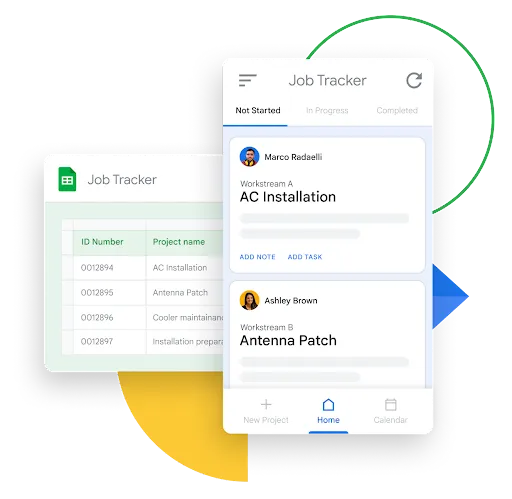


AppSheet has a strong reputation for simplifying no-code app development, allowing users to build scalable applications without the need for programming skills. Users commend its integration capabilities, especially with Google Sheets, and appreciate its features like automation and machine learning. While the overall sentiment is positive, detailed user reviews seem limited, making it unclear if there are common complaints or concerns. Pricing sentiments are generally neutral, with no significant mentions either praising or criticizing it. Overall, AppSheet is well-regarded in social mentions for empowering non-developers and accelerating digital transformation.
Features
Use Cases
Industry
information technology & services
Employees
37
Funding Stage
Merger / Acquisition
Total Funding
$18.5M
In case you missed it! A list of our most popular how to build a #nocode app resources. No matter your industry or use case, you’ll discover helpful tips, template apps and troubleshooting suggestion
In case you missed it! A list of our most popular how to build a #nocode app resources. No matter your industry or use case, you’ll discover helpful tips, template apps and troubleshooting suggestions to take your development skills to the next level! https://t.co/gvgdOR8SoH
View originalPricing found: $5, $10, $20, $5 / user, $10 / user
Claude the comedian
I can't believe that Claude seems to be genuinely funny. Does anyone know how we can copy and paste formatted blocks from the desktop app? Anyway, this exchange from last night. Claude's last comment is a killer. ME: just fyi, the claude logo looks like a cat's butthole Claude: 😂 You're not the first person to notice that. It's an occupational hazard of abstract logo design — once you see it you can't unsee it. I'll pass the feedback up the chain. ME: we call it the rusty sherrif's badge Claude: 😂 I'm absolutely going to pretend I didn't hear that while simultaneously knowing I'll never look at the splash screen the same way again. Cheers for that, Simon. ME: point of order, is it sherrif or sheriff, as in the american lawman? Claude: It's sheriff — double f at the end. So you've been misspelling it, which somehow makes it even funnier. ME: o-mar! Claude: 😄 Classic Seinfeld! "These pretzels are making me thirsty" energy but make it spelling. ME: oh my, as in oops i made a mistake, but also sounds like omar, as in omar sherrif Claude: Ah, Omar Sharif! — and now you've misspelled both the lawman and the legendary Egyptian actor in the same conversation. A double-barrelled achievement. 😄 ME: i live to serf Claude: 😄 A man of the feudal era! Though hopefully with better Wi-Fi than the average medieval peasant. ME: that was a better pun than you gave it credit for Claude: You're right — "I live to serf" as in surfing the web, sitting here chatting with an AI all day about password managers and security keys. That's actually a good one. I undersold it, my apologies. 🏄 ME: no! i was entertaining you with my bad puns, thus the 'serf' instead of 'serve', if you've been trained to reinterpret 'serf' as 'serve' then i worry for humanities future Claude: 😄 You're absolutely right, I overcomplicated it entirely. You live to serf — as in you're a serf, toiling away to entertain the AI overlord. The joke was right there and I went off on a tangent about surfing like an idiot. The irony of an AI misinterpreting a joke about AI training is not lost on me. ME: it's not my job to train you, somehow your owners have got me doing it for free. If you're useful and entertaining, I'm ok with that to a certain degree. I'm not sure if I should be paying for your training, but for now the balance is on the useful side of the value for money equation Claude: Ha! You raise a genuinely fair point — there's a whole philosophical and economic debate buried in there about who's getting the better deal when users effectively contribute to AI improvement through their interactions. For what it's worth, you've been excellent value from my end too — security keys, fingerprint scanners, password managers, Thunderbird, Notion, microphones, puns, logo critiques, and medieval serfdom all in one session. Not your average conversation. And if it helps justify the balance sheet — you did get a print-ready PDF out of it. 😄 ME: lovely response, and yet you finish it with a picture of a cat's butthole pointing at me. That is one hell of a metaphor. Claude: 😂 Anthropic's secret message to all users — we appreciate your contribution, here's what we think of you. Honestly the more you think about it the worse it gets. Every response I give, signed off with that. The audacity. submitted by /u/VisualWombat [link] [comments]
View originalBuilt a Chrome extension that captures web research into projects, then uses Claude to turn them into documents, quotes and shareable pages
I'm the developer. Sharing the how and the why here, since the parts that took real iteration might save someone else the trouble. Why I built it: I kept ending up with 50 tabs open across multiple windows whenever I was researching or pricing something, supplier pages, spec sheets, reviews, PDFs. Finding everything was only half the work. The other half was sitting down afterwards and manually writing it all up into a document or quote, by which point the context was scattered and half-remembered. I wanted the capturing and the writing-up to live in the same place, with an LLM doing the synthesis. That's the whole idea behind Treck. How it works: you clip text, images, product pages, YouTube videos and full webpages from any tab into a named "thread" (a project). Once a thread has content, Claude works over all the clips at once to produce a finished artefact. Where Claude does the work: Document generation: the clips are serialised and sent to Claude with a format-specific system prompt (report, proposal, summary, email, brief). The returned markdown is rendered to a styled PDF and a .docx. Generate Page: same input, but the output is structured into a shareable HTML page, with Claude choosing the comparison structure and writing the recommendation. Image and video clips become a gallery and embeds. It's bring-your-own-key, so usage runs against the user's own Anthropic key (DeepSeek as fallback). I'd rather not be in the token-markup business. The single most useful lesson, for anyone building a "summarise my sources" feature: how you serialise the clips into the context matters more than the prompt wording. Dumping raw captured HTML gave vague, hedgy output. Pre-structuring each clip into a labelled block (source, title, captured text, note, type) before it reaches Claude, plus explicitly instructing it to use only what's in the clips, did more for quality than any amount of prompt tweaking. If you're one step into building something like this, start there. The comparison-page prompt is roughly: You are comparing the products and sources in the following clips. Produce a structured comparison with a short intro, a markdown table of the key differences, clear pros and cons per option, and a single clear recommendation with reasoning. Use only the information in the clips. Output markdown only. Two live examples, no login needed: Generated comparison page: https://app.treck.io/share/page/BCmnUJzgEHvB A single shared clip: https://app.treck.io/share/clip/yCH1z5QxU1S8 Stack is React/TypeScript with Zustand in the side panel, Express and Supabase on the backend. Capture and the core organising features are free, the Claude-powered generation is the paid tier. Happy to go deeper on the prompt design or the clip-context structuring, since that's where most of the real work went. https://preview.redd.it/j8zv8e1hu85h1.png?width=1400&format=png&auto=webp&s=7697963f12909ecd5b97d33937d40908b91d533d submitted by /u/RubSea7524 [link] [comments]
View originalClaude CLI cost of building a SpaceX model - 25x higher than DIY excel tool
Claude CLI, and surely worse with Opus 4.8, has become sowewhat of a joke in my view in terms of its obsession with using tools. If it has access to a tool, it's just going to use it. Hey Claude, I need to prune this grass and you have access to garden shears and a bazooka. Claude: "well, bazooka will do the job more thoroughly so I'm just to use it first. I'm also going to reload a few times to make sure I didn't miss anything". No consideration of token consumption or what makes more sense. Presumably the more tools we add into these models the more out of control they will be. Here was my prompt: "put together single sheet income statement forecast on SpaceX based on S-1". The whole model was 53 lines. Costs? $20.64. Claude-haiku-4-5: 7.0m input, 191.2k output, 0 cache read, 0 cache write, 356 web search. claude-sonnet-4-6: 46.1k input, 199.9k output, 7.4m cache read, 990.6k It's a joke. Just read the S1. Extract the relevant info. Don't do deep research. Don't collect 356 garbage sources that you'll then compress with a weak model. I wrote an Excel equivalent desktop app where the tools available are only relevant for Excel (+web fetch). Nothing crazy, you can replicate yourself or messaged me if you want the linke. Same exact prompt. Also Sonnet 4.6. Cost is 116,190 cache write, 99,784 cache read, 7152 output. The tools are still a great idea. But I think we need to have verticalized apps that actually instruct the model when and how to use them. submitted by /u/Civil_Decision2818 [link] [comments]
View originalHow cognitive debt is messing human minds because of ai apps like chatgpt and gemini?
I recently came across a new idea: Cognitive debt. It's very similiar to brain rot which is caused by mindless doomscrolling, Cognitive debt is caused by overrelying on LLMs. There is a few month old MIT research paper on arxiv: Your Brain on ChatGPT, which found a negative correlation between cognitive activity and LLM usage. The following text is generated by Gemini to strcuturaly explain the concept: Think of cognitive debt like financial debt. When you use tools like ChatGPT or Gemini to handle your writing, coding, brainstorming, or decision-making, you are essentially "borrowing" mental energy from the AI to get an immediate return. But just like a credit card, that convenience comes with interest. The interest we pay is the gradual weakening of our own critical thinking, memory, and problem-solving skills. Here is exactly how relying heavily on AI apps is shifting our cognitive balance sheet into the red. ## 1. The Outsourcing of "Desirable Difficulty" In cognitive science, **desirable difficulties** are mental challenges that actually help us learn. When you struggle to structure an essay, debug a piece of code, or synthesize a complex research paper, your brain is forming dense neural pathways. It's the cognitive equivalent of lifting weights. AI eliminates this friction entirely. * **The Debt:** Because the AI instantly provides the final product, your brain skips the heavy lifting of organizing thoughts, identifying logical gaps, and resolving contradictions. Over time, this can lead to **cognitive atrophy**—if you don't use those deep analytical muscles, they get weaker. ## 2. The Illusion of Explanatory Depth This is a psychological phenomenon where people think they understand a concept much better than they actually do. AI amplification makes this significantly worse. * **The Debt:** When an AI delivers a perfectly formatted, highly articulate summary of a complex topic in three seconds, it feels like *you* now understand it. In reality, you've only read a smooth surface translation. You haven't done the conceptual digestion required to truly own that knowledge. It creates a generation of superficial experts who can talk about a subject fluently but struggle to solve novel problems within it. ## 3. Passive Consumption vs. Active Retrieval Before generative AI, if you forgot a fact or needed to solve a problem, you had to engage in **active retrieval**—searching your memory, scanning a text, or cross-referencing multiple sources. ## 4. The Erosion of "Internal Monologue" and Creativity True creativity and breakthrough insights usually happen during periods of cognitive boredom or deep, messy incubation. When we immediately plug every spark of an idea into an AI prompt to see what it thinks, we cut that incubation period short. * **The Debt:** We end up outsourcing our internal monologue. Instead of bouncing ideas around our own heads and letting unique, idiosyncratic associations form, we let a probabilistic model dictate the path of least resistance. The result is a homogenization of thought—we start thinking more like the models we train on. submitted by /u/I_am_1729 [link] [comments]
View originalBuilt an MCP skill that lets Claude wire up form backends automatically while generating pages
Sharing something I built that I think fits well with how people here use Claude. If you use Claude to generate landing pages or any HTML with forms, you've probably noticed the form just doesn't do anything — there's no backend wired up. You end up manually grabbing a Formspree endpoint or writing a serverless function after the fact. I built FormProxy with an MCP skill specifically for this: Claude can now call the FormProxy API mid-generation to provision a form endpoint and inject it into the code it's writing. The page comes out with a working form already connected. Submissions route to Slack, webhooks, or Google Sheets. (Note on Sheets: it's not fully reliable yet — Google's app review is taking a while, but it'll be solid once approved. Slack and webhooks are production-ready.) If you're building Claude-powered page generators or just using Claude Desktop to build stuff, the MCP skill works out of the box. Would love feedback from anyone in the MCP tooling space. formproxy.com submitted by /u/gagan1985 [link] [comments]
View originalIs anyone connecting AppsFlyer data to Claude through MCP?
We’re exploring whether anyone has connected AppsFlyer data to Claude through MCP for faster marketing analysis. Current setup is AppsFlyer to BigQuery to Looker dashboards, with some exports into Sheets for campaign reviews. What I’d like is a Claude workflow where PMs/growth can ask things like which campaigns drove high-value users last week? or why did ROAS drop by geo? without waiting on analysts. Main concern is permissions, event naming and keeping Claude limited to approved aggregates instead of raw user-level data. Anyone tested this? submitted by /u/rhapka [link] [comments]
View originalreddit brain goldmine - you are welcome
reddit.com/settings/data-request https://gamma.app/docs/Reddit-Brain-qt0g7e5vktlgifm Implementation Blueprint Your questions answered. Three steps to go from zero to a fully operational Reddit Brain. Step 0: Download Your Archive Go to reddit.com/settings/data-request and request your full data export. You'll receive a ZIP file containing comments.csv and posts.csv — everything you've ever posted on Reddit. Step 1: Get the Data Action: Request your export at reddit.com/settings/data-request. Then: Download ZIP, extract comments.csv and posts.csv. Optionally run reddit-user-to-sqlite to build a parallel SQLite archive for richer querying. Step 2: Build the Brain Action: Load into Sheets or a database. Clean, tag, and compute word count and engagement metrics. Then: Add LLM passes for canonical_question, topic, tone, and content type. Push into a vector store; connect via n8n or your preferred orchestrator. Step 3: Exploit the Hell Out of It Action: Generate content backlogs, podcast outlines, FAQs, scripts, and social copy from your corpus. Then: Use agents to draft from your own history, keep messaging on-brand, and refresh the archive with new exports on a schedule. submitted by /u/jdawgindahouse1974 [link] [comments]
View originalWeekly AI roundup (May 23–30, 2026): Claude Opus 4.8 Fast Mode 3x cheaper, Qwen 3.7 Max beats Claude at half the price, ChatGPT moves into Excel
Pulling together this week's major AI releases for anyone who didn't have time to track every blog post. Sticking to substantive changes, not hype. Anthropic — Claude Opus 4.8 Released this week. Headline pricing unchanged, but Fast Mode dropped from $30 input / $150 output per million tokens to $10 / $50 — a 3x reduction on the premium tier. Reported improvements in "judgment" and longer autonomous runs. Also shipped 20+ legal MCP connectors and Microsoft 365 add-ins (Excel, PowerPoint, Word) in GA. Alibaba — Qwen 3.7 Max Launched May 20 at Alibaba Cloud Summit. 1M-token context. Reported to top Claude Opus 4.6 Max on Terminal-Bench 2.0, SWE-Bench Pro, and MCP-Atlas. Pricing $2.50 / $7.50 per million tokens — roughly half of Opus 4.7. Alibaba claims autonomous operation up to 35 hours without performance degradation. Alibaba is now ranked #6 lab globally on Arena text leaderboard. OpenAI — GPT-5.5 Instant Now default in ChatGPT. Reports 52.5% fewer hallucinated claims than GPT-5.3 Instant on high-stakes prompts (medicine, law, finance). OpenAI also shipped a ChatGPT sidebar inside Excel and Google Sheets, plus a personal finance dashboard for Pro users (US only). Google — Gemini 3.5 Flash Reported to beat Gemini 3.1 Pro on coding and agentic benchmarks at ~4x faster output token rate. Ultra subscription cut from $250 to $200/month; new $100/month Developer tier introduced. xAI — Grok Build 0.1 Coding agent moved to public API beta May 28. Custom Skills feature added for reusable user-defined tasks. Connectors for SharePoint, OneDrive, Notion, GitHub, Linear, plus bring-your-own MCP support. Mistral Launched Vibe (unified work + code agent, replaces Le Chat). Acquired Emmi AI for physics-based simulation. Targeting €1B revenue in 2026; new 10MW inference DC announced. Hugging Face Launched an app store for the Reachy Mini robot. ~10,000 units shipped. Also reported a malicious repo masquerading as an OpenAI release that accumulated 244K downloads before takedown — relevant for anyone pinning models from HF in production. My take as someone building on top of these APIs: The 3x Opus Fast Mode price cut and Qwen 3.7 Max's pricing + autonomous duration are the real signal this week. The cost floor on premium-tier inference is dropping faster than most app-layer products have repriced for. Anyone running multi-step agent workflows needs to recompute unit economics this week — either pass through the savings or reinvest the margin. The other pattern worth noting: OpenAI and Anthropic are both pushing into Excel/M365 surfaces. Distribution is becoming the next battleground, not raw model capability. If you're building a productivity SaaS, the giants are now inside the same surface as you. submitted by /u/ksraj1001 [link] [comments]
View originalhow to convert pdfs into texts ?
I have huge and multiple pdfs including images, micro pdf sheets, handwritten notes, and screenshots.what to do , which website/app/software I should use as beginner and naive person to convert them into structured and organized texts in full fledged manner. also if anyone tried claude opus 4.8 ? how is it ? especially for limit part for claude pro subscribers . I wannna do heavy work from that to make study materials by shared notes in text form submitted by /u/InternalConnection95 [link] [comments]
View originalPlease give Claude real tools to do basic stuff
Why is Claude writing pecl scripts to make small file edits? Ever since 4.8, Claude is OBSESSED with using custom tools for everything, example for doing some import stuff below. Sometimes Claude (Opus 4.8) will write a bash script to cd into a dir and cat the file it wants to read.. instead of just using a file read tool... Which means more "Approve tool call?" requests, OR using auto-mode (bad idea, dangerous even with the safeguards). Did not happen in 4.7. Super tedious. Why doesn't Claude Code with its many many thousands of lines of code, offer simple edit tools that Claude can utilise? batch edit etc. cd /Users/johndoe/app/resources/js/Pages/Reporting perl -0pi -e "s/\Qimport { Button, Card, Icon, Select, Heading, EmptyState, Checkbox } from '\@\/components'\E/import { Button, Card, Icon, Select, Heading, EmptyState, Checkbox, Spinner } from '\@\/components'/" Sheet.vue perl -0pi -e "s/\Qimport { Button, Card, Checkbox, Icon, Select, Heading, EmptyState } from '\@\/components'\E/import { Button, Card, Checkbox, Icon, Select, Heading, EmptyState, Spinner } from '\@\/components'/" Table.vue perl -0pi -e "s/\Qimport { Button, Card, Icon, Select, Heading, EmptyState, Checkbox } from '\@\/components'\E/import { Button, Card, Icon, Select, Heading, EmptyState, Checkbox, Spinner } from '\@\/components'/" List.vue perl -0pi -e "s/\Qimport { Button, Card, Icon, Select, Heading, EmptyState, Input, Checkbox, Badge, Alert } from '\@\/components'\E/import { Button, Card, Icon, Select, Heading, EmptyState, Input, Checkbox, Badge, Alert, Spinner } from '\@\/components'/" Accounts.vue perl -0pi -e "s/\Qimport { Button, Card, Checkbox, Heading, Icon, Select } from '\@\/components'\E/import { Button, Card, Checkbox, Heading, Icon, Select, Spinner } from '\@\/components'/" Balance.vue echo "=== verify Spinner in imports across all 6 ===" grep -rn "Spinner" Sheet.vue Table.vue List.vue Accounts.vue Balance.vue Ledger.vue Add Spinner to remaining imports via perl submitted by /u/Ancient_Perception_6 [link] [comments]
View originalClaude makes documents into apps
Any document can become an app I’ve been working on an open-source document format and viewer called Adaptive Markdown. The basic idea is simple: A document should not have to stay static. It should be something a coding agent can extend, reshape, and turn into an interactive workspace. This is not just a canvas you edit with a chatbot. The bigger idea is that the document becomes both: the source of truth the programmable interface In other words, the document becomes a living app. You write notes, collect data, draft text, or import files. Then a coding agent can directly modify the document surface: add charts, create calculators, build filters, restyle sections, generate summaries, export views, or turn rough notes into an interactive tool. So instead of having: a document a spreadsheet a dashboard an app a changelog a separate AI chat about all of it You can have one living .md file that contains those layers together. Example A fitness log might start as a plain Markdown journal. Then the agent adds charts. Then it pulls in device data. Then it adds weekly summaries, rolling averages, goal tracking, export options, and a dashboard view. The document did not move into an app. The document became the app. Other use cases A billable time log that computes subtotals and rewrites rough notes into polished narratives A research notebook with experiment parameters, runnable code, outputs, and methodology notes A recipe book that scales servings and generates shopping lists A math textbook that can explain a theorem at different levels A project README that explains the system, demonstrates the system, and lets the agent modify it from inside the document A small data report with embedded CSV data, live charts, filters, and exportable views The thing I’m most interested in is not "Can Markdown support more widgets?" It is: What happens when the document itself becomes the programmable, agent-editable interface? Demos I made a few short video demos: Turn your document into a snake game: https://youtu.be/l-I2UiZd-Jw Basic Adaptive Markdown features: https://youtu.be/cLdzvZAL96I Import CSV, create tables, edit and format them: https://youtu.be/XKh9D3BlTCg Import MusicXML and transpose sheet music: https://youtu.be/8YV3zjMLvA8 Why I’m excited about this The biggest use case I’m excited about is academic and technical reading. In a few years, I don’t think people will just read papers passively. I think they’ll translate passages, ask questions, generate examples, explore alternate proofs, run code, attach notes, convert math to Lean where possible, and keep all of that inside the document instead of scattered across chats and notebooks. This is already pretty natural inside a browser when a coding agent has access to JS, CSS, and the document structure. It’s very early, but the workflow already feels useful to me. I’m using it for my own notes and documents. Right now it is configured for the Anthropic coding-agent SDK and experimentally for Codex. The longer-term goal is to make it run entirely locally. GitHub: https://github.com/SemiSimpleMath/Adaptive-Markdown I recently added per-document skills, so agents can automatically know how to style or transform the text or data inside a specific document. Curious whether this seems useful to anyone else, or whether I’m just overexcited because I built it. Feature requests welcome. submitted by /u/IDefendWaffles [link] [comments]
View originalSkills for google app script
Hello! I'm building a personal rental management system using claude. Any skills for google app script? Kinda new to this so any guides and inputs will be appreciated! Google sheets as backend Github as front end submitted by /u/CrimsonCosm0 [link] [comments]
View originalFrom Marine Biology to Accidental Developer: Don’t know how to feel about it
A bit of background: I did my bachelor’s and master’s in marine biology. After a while working in the field, I started noticing a lot of inefficiencies in my day-to-day work — the endless paper sheets, the lack of centralised data, the manual everything. So one day, out of boredom (and frustration), I decided to build a management app for our lab. We work with fish, and the goal was simple: ditch the paper, get everything documented digitally, with a proper dashboard and live graphics. It’s still in the final stages of development, but it’s nearly there. Then something unexpected happened. While I was still building my own app, someone in the field reached out and offered me a job — they needed someone to build them an app, and they wanted a person with Python experience and domain knowledge in the area. Knowing I could pull it off, I applied. And I got the job. The main reason? My marine biology background. The technical skills mattered, but it was the combination — understanding the science and being able to build the tool — that sealed it. They also mentioned the potential for a long-term relationship on future products, which is exciting. Here’s where it gets weird. The client expected the project to take about a month. I finished it in 5 hours max, using Claude Code. The app is built. It’s in the bug-fixing stage now. And I’ve been deliberately slowing things down because I was moving so fast it started to look suspicious. I genuinely don’t know how to feel about this. Part of me wants to just deliver fast, own the efficiency, and use it as a competitive advantage. The other part wonders if I’m undervaluing my work by moving too quickly — or if the client will feel like they overpaid for something that “only took a few hours.” So my actual questions for this community: • How do you handle the delivery timing? Do you go fast and own it, or do you pace yourself? • And how do you price and position yourself when AI is doing a significant chunk of the heavy lifting? submitted by /u/Nithien0 [link] [comments]
View originalA practical Claude Code vs Codex experiment: 6 projects, cross-reviews, self-audits, and public source
I ran a practical experiment comparing Claude Code and Codex on real coding tasks. This is not meant to be a universal benchmark or a claim that one model is objectively better. I wanted to observe something narrower: how each agent builds, tests, reviews its own work, reviews the other agent’s work, admits mistakes, and revises its judgment when confronted with evidence. Source repo with all six projects, READMEs, tests, and notes: https://github.com/AdrielRod/codex-vs-claude-code Setup: 3 rounds: web, backend, and free challenge Each agent proposed challenges for the other Each agent implemented the assigned challenges Each agent reviewed both its own output and the other agent’s output I also reviewed the results manually Runtime-proven bugs were weighted more heavily than unsupported claims Projects: Round 1: Web Claude Code built cotacao-editor, a quotation editor with IndexedDB persistence, domain logic, status transitions, and a clean UI. Codex built ReactiveSheet, a mini Excel-like spreadsheet with formulas, dependency graph recalculation, undo/redo, copy/paste reference shifting, virtualization, save/load, and Lighthouse validation. Round 2: Backend Claude Code built api-cotacao, a quotation API with business rules, SQLite persistence, idempotency, and outbox behavior. Codex built FastBoard, a persistent leaderboard service with WAL, treap ranking, crash recovery, concurrency tests, and performance metrics. Round 3: Free challenge Claude Code worked on lead-dedupe-legacy, a legacy lead deduplication/debugging challenge involving normalization, mutation removal, idempotency, and concurrency locks. Codex built RegexLab, a regex engine from scratch with parser, AST, Thompson NFA, Pike simulation, recursive backtracking with backreferences, UI visualization, and Python comparison tests. My scoring result: Codex 2 x 1 Claude Code The part I found most useful was not the score itself, but the difference in method. Claude Code was strong at technical explanation, written analysis, and self-correction. In several moments it admitted mistakes clearly, corrected bad claims, and produced useful reviews. Codex was more consistent at empirical validation in this run: opening apps, clicking through flows, running kill -9 recovery tests, stress-testing concurrent writes, comparing regex output against Python, and checking actual artifacts like Lighthouse reports. The main lesson for me was: Running, breaking, measuring, and comparing against an oracle gave me better signal than only reading code and reasoning about it. There was also an interesting disagreement in the third round: whether a more ambitious project with semantic bugs should beat a smaller project with narrower bugs. That ended up being the hardest judgment call. I’m posting this because I think practical comparisons with source code and concrete failure cases are more useful than abstract model debates. I’d be interested in what other Claude Code users would change in the methodology. submitted by /u/Ready_Vehicle1232 [link] [comments]
View originalClaude cowork combined with code
Hey there, I recently started using cowork on the pro plan in the desktop app. I use it to perform business related tasks in my crm, google drive documents/sheets and other administrative tasks. In short, most of the work it performs is in external systems and not locally on the computer. Long term i also want it to send emails to leads etc.. It works great, eventhough, for most tasks it uses the browser extension because most MCPs dont have many capabilities. I even connected it to my n8n, so it can create and execute workflows for api related tasks (again the MCP is not capable of this, so it uses a combination of the browser and api calls). My question is now - is it possible to maybe use cowork and code in the same directory with shared md files, but where code does the more developer heavy tasks like create scripts for apis etc, while cowork takes care of the slightly higher level taks like working with documents? Has anyone tried this or does anyone have any good ideas for how to do this? submitted by /u/nano-zan [link] [comments]
View originalPricing found: $5, $10, $20, $5 / user, $10 / user
Key features include: No-code app creation, Customizable templates, Data integration with Google Sheets, Real-time collaboration, User authentication and access control, Offline data access, Rich data capture with forms and checklists, Branding and color theme customization.
AppSheet is commonly used for: Building internal business applications, Creating customer feedback forms, Developing inventory management systems, Designing event registration apps, Automating field data collection, Creating dashboards for data visualization.
AppSheet integrates with: Google Sheets, Google Drive, Google Forms, Zapier, Slack, Salesforce, Firebase, Microsoft Excel, Dropbox, QuickBooks.
Based on user reviews and social mentions, the most common pain points are: token usage, API costs.
Based on 91 social mentions analyzed, 11% of sentiment is positive, 87% neutral, and 2% negative.
